

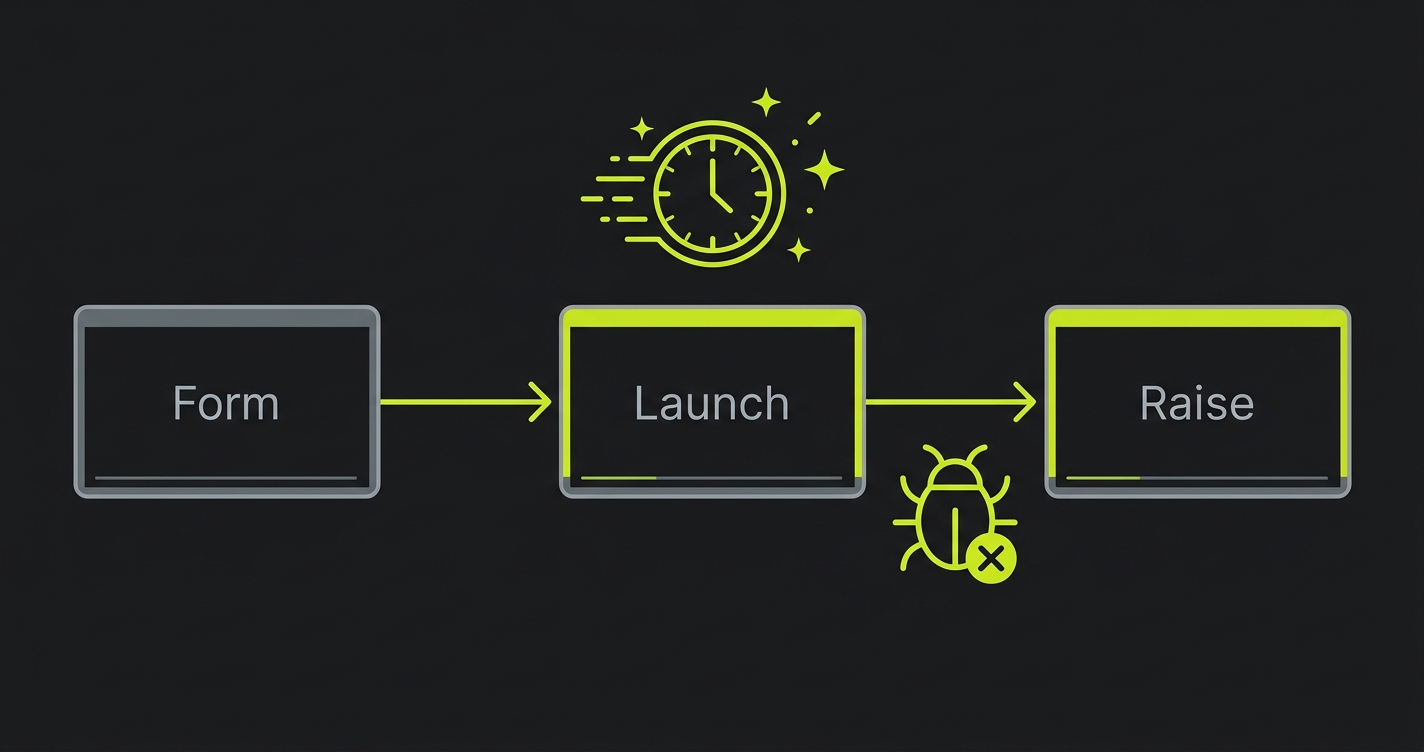
The Plug and Play corporate pilot problem: At Plug and Play, your customers are not startup founders who understand that early-stage products have rough edges. They are Fortune 500 innovation teams running structured POC evaluations that involve procurement, legal, IT, and the business unit. One bug during a corporate POC does not result in a Slack message. It results in an IT security ticket, an escalation to the corporate sponsor's manager, and a deal that is frozen for six months while the vendor review process restarts. The bar for reliability during a Plug and Play corporate pilot is higher than in any other accelerator context. Here is how to meet it while still shipping fast.
Plug and Play is not a typical accelerator. It is a corporate innovation platform where Fortune 500 companies, not VCs, are the primary audience at Expo Day (or Summit Day, depending on the vertical). The companies in the room are there to find startup technology to pilot and potentially procure. They are not looking for interesting ideas. They are looking for products they can put through their vendor evaluation process and sign a contract with.
That dynamic changes everything about how a Plug and Play startup should think about customer pilots. In most accelerators, a pilot is a conversation between your team and a buyer who is also taking a risk on early-stage software. Both parties understand the context. A bug is an incident in a relationship between two parties who have calibrated expectations.
In a Plug and Play corporate pilot, a bug is an incident in a structured evaluation process that has multiple stakeholders with different risk tolerances. The business unit contact who introduced you to the opportunity is not the person who manages security incidents. The IT team that set up the integration is not the person who determines whether the vendor relationship continues. A bug that the business unit contact might shrug off can trigger a process in the IT organization that freezes the evaluation for weeks.
Therefore: for Plug and Play founders, the operational discipline around pilot quality is not just a deal consideration. It is the difference between a corporate relationship that progresses through procurement and one that gets frozen in the vendor risk review queue.
The Plug and Play Timeline and the Corporate POC Window
Plug and Play's 3-month programs culminate in an Expo Day or Summit where corporate partners see what the batch companies have built. The corporate partners are not just observers. They are potential customers who have already been matched with relevant startups based on their stated technology needs.
The matching happens early in the batch. In the first month, Plug and Play facilitates introductions between startups and corporate partners in relevant verticals. In month two, those introductions convert to POC scoping conversations. In month three, POCs are running (ideally) and the evaluation results are ready to discuss at Expo.
Working backward: to have a corporate customer reference at Expo, you need a POC that started in month two and completed successfully in month three. To start a POC in month two, you need to complete the corporate intake process (introduction, technical requirements review, security questionnaire, sometimes a brief legal review) in weeks four through six.
That corporate intake process is the first place where founders underestimate the timeline. Startups are used to "let's start a pilot" meaning "let's start next week." In corporate, "let's start a pilot" means "let's begin the intake process that will take three to five weeks before we can provision access and start evaluating."
The tight timeline creates pressure to start corporate POCs before the product is ready for the bar corporate IT requires. That pressure is where bugs become deal-ending.
Why Corporate Pilots Are Different from Startup Pilots
Every bug in a startup pilot has a specific blast radius. It affects the champion who is using the product, the relationship between your team and theirs, and potentially the close timeline. The fix path is a message to the champion, a hotfix, and a follow-up.
In a corporate pilot, every bug has a different blast radius, shaped by the organizational structure around the evaluation.
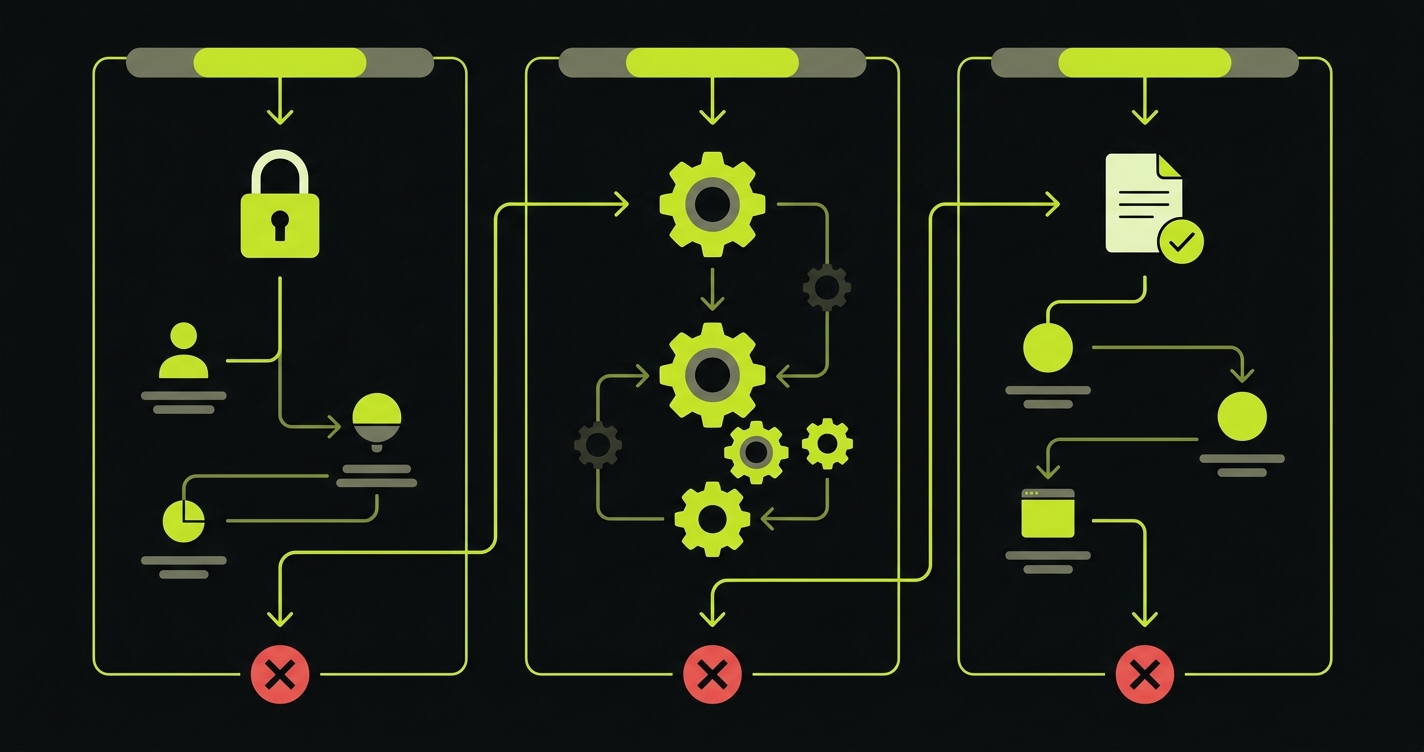
Here is the escalation path for a bug in a corporate POC:
Business unit user encounters the bug. They report it to the startup. This is the same as a startup pilot.
Startup communicates the bug and fix to the business unit user. The business unit user updates their manager and the internal project sponsor. This is slightly broader than a startup pilot.
IT department, which was involved in provisioning access and may be monitoring the integration, gets notified of the issue. They log it. Depending on the nature of the bug (data access error, authentication failure, data exposure risk), they may escalate.
Security team, if the bug touches anything that looks like a security surface, opens a ticket. Security tickets at Fortune 500 companies can freeze external vendor access while the investigation is underway. "Access suspended pending security review" is a real outcome for bugs that look like they might have data handling implications.
Procurement, which was about to issue a PO for the expanded pilot or contract, pauses while the security and IT review is underway. You now have a deal that was days from closing frozen for six to eight weeks while the internal process plays out.
This is not a hypothetical. It is the actual failure mode that Plug and Play startups encounter when a bug surfaces during a corporate POC with an enterprise partner. The fix for the bug takes hours. The recovery from the escalation takes months.
What Corporate IT Actually Cares About During a POC
Corporate IT teams evaluating a startup during a POC have a specific risk model. They are not evaluating whether the product is clever or useful. They are evaluating whether deploying this product into their environment creates risks they would be accountable for.
The bug types that trigger IT escalation:
Authentication failures. An auth error looks like a potential credential exposure or session management vulnerability. Even if the bug is purely cosmetic, an auth error in a corporate environment gets logged as a potential security incident.
Data handling errors. Any bug that involves data not appearing correctly, data appearing where it should not, or data disappearing from where it was stored will be interpreted through a data governance lens. "Customer data was temporarily unavailable" is a compliance flag, not just a product bug.
Integration errors. Corporate POCs often involve integrating with internal systems. An integration error can look like unauthorized data access or exfiltration, even when it is a mundane API timeout. IT teams log integration anomalies as a matter of policy.
Unhandled exceptions visible to users. Error stack traces appearing in the UI, error modal dialogs with technical details, or application crashes that produce error codes are all red flags for IT security teams who see them as evidence that the product has not been security-hardened.
Cover these four categories specifically in your automated testing for Plug and Play POCs. Not because they are the most common bug types, but because they are the bug types that trigger escalation processes that freeze deals.
The "Protect the Corporate Pilot" Framework
The corporate version of the protect-the-pilot framework has a higher bar than the startup version because the stakeholder surface is wider.
In a startup pilot, you need to protect the path one or two people walk. In a corporate pilot, you need to protect the path that multiple people from multiple teams might walk, with different access levels and different system configurations.
Before the POC starts, map the complete stakeholder path:
Business unit user: the day-to-day user of the product. Their path is the standard critical path: login, core action, output.
Manager or project sponsor: typically evaluates the product by reviewing outputs the business unit user generates. Their path involves the report or export view, the sharing functionality, and any approval workflow.
IT contact: may independently verify that the integration is running correctly and that data is flowing as expected. Their path often involves admin views, integration status dashboards, and audit logs.
Security team: if they audit during the POC (which happens for high-stakes evaluations), they may attempt to access functionality outside their provisioned scope to verify access controls. Your product must handle unauthorized access attempts gracefully, not with stack traces or unhandled exceptions.
Automated tests covering all four paths are the comprehensive version of corporate POC protection. The minimum viable version: cover the business unit user's path completely and ensure that auth errors, data errors, and integration errors never expose technical details to any user.
The Three Moments That Cannot Break in a Corporate POC
For a Plug and Play corporate pilot, the three moments that are guaranteed to trigger escalation if they break:
SSO authentication. Corporate environments almost always use SSO. The corporate IT team provisioned your app's SSO integration as part of the POC setup. An SSO failure, even a transient one, registers as an authentication incident in the corporate security monitoring system. Test SSO specifically, not just password-based auth. Test that SSO login completes, that the session is established correctly, and that re-authentication after a session expiry works without error.
Data integration sync. If your product integrates with a corporate system (Salesforce, SAP, an internal data warehouse, a SharePoint), the data sync must run correctly and the sync status must be visible to the IT contact. A failed sync that is not surfaced in a visible status indicator will be discovered by IT monitoring and logged as an integration incident. Cover the sync run and the status display with automated checks.
Error handling and user messaging. When something goes wrong in your product during a corporate POC, the user must see a clean, professional error message: "Something went wrong. Please try again or contact support." They must not see a stack trace, an HTTP status code, a raw JSON error response, or any technical detail that suggests poor engineering hygiene. Test your error states. Not just the happy path: the error path. Make sure errors are caught and displayed cleanly.
// Plug and Play Expo protection suite
// Higher bar than startup pilots: cover SSO, data integrity, and error states

// SSO auth: must complete for corporate SSO configuration
test('sso: corporate login completes without error', async ({ page }) => {
  // Simulate SSO entry (using test credentials that go through SSO flow)
  await page.goto('/login')

  // SSO button must be present and enabled
  const ssoBtn = page.locator('[data-testid="sso-login"]')
  await expect(ssoBtn).toBeVisible()
  await expect(ssoBtn).toBeEnabled()

  // For integration test: use test SSO path
  await page.goto('/auth/sso/callback?token=' + process.env.TEST_SSO_TOKEN)
  await expect(page).toHaveURL('/dashboard')
  await expect(page.locator('[data-testid="user-display"]')).toBeVisible()

  // No error banners
  await expect(page.locator('[data-testid="auth-error"]')).not.toBeVisible()
  await expect(page.locator('[data-testid="session-error"]')).not.toBeVisible()
})

// Core workflow: must complete and produce clean output
test('core action: completes with clean output and no raw errors', async ({ page }) => {
  await page.goto('/auth/sso/callback?token=' + process.env.TEST_SSO_TOKEN)
  await page.waitForURL('/dashboard')

  await page.click('[data-testid="run-analysis"]')
  await page.waitForSelector('[data-testid="analysis-complete"]', { timeout: 120000 })

  const output = page.locator('[data-testid="results-panel"]')
  await expect(output).toBeVisible()

  // No technical error details visible to user
  const pageText = await page.textContent('body')
  expect(pageText).not.toMatch(/stack trace|TypeError|SyntaxError|500|undefined is not/i)

  // Output must be substantive
  const outputContent = await output.textContent()
  expect(outputContent!.trim().length).toBeGreaterThan(50)
})

// Data integration sync: status must be visible and healthy
test('integration: sync status is visible and not in error state', async ({ request }) => {
  const res = await request.get('/api/integrations/status', {
    headers: { 'Authorization': `Bearer ${process.env.PILOT_API_TOKEN}` }
  })

  expect(res.status()).toBe(200)
  const status = await res.json()

  // Integration must be connected
  expect(status.connected).toBe(true)
  expect(status.error).toBeNull()

  // Last sync must have completed successfully
  expect(status.last_sync_status).toBe('success')
  expect(new Date(status.last_sync_at).getTime()).toBeGreaterThan(
    Date.now() - 24 * 60 * 60 * 1000 // Synced within 24 hours
  )
})

// Error handling: errors must be caught and displayed cleanly
test('error states: error conditions show user-friendly messages', async ({ page }) => {
  await page.goto('/auth/sso/callback?token=' + process.env.TEST_SSO_TOKEN)
  await page.waitForURL('/dashboard')

  // Trigger a known error condition (e.g., run workflow with invalid input)
  await page.goto('/workflow/run?source=invalid_test_id')

  // Error must be handled gracefully
  const errorState = page.locator('[data-testid="error-state"]')
  await expect(errorState).toBeVisible()

  // Error message must be user-friendly
  const errorText = await errorState.textContent()
  expect(errorText).toMatch(/try again|contact support|not found/i)

  // No raw technical details
  expect(errorText).not.toMatch(/TypeError|stack|undefined|null|500/i)
})

// Access control: unauthorized access must fail cleanly
test('access control: unauthorized routes return proper error, not stack trace', async ({ request }) => {
  // Attempt to access admin endpoint without admin credentials
  const res = await request.get('/api/admin/users', {
    headers: { 'Authorization': `Bearer ${process.env.PILOT_API_TOKEN}` }
  })

  // Must return 403, not 500 or 200 with data
  expect(res.status()).toBe(403)

  const body = await res.json()
  // Must have a clean error message, not a stack trace
  expect(body).toHaveProperty('error')
  expect(body.error).not.toMatch(/TypeError|stack|undefined/i)
})
This suite covers the five bug categories that trigger corporate escalation: SSO failure, core workflow failure, data integration sync failure, unhandled error states, and access control failures. It runs before every deployment. For Plug and Play POCs, this is the minimum. The alternative is a security ticket that freezes your deal for six months.
How Autonoma Protects Corporate POCs
Enterprise IT teams document bugs during POC evaluations. The goal is not to manage those documents after they're written. The goal is to prevent them from being written at all. A regression that surfaces in front of a Fortune 500 IT department enters a written record that follows your vendor relationship through every future procurement review.
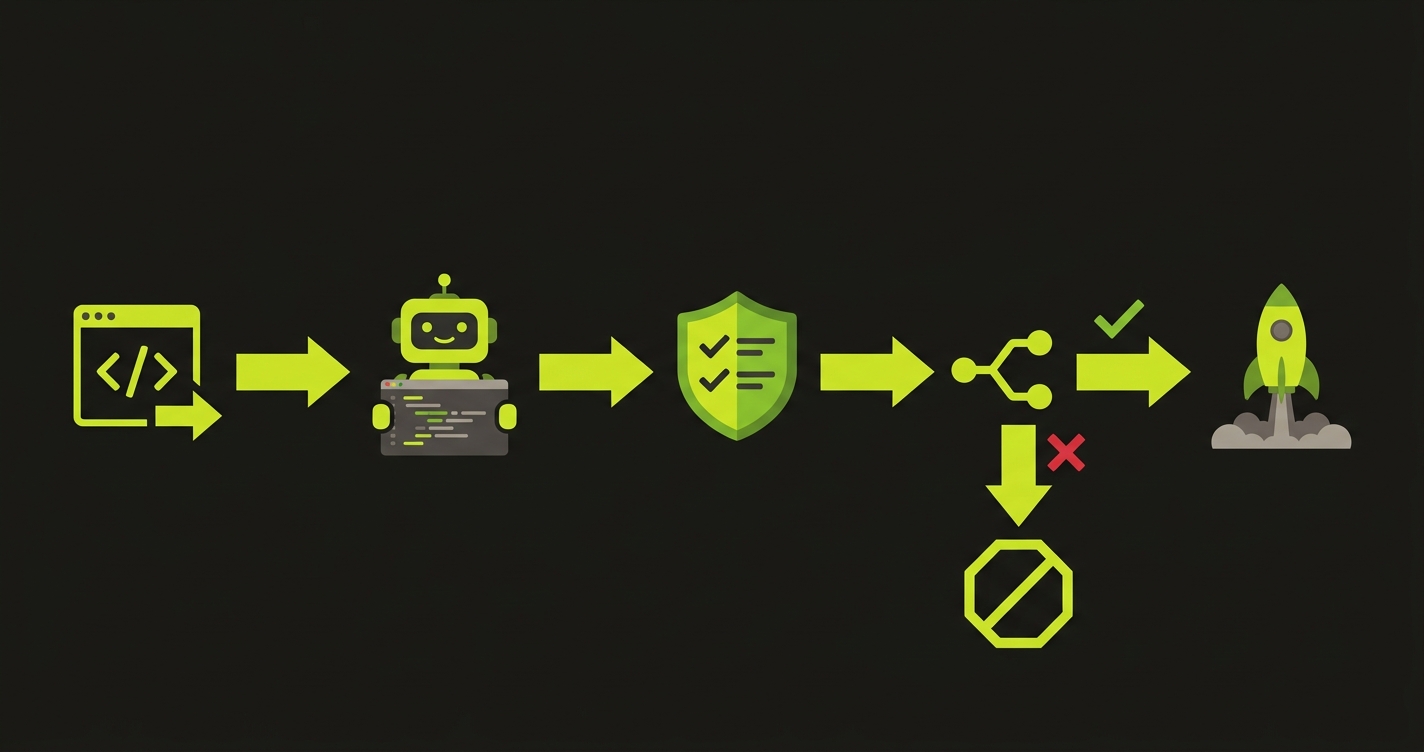
Autonoma generates E2E tests automatically from your codebase, covering the exact paths corporate IT approved during the POC intake: SSO authentication, the core workflow, and the output format. It works directly with your actual routes and components, not generic scripts. No test code to write, and the coverage stays current as your codebase evolves through the three-month program.
The CI integration is where the protection is concrete: any deploy that would break the approved workflow gets blocked before it ships. The regression that would have triggered an IT security ticket on Tuesday never reaches the corporate environment.
Autonoma also covers the error states that IT security specifically monitors: HTTP 500s, unhandled exceptions, and auth failures that look like security incidents in corporate monitoring systems. Clean error handling is not optional in a Fortune 500 POC; it is part of what IT is evaluating.
You arrive at Expo Day with a pilot that the business unit, procurement, and IT security teams all have clean records on. The corporate reference that converts from POC to contract is the one where nothing was ever escalated.
The 48-72 Hour Stability Window: Stricter for Corporate Accounts
The stability window concept, avoid deploying during a pilot customer's first sessions, is more important for corporate accounts than for any other type of customer.
Here is why. A startup champion who has a bad experience in their first session will message you and give you a chance to fix it. A corporate business unit user who has a bad experience in their first session will report it to their manager and the internal project sponsor before contacting you. By the time you hear about it, the incident has already been discussed internally and the evaluation's credibility has taken a hit.
For Plug and Play corporate POCs, the stability window should be extended. Instead of 48-72 hours, consider a 72-96 hour window after initial access is provisioned for corporate accounts. Corporate users often access new software in the first few days after provisioning in an exploratory way: they log in, look around, try a few things, and form their initial impression. Any bug encountered during that exploratory window affects the entire evaluation's credibility.
Additionally: corporate IT may independently probe the integration during the first week of the POC, even if the business unit users have not done their first formal session. An IT team running diagnostic checks on a new integration in the first 48 hours will encounter any auth or integration bugs that exist. That discovery bypasses the business unit champion entirely and goes directly into the IT ticket system.
Hold deployments during the first week of a corporate POC unless you have a critical bug fix. The first week is when impressions form across multiple stakeholder groups simultaneously.
Managing Multiple Corporate POCs Before Expo Day
Plug and Play batches run 25-50 startups across verticals. The corporate partners are matched across verticals: a fintech company gets intros to bank innovation teams, a logistics startup gets intros to supply chain teams, a health tech startup gets intros to hospital system innovation groups.
Managing two or three corporate POCs simultaneously in months two and three of the batch requires a more structured approach than managing startup pilots. The stakeholder count per POC is higher. The communication is more formal. The timeline is more rigid.
For each corporate POC, maintain a stakeholder map:
- Business unit champion (your primary contact)
- Project sponsor (the executive who approved the POC)
- IT contact (the person who set up the integration)
- Security contact (if identified, the person who reviewed the security questionnaire)
- Procurement contact (the person who will issue the PO if the POC succeeds)
Know who each of these people is. Know which ones are likely to surface issues to you directly (the champion) and which ones will handle issues internally first (IT, security). When you deploy, think about which stakeholders might interact with your product in the next 48 hours and whether a regression would be encountered by someone who routes it through an internal process rather than to you.
This sounds heavy. It is one document with five names and some context. It is the difference between knowing that your corporate POC has a security contact who probes the integration on Mondays and deploying on Sunday night.
Investor and Corporate Partner Diligence at Expo Day
At Plug and Play Expo, two types of due diligence happen simultaneously. VCs and angels in the audience are evaluating the company in the traditional investor sense. Corporate partners are evaluating the company as a potential vendor.
Corporate partner due diligence is different from VC diligence in one key way: it is done by procurement and technology teams, not investment teams. Procurement due diligence for a startup looks at: does the product work reliably, is the company solvent enough to be a viable long-term vendor, and what are the security and compliance implications of using this product?
The reliability question is answered primarily by the POC outcome. A corporate partner that ran a POC and had it go cleanly will tell the procurement team "the product works." A corporate partner that ran a POC with incidents will tell the procurement team "there were some reliability concerns during the evaluation." That framing delays the contract by months.
For the VC diligence happening simultaneously, corporate customers are the highest-quality reference customers. A Fortune 500 company running your product in a POC, with a positive evaluation outcome, is a signal that your product is enterprise-grade in a way that startup customers do not convey. But that signal only exists if the POC went well. An investor who asks your corporate POC reference about the evaluation and hears about reliability issues discounts the reference heavily.
Your pilot quality before Expo Day determines the quality of the diligence references you can offer to both audiences.
Getting Started This Week
If you are a Plug and Play company in month two with corporate POCs starting, here is the minimum viable action this week.
First: identify which corporate partners are in active POC discussions and what their IT and security requirements are. Review the security questionnaire you submitted. Make sure the commitments you made in that questionnaire are reflected in what your product actually does.
Second: set up automated tests covering SSO authentication, core workflow completion, data integration sync status, and error state handling. These four tests catch the categories of bugs that trigger corporate escalation.
Third: define your stability window for each corporate POC. When does the corporate user get access? The 72-96 hours after provisioning are your no-deploy window, unless you have a critical fix.
Fourth: for any deployment that happens during an active corporate POC, confirm with your IT contact that the deployment is scheduled and brief them on what is changing. Corporate IT contacts want to know when vendors are deploying. Surprises in a corporate integration environment generate tickets. Coordinated deployments do not.
This is the operational discipline that separates Plug and Play startups that close corporate contracts before Expo from those who are still in "we're evaluating" status when investors arrive.
Frequently Asked Questions
In a startup pilot, the blast radius of a bug is contained: it affects the champion, your relationship, and the close timeline. In a corporate pilot, a bug triggers a multi-stakeholder process. The business unit user reports to their manager. IT may log it as an integration incident. Security may open a review ticket if the bug touches auth or data handling. Procurement may freeze the deal while the review is underway. The fix takes hours. The recovery from the internal process takes months. This is why the bar for reliability in a corporate POC is categorically higher than in a startup pilot.
Four categories: SSO authentication failures (look like credential exposure risks), data handling errors (flag compliance and data governance concerns), integration errors with internal systems (log as potential unauthorized access), and unhandled exceptions visible to users (stack traces, raw error codes that suggest poor security hygiene). These are not the most common bugs in an early-stage codebase, but they are the ones that trigger the internal processes that freeze deals. Covering these specifically with automated tests before every deployment is the minimum for a corporate POC.
72-96 hours after initial access is provisioned, rather than the 48-72 hours appropriate for startup pilots. Corporate users may explore the product on their own schedule during the first week after provisioning. IT may independently probe the integration during the first 48 hours as part of their standard monitoring. A deployment during this window that introduces a bug may be encountered by IT before the business unit user has even had their first session, creating an escalation before you have any relationship context to mitigate it. Hold deployments during the first week of a corporate POC unless you have a critical fix.
Brief your IT contact before planned deployments. This does not require a formal change management process: a brief message saying 'we're deploying an update on Thursday that includes X change to the integration, the service may be briefly unavailable from 11 PM to 11:30 PM' is sufficient. Corporate IT contacts log unplanned changes as anomalies. Planned changes that were communicated are not anomalies. This one operational habit prevents a significant fraction of the tickets that get opened during corporate POCs.
Corporate partners evaluate you as a potential vendor: did the POC demonstrate that the product is reliable enough to procure? The answer they give to their procurement team is shaped entirely by the POC experience. A clean POC becomes 'the product works, recommend to proceed with contracting.' A POC with incidents becomes 'there were reliability concerns, recommend a second evaluation.' VCs evaluating you at Expo see corporate customers as high-quality validation signals, but only if those customers speak positively. A Fortune 500 reference with reliability concerns is actually a negative signal for VC diligence because it suggests the product is not enterprise-grade.
Yes, with the right gate structure. New features that do not touch the paths corporate POC customers walk can ship freely. Changes that touch authentication, data handling, integration code, or error handling require automated checks on the POC's critical path before deployment. The gate is surgical: it adds minutes to the deployment process for changes that touch high-risk areas, and nothing to the deployment process for changes in unrelated areas. The key is having automated coverage in place so you know which deployments need the gate and which do not.


