

Full-stack preview environments with seeded data are the difference between a live URL and a preview that can actually catch production bugs. Empty-DB previews manufacture confidence: the build runs, every list is empty, and the bugs hiding in real data never execute. Autonoma's Environment Factory SDK seeds each PR's isolated DB with production-shaped, anonymized, deterministic data automatically, so the preview environment that reviewed your PR is not a toy version of production.
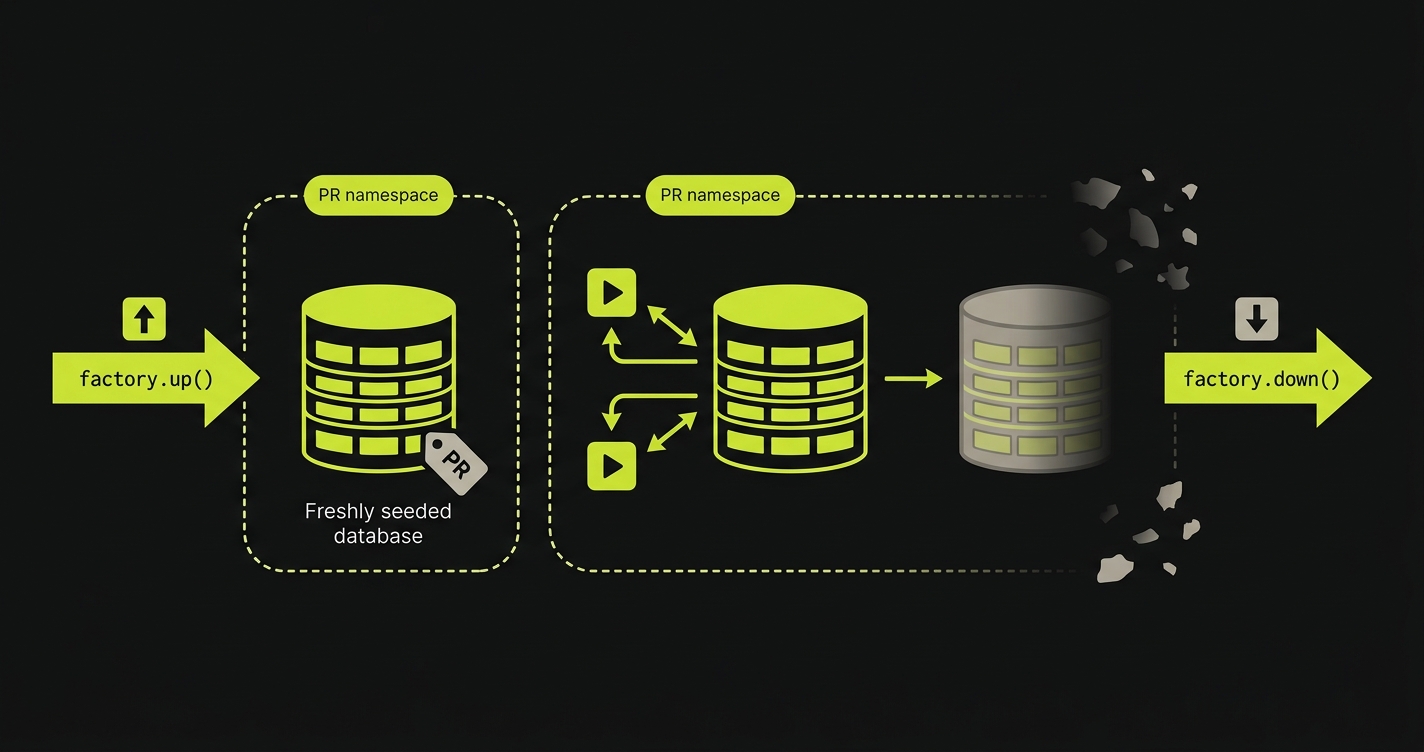
A full-stack preview environment with an empty database is theatre. The build runs, the URL is live, the engineer clicks around, sees zero rows in every list, and approves the PR. Two days later production catches fire because the new query is N+1 against the real customer table. We built Autonoma's Environment Factory SDK so each PR gets seeded with production-shaped data automatically. factory.up() runs before tests and lays down a deterministic, anonymized fixture set. factory.down() cleans up after. The database that previewed your PR looks like the database that will receive it.
The infrastructure problem for full-stack preview environments is largely solved. Per-PR orchestration, service replication, isolated namespaces, wildcard routing: all of that is operational. The unsolved piece that every article on this topic hand-waves is the database. "Use fixtures," they say. "Restore a snapshot." Neither answer is good enough. This article explains why, and what good preview environment seeding actually looks like in practice.
Full-stack preview environment: a per-PR isolated runtime (frontend, backend, services, database) provisioned when a pull request opens and torn down when it closes.
Seeded preview environment: a preview environment whose database is pre-populated with production-shaped data before any test runs, rather than starting empty.
Environment Factory: a code-driven seeding primitive that generates production-shaped, anonymized, deterministic data into a per-PR isolated database via factory.up() and tears it down via factory.down().
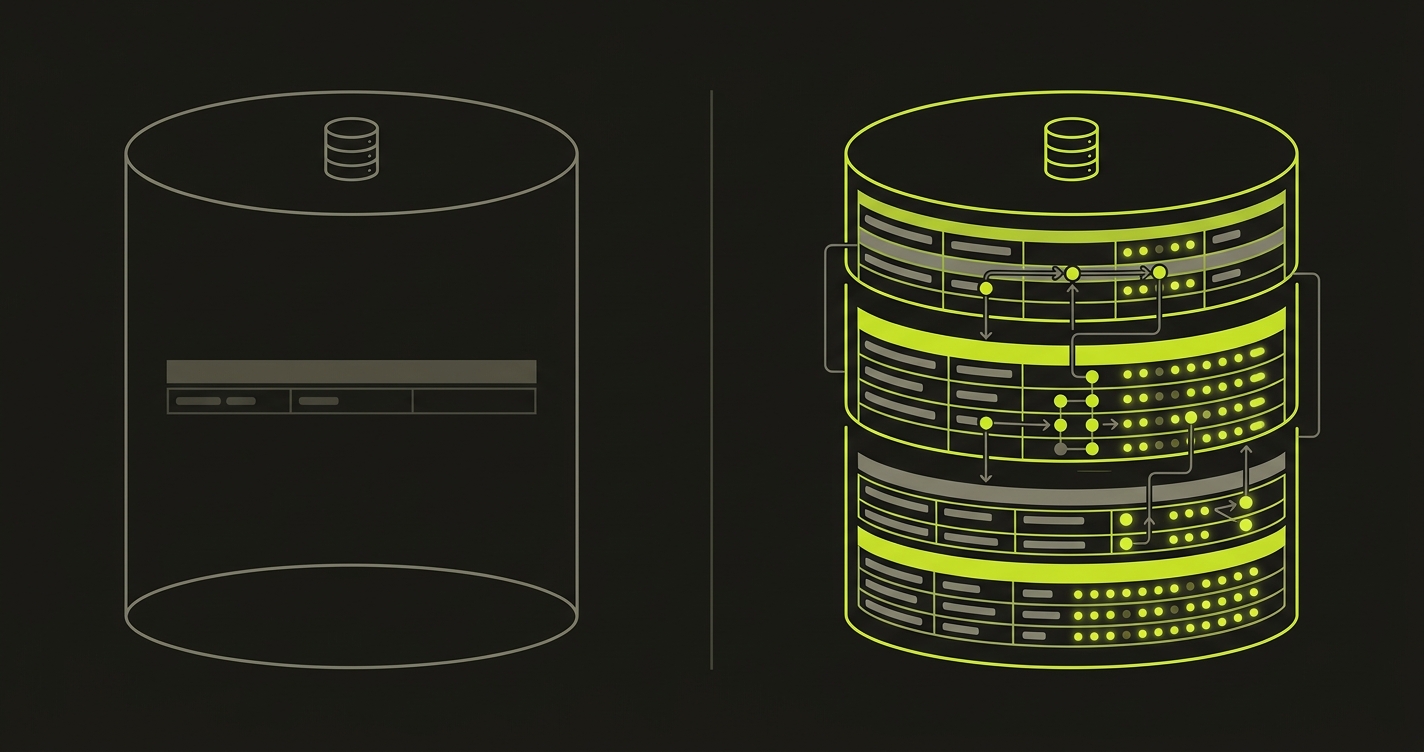
Why empty-DB preview environments fail
An empty database is not a neutral starting point. It is an environment that systematically hides the bugs that matter most in production. A preview environment with an empty database is no better than a stale staging environment that everyone has stopped trusting. The argument for killing your staging environment is the same structural argument applied one layer up: shared, drifted, low-signal environments are worse than no environment at all because they teach the team that previews do not catch bugs.
N+1 queries are the most common and most expensive. An ORM that issues one query per row looks fine when the table has zero rows: the page loads instantly, the profiler shows nothing alarming, the reviewer approves. Against 50,000 rows the same page takes 12 seconds. The N+1 was always there. The empty database hid it. No amount of code review catches N+1s reliably; you need the query to run against realistic row counts to observe the problem.
Pagination edge cases require data to exist. What does page 47 look like? Does the cursor-based paginator handle the last page correctly when the final page has exactly one record? Does the offset-based paginator produce duplicate rows when a record is inserted between page requests? None of these questions have observable answers in an empty database. The engineer who reviewed the pagination PR never saw a page with data on it.
Foreign key cascades are another class of failure. Delete a user who has 12 child objects across four tables, some with their own grandchildren. Does ON DELETE CASCADE finish in under 30 seconds at realistic depth? Does it correctly propagate across all tables, including the ones added in the migration three months ago? In an empty database the cascade completes instantly because there is nothing to cascade through. In production, with a real user who has been active for two years, the delete operation times out and leaves the database in a partially consistent state.
Real-data-shape regressions are the bugs that make production oncall genuinely terrible. The address field that is 800 characters long because a user pasted their entire mailing address plus a note into it. The user with 47 emojis in their display name, which breaks the avatar truncation logic. The organization with 9,000 members, where the member-list endpoint that worked fine in testing takes 45 seconds to respond. These are not theoretical. Every production database has records that the application developer never anticipated because fixtures are written by developers who write clean, reasonable data.
Authorization bugs are the quietest failure mode. Row-level permissions, org-scoped visibility rules, and multi-tenant access controls all require rows to exist before they have something to filter. A permission check that should return zero results for a user who lacks access returns zero results for everyone in an empty database. The authorization logic is broken, but it looks correct because the empty state produces the correct output (nothing) for the wrong reason (there is nothing to show). Add real data and the permission bug surfaces immediately.
Five distinct bug classes. All invisible in an empty database. All observable the moment you seed with production-shaped data.
Three approaches to seeding preview environments (and the tradeoffs)
Teams that recognize the empty-database problem converge on three approaches. Each has a real use case and a real failure mode.
Static fixtures (JSON or SQL files committed to the repo) are the most common starting point. They are deterministic and version-controlled: every developer gets the same data, every CI run is reproducible. They are fast to apply: a small SQL file seeds in seconds. The failure mode is rot. Fixtures are written once and rarely updated. Six months later, the fixtures reflect the schema from six months ago, not the current production data distribution. The address field that is now a jsonb column is still a varchar in the fixture. The new org_settings table has no fixture rows. The bugs that fixtures miss are exactly the bugs that production data shapes reveal, because nobody goes back to add edge cases to a fixture file.
Database branching (Neon, PlanetScale-style copy-on-write) solves the data-freshness problem by giving each PR a logical clone of a real database. The clone is instant; no waiting for a restore. The data is current. The failure modes are different. PII exposure is the first: unless you run an anonymization pass over the branch before the preview environment is provisioned, developer laptops and PR descriptions will contain real customer emails and phone numbers. Vendor lock-in is the second: branching is a first-party feature of specific database providers, not a portable primitive. Multi-region constraints apply: if your production database is in us-east-1 and your PR environments run in eu-west-1, the branch is in the wrong region. The deepest problem is that a branch is an actual production copy, which makes destructive tests dangerous. A test that drops a table or bulk-deletes rows is operating against real production data at one level of indirection.
Snapshot-and-restore (nightly prod dump, anonymizer pipeline, restore per PR) is the most operationally mature approach. The data is realistic. The anonymization is handled. The preview environment gets a full copy. The failure mode is cost and latency. A real production database at moderate scale (50 GB+) takes 15 to 40 minutes to restore per environment. If you have ten PRs open simultaneously, you are running ten parallel restores. Storage costs compound: snapshots are large, and yesterday's snapshot is not today's data. The anonymization pipeline is its own project: it needs to be audited, maintained, and updated every time a new PII column is added. "Nightly" means the PR that opens at 11 PM runs against data from this morning. At 10 concurrent PRs and a 50 GB database, snapshot+restore burns roughly 5 hours of compute and tens of GB of ephemeral storage daily. Synthetic seeding is bounded by row count, not database size, which makes the cost flat regardless of how big production grows.
None of these approaches score well across all five dimensions that matter for preview environment seeding. That is not a documentation gap or a "write better fixtures" gap. It is a product gap. The Environment Factory SDK exists because the old options force teams to choose which failure mode they are willing to tolerate.
What good preview environment seeding actually looks like
Before scoring approaches, it is worth naming what the target state actually is. Good preview environment seeding has five properties that work together. Remove any one of them and you either miss bug classes or slow down development enough that engineers skip the preview environment.
Production-shaped means the seeded data reflects the actual distributions, edge cases, and record shapes in your production database. Same row counts at the right order of magnitude. Same ratio of users to organizations. Same presence of edge-case records: the long field, the emoji-heavy string, the deeply nested hierarchy. Production parity for seeding is about distribution, not exact row count. A 10,000-row seed that matches production's statistical shape catches the same bug classes as a full production restore.
Anonymized means no PII reaches a preview namespace. Full stop. Not "probably not." Not "we scrubbed most of it." Preview databases are accessed by developers, shared in PR comments, sometimes attached to screenshots in Slack. Real customer names and emails have no place in that surface area. Anonymization is a non-negotiable property, and it needs to be enforced at the seeding layer rather than as a downstream cleanup pass.
Deterministic means the same PR run twice produces the same data. This is what separates good seeding from snapshot restores. If two developers look at the same PR and see different data in the preview environment, they cannot reliably compare observations. If a test fails on one run and passes on a rerun because the seeded data changed, the test is flaky by construction. Determinism is what makes the preview database a reliable artifact for review and testing rather than a random sample.
Fast means under 60 seconds to seed. If seeding takes 20 minutes, developers will not wait for the preview environment. They will skip it, approve the PR on code review alone, and accept the risk. Speed is not an optimization; it is a binary property. Either the seeding pipeline is fast enough that developers use it, or it is slow enough that they do not.
Code-driven means the seeding logic lives next to the test that needs it, not in a separate ops repository that no application engineer touches. Seeding logic that lives in a platform team's Terraform repository drifts from the application schema just like fixtures do, but with the added problem that application engineers do not know how to update it. Code-driven seeding treats the factory definition as part of the test contract, not as infrastructure configuration. For more on how this connects to broader test data management practices, that post covers the lifecycle in detail.
How Autonoma seeds preview environments
The problem with hand-rolled seeding pipelines is not that teams do not care. It is that the pipeline is always someone's side project, which means it eventually becomes nobody's product. A platform engineer writes the initial snapshot restore. It works for six months. Then a new PII column appears, the anonymizer misses it, the production database crosses 100 GB, restore time blows past 20 minutes, and the person who understood the pipeline leaves. The seeding layer becomes another maintenance tax hiding under "test infrastructure."
We built the Environment Factory SDK as part of Autonoma's per-PR orchestration pipeline specifically to avoid that failure mode. The SDK runs as a first-class step in our managed preview infrastructure, not as an afterthought. When a PR opens, Autonoma provisions a full-stack isolated runtime in a Kubernetes namespace scoped to preview-{org}-{repo}-pr-{n}. Before our four-stage testing pipeline (Planning, Generation, Replay, Review) kicks in, factory.up() runs against the isolated DB in that namespace.
The Environment Factory SDK reads a TypeScript factory definition that lives in the application codebase, alongside the tests. The Planner agent reads those factory definitions as part of its codebase analysis, so it understands what data state each test requires before generating the test plan. This is the key difference from external snapshot pipelines: the factory definition is code, versioned with the application, readable by both the SDK and our agents.
factory.up() generates production-shaped synthetic data according to the factory definition, writes it to the isolated DB, and respects foreign key ordering automatically. factory.down() cleans up after the Replay stage finishes, releasing the namespace without leaving orphaned rows or storage costs. Because each PR runs in its own namespace, the seeded DB is isolated by construction: no cross-PR contamination, no shared staging quirks where PR #1043 writes a row that PR #1044's test then encounters unexpectedly.
Our managed preview infrastructure handles service replication, routing, and secrets propagation as described in full-stack preview environments. The Environment Factory SDK slots into that per-PR orchestration as the database seeding layer, the same per-PR orchestration described in ephemeral environments per PR with testing. You do not need to run a nightly snapshot job. You do not need to maintain a separate anonymization pipeline. The factory definition is the seeding logic, and it lives in your codebase. Unlike database branching (vendor-locked, real PII unless scrubbed) or copy-on-write snapshots (an infra primitive, not a code-driven layer), the Environment Factory SDK is portable across Postgres, MySQL, and MongoDB and lives in the application repo where the tests that depend on it already are.
For teams looking for how the broader data seeding discipline applies to end-to-end testing generally, the data seeding process with AI for end-to-end testing post covers the conceptual framework in more depth.
The Environment Factory SDK is how we solved the empty-database problem inside Autonoma's managed preview infrastructure. Production-shaped, anonymized, deterministic, fast, and code-driven: the same PR that gets a preview URL gets a seeded database that looks like the database that will receive it.
The Environment Factory SDK in practice
The Environment Factory SDK has three primitives: factory.define, factory.ref, and the up/down lifecycle hooks. Here is what a factory definition looks like for a multi-tenant SaaS application with users and organizations:
factory.define declares production-shaped distributions for each entity type. The count field sets row count at a realistic order of magnitude. The shape function uses a faker instance seeded deterministically by row index, which is what makes the output reproducible across runs. The member_count distribution above includes a value up to 9,000, which ensures the preview database contains the large-org edge case that production has.
factory.ref('orgs') establishes a foreign key relationship. The SDK resolves refs in dependency order during factory.up(), so org rows are always inserted before user rows. This works identically in Postgres, MySQL, and MongoDB (where it resolves to an ObjectId reference).
The anonymize array marks fields the SDK will deterministically scramble. "Deterministically" is the operative word: row 42's email is always the same fake email across every run of the same factory definition version. That means two developers reviewing PR #1197 see the same user_42 record and can compare observations without ambiguity.
The beforeAll/afterAll hooks slot into any test runner (Jest, Vitest, Mocha) without modification. In Autonoma's pipeline, the SDK calls factory.up() before the Planner generates the test plan and factory.down() after the Replay stage finishes. The Environment Factory SDK supports Postgres, MySQL, and MongoDB over the same factory definitions, with engine-specific adapters handling SQL dialect and BSON serialization transparently.
Comparison: empty DB vs fixtures vs snapshot vs Environment Factory SDK
Every approach to preview environment seeding involves real tradeoffs. The table below scores them against the five properties that matter.
| Approach | Production parity | Anonymization | Speed | Isolated per-PR | Code-driven |
|---|---|---|---|---|---|
| Empty DB preview | None. Zero rows hides all data-shape bugs. | N/A | Instant | Yes (but empty) | N/A |
| Static fixtures | Partial. Fixtures rot and miss edge cases. | Manual, often forgotten | Fast (<30s) | Yes | Yes (committed to repo) |
| Database branching | Full. Real production data. | No (PII in branch unless scrubbed) | Fast (copy-on-write) | Yes (per-branch) | No (vendor feature) |
| Snapshot + restore | Full. Real production shape. | Partial (pipeline drifts) | Slow (15-40 min) | Yes | No (ops repo) |
| Autonoma Environment Factory SDK | Full. Synthetic but production-shaped. | Built-in, deterministic | Fast (<60s) | Yes (per-PR namespace) | Yes (TypeScript, in repo) |
The pattern is consistent: approaches that achieve production parity either give up anonymization (database branching) or give up speed (snapshot restore). Approaches that are fast and code-driven (static fixtures) give up production parity. The Environment Factory SDK is the only approach in this comparison that achieves all five properties simultaneously. Synthetic data generated from production-shaped factory definitions hits parity without ever touching real PII, seeding in under 60 seconds, running in the isolated per-PR namespace Autonoma provisions, and living in the application codebase next to the tests that use it.
Named tools by category for context: database branching is best represented by Neon, PlanetScale, and Xata; snapshot+restore by tooling like Snaplet, Greenmask, and Neosync; static fixtures by libraries such as factory_bot, Faker, and knex seeds. The Environment Factory SDK has the code-driven ergonomics developers like in factory libraries, but the important difference is where it lives: inside Autonoma's per-PR orchestration layer. A standalone library gives you primitives. Autonoma gives you the runtime, the seeded database, the test pipeline, and the teardown as one control plane.
If realistic per-PR data seeding is what's blocking you from rolling out preview environments, our co-founder Eugenio is happy to compare notes. Grab 20 min with a founder
FAQ
Production parity is about distribution, not row count. The Environment Factory SDK samples by generating synthetic data that matches your production schema's statistical shape: the same ratio of users to orgs, the same distribution of long-vs-short field values, the same presence of edge-case records. A 10,000-row seed that preserves production distribution catches the same bug classes as a full production restore at a fraction of the cost and time. If you need specific large-data scenarios, factory definitions compose so a single test can call factory.up({ scenario: 'large-org' }) and layer additional rows on top of the base seed without waiting for a full dump restore.
Anonymization happens at the SDK layer, before data is written to the isolated preview database. Fields marked in the factory definition are deterministically scrambled: the same input row always produces the same fake value, so reviewers can talk about 'user_42' across multiple PR runs without ever seeing real names or emails. This makes anonymized data reproducible and safe to discuss in PR comments, Slack threads, or bug reports. The anonymization is not random per run; it is seeded by row ID, which means the preview database is deterministic across reruns of the same PR.
Yes. The Environment Factory SDK supports Postgres, MySQL, and MongoDB over the same factory definition syntax. For relational databases the SDK speaks SQL and handles foreign key ordering automatically during factory.up(), so parent rows are always inserted before children. For MongoDB it writes BSON documents directly and supports nested field anonymization. The factory.ref() call works across all three engines: it resolves to a foreign key value in SQL and an ObjectId in Mongo. You define your factories once and target whichever database engine the preview namespace spins up.
Yes. Factory definitions compose, so a single test can call factory.up({ scenario: 'large-org' }) to layer additional rows on top of the base seed. The base seed runs for every PR; a scenario layer adds test-specific rows on top of that baseline. This means the base seed is fast and shared, while scenario layers are small and test-specific. A test that needs a 9,000-member org to validate a permission edge case calls factory.up({ scenario: 'large-org' }) and gets those rows without waiting for a full large-database restore.
Neon database branching gives each PR a copy-on-write logical clone of a real production database. The Environment Factory SDK generates synthetic, production-shaped data without ever copying real production rows. Three structural differences. First, PII: branching exposes real customer rows unless you run an anonymization pass over each branch before exposing it; the SDK never sees real PII. Second, vendor lock-in: branching is a first-party feature of Neon (or PlanetScale or Xata), not a portable primitive; the SDK works the same across Postgres, MySQL, and MongoDB. Third, determinism: a Neon branch reflects whatever production looked like at the moment the branch was taken, so two reviewers of the same PR may see different data on different days; SDK output is deterministic by row ID, so two reviewers of the same PR see identical data.


