

getByRole first — it is what Playwright's official docs recommend and it doubles as an accessibility check. Fall back to getByLabel, getByText, and getByTestId before you consider raw CSS or XPath. Configure expect timeouts per assertion rather than globally. Shard in CI, use workers locally. Build fixtures around business actions, not raw Playwright APIs. Open the Trace Viewer before you touch flaky test code. In CI, set explicit action timeouts and take screenshots on failure. Store authenticated state with storageState and never re-login in every test. In 2026, skip the Page Object Model for small-to-medium suites. Composable fixtures give you the same isolation with less ceremony. Every practice in this article has a runnable companion spec.When we analyzed flakiness across Playwright suites, the failures clustered around three root causes: selector fragility, authentication overhead, and misconfigured timeouts. Not framework bugs. Not infrastructure variance. Configuration choices that looked reasonable at test-zero and became expensive at test-four-hundred.
The selector problem alone accounts for roughly half of all "it worked last week" failures. CSS selectors break silently on redesigns. Text selectors fail the moment a PM updates copy or the app goes multilingual. The fix is simple and permanent, but the Playwright docs present all selector strategies as equally valid options, leaving teams to learn the hard way which ones hold.
The eight practices below address each failure class directly, ordered by how often we see them cause production-level test debt. Each one has a runnable spec so you can benchmark the difference on your own codebase.
1. Playwright Selector Strategy: The Hierarchy That Actually Holds
The Playwright docs rank locators for you explicitly: getByRole first, then getByLabel, getByPlaceholder, getByText, getByAltText, getByTitle. getByTestId is a deliberate fallback for the cases where nothing else works, and CSS or XPath sit below that. This is the hierarchy that produces the most stable suites, and it matches how real users identify elements.
| Priority | Selector Type | When to Use | Stability |
|---|---|---|---|
| 1 | getByRole | Buttons, links, headings, form controls — the default for anything accessible | Highest |
| 2 | getByLabel / getByPlaceholder | Form inputs identified by visible labels or placeholders | High |
| 3 | getByText / getByAltText / getByTitle | Unique visible copy, image alt text, tooltip targets | Medium |
| 4 | getByTestId (data-testid) | Deliberate fallback when nothing user-facing fits | Medium-high |
| 5 | CSS / XPath | Last resort only | Low |

getByRole wins because it expresses intent ("this is a submit button") rather than implementation, and the match is anchored in the accessibility tree. When a designer moves the button or renames the class, the test still passes. The rule doubles as an accessibility check: if getByRole('button', { name: 'Submit' }) cannot find your button, a screen reader probably cannot either.
getByLabel and getByPlaceholder are the right reach for form inputs. They mirror how users actually identify fields ("the one labeled Email") and survive styling refactors cleanly. getByText handles static links, headings, and unique visible copy. All three tier below role because roles are more semantically precise.
getByTestId is the explicit fallback when nothing user-facing will do: a generic <div> you cannot give a role, an element whose copy is likely to change, a third-party widget that does not expose anything meaningful to assistive tech. The Playwright docs are explicit that data-testid is "not user facing" and should be reached for last among Playwright's own locators. Adding test IDs everywhere is a smell; using them where roles and labels do not exist is the right move.
CSS and XPath sit below even getByTestId. They couple your tests to implementation details: class names, DOM structure, nesting depth. Use them only when every user-facing locator is genuinely unavailable, and scope them as tightly as possible. If you find yourself writing a long XPath expression, that is a signal to add a semantic role or a test ID instead.
Here is how these four levels look in practice, with the same interaction written using each strategy:
The spec makes the stability difference concrete: the data-testid version survives a full component refactor. The XPath version breaks when the DOM nesting changes by one level.
2. Retry Logic: Stop Fighting Timeouts, Start Configuring Them
Most flaky Playwright tests are not actually flaky. They are tests with wrong timeout assumptions.
The default per-test timeout is 30 seconds. The default expect timeout, which controls how long Playwright retries an assertion before failing, is 5 seconds. The default actionTimeout and navigationTimeout are both 0 — meaning no per-action cap at all. Most teams never change these defaults, then wonder why tests that target slow animations or API-dependent UI randomly fail.
The right approach is the opposite of the instinct. Do not raise the global test timeout. Instead, set explicit per-action and per-assertion bounds (actionTimeout: 8000, expect: { timeout: 8000 } is usually enough for a fast app) and override individually where the UI genuinely needs more time. This forces intentional reasoning: "this specific assertion on this specific element takes up to 12 seconds because it waits for a background job." That comment in the test is far more useful than a blanket 30-second test timeout hiding every slow spot.
test.describe.configure({ retries: 2 }) is the other lever most teams either overuse or never touch. Retries are not a fix for flakiness. They are a band-aid that hides the root cause and inflates CI time. Use them sparingly: only for tests that interact with genuinely non-deterministic external systems (email delivery, third-party OAuth, payment processors). For everything else, a retry budget of 0 forces you to find the real issue.
The companion spec shows three patterns: a tight global timeout with per-assertion overrides, selective retry configuration scoped to a single describe block, and the expect.poll pattern for waiting on eventually-consistent state changes:
expect.poll deserves special attention. It is Playwright's built-in solution for assertions that need to repeatedly check a condition: polling an API endpoint until a status changes, waiting for a background job to complete, watching a counter increment. Using a while loop with page.waitForTimeout is the wrong pattern here; expect.poll gives you automatic retry, configurable intervals, and a clean failure message.
The Flaky Tests Consume 20% of CI Time analysis makes this concrete with real cost numbers: a suite with a 3% flake rate and 40-minute CI runs burns roughly one full engineering day per week on reruns alone. Tight timeouts and zero-tolerance retries are not just cleanliness. They are a budget decision.
3. Parallelism: Sharding vs. Workers and When Each Matters
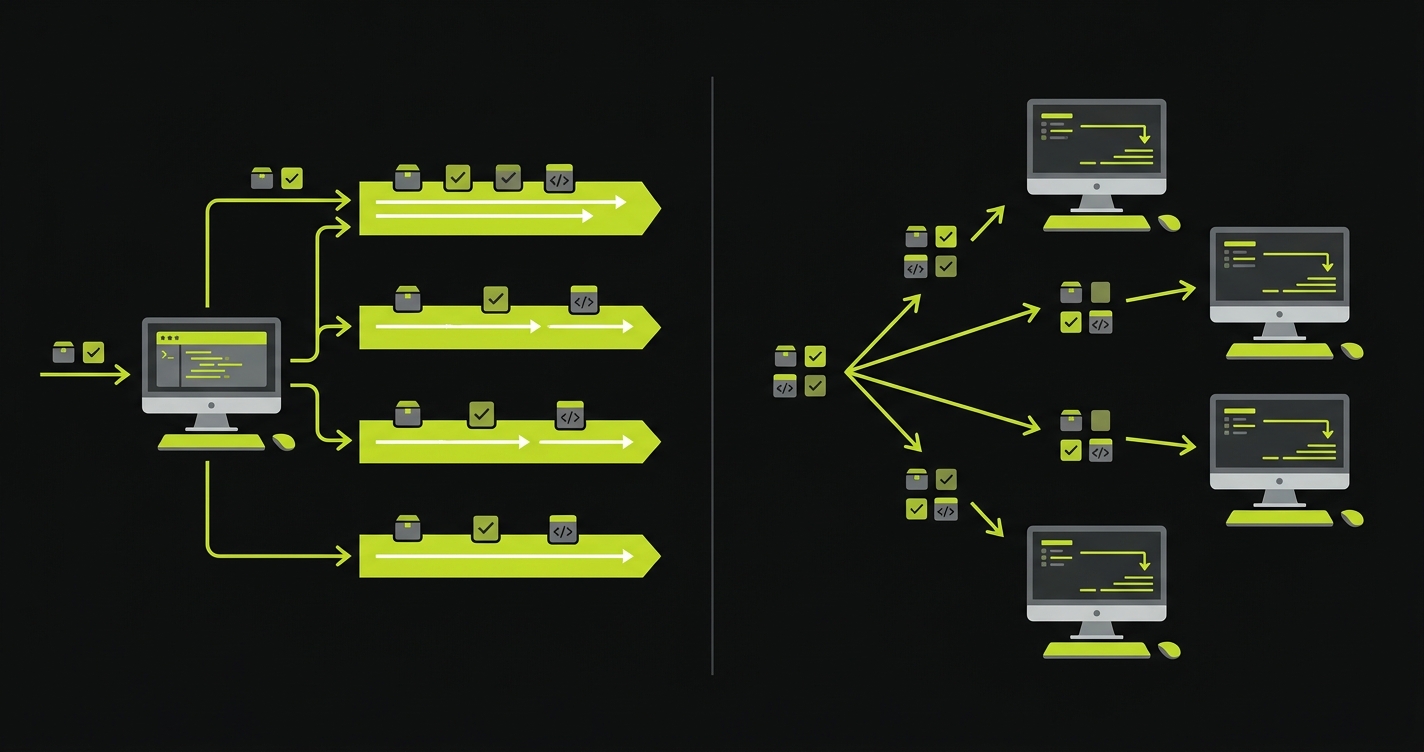
Playwright gives you two independent parallelism axes: workers (parallel execution within a single machine) and sharding (splitting the test suite across multiple CI machines). Teams routinely confuse them or try to use one when they need the other.
Workers are local-first. On a developer machine with 8 CPU cores, running with --workers=4 roughly halves execution time for an independent test suite. The constraint is that tests must be fully isolated: no shared browser state, no shared database rows, no implicit ordering. If your tests were written to run sequentially (common in older suites), adding workers will surface every hidden dependency.
Sharding is CI-first. Once your suite exceeds roughly 5 minutes on a single machine, sharding across multiple parallel CI runners is the right scaling move. With --shard=1/4 --shard=2/4 --shard=3/4 --shard=4/4, Playwright splits the file list evenly across four machines. Each shard runs its own subset with full worker parallelism. A 20-minute suite on a single machine can become a 5-minute suite across four shards.
The practical advice: start with workers and get test isolation right first. Then, when the suite grows past the single-machine ceiling, add sharding without changing how tests are written. Sharding a suite that has hidden sequential dependencies will produce intermittent failures that are extremely difficult to debug across machines.
One thing the Playwright docs do not emphasize: shard count should match your CI machine count, not your CPU count. Adding four shards when you only have two CI runners means two machines each running two shards sequentially, and the net result is no speedup, just more configuration complexity.
4. Fixture Design: Business Actions, Not API Wrappers
Playwright fixtures are dependency injection for tests. The docs show the mechanics: how to define a fixture, how to scope it, how to compose fixtures together. What they do not show is the design principle that makes fixtures actually useful: fixtures should represent business actions and state, not wrap Playwright APIs.
A bad fixture wraps page.goto and page.click in a function called navigateToCheckout. It saves a few lines per test but creates a leaky abstraction. The fixture callers still need to know which page they are on and what state they are in.
A good fixture represents a complete business precondition: authenticatedUser, cartWithThreeItems, completedOrder. Each fixture sets up the application state its name promises and tears it down cleanly after the test. Callers receive a ready-to-use context, not a partially-configured page.
The difference shows up in test readability. A test using bad fixtures reads like a script. A test using good fixtures reads like a specification.
Fixture scoping matters too. Use scope: 'worker' for expensive setup that all tests in a worker can share (database seeding, server startup, browser context creation). Use the default test scope for anything that must be reset between tests. Misscoping is the second most common source of test cross-contamination after shared globals.
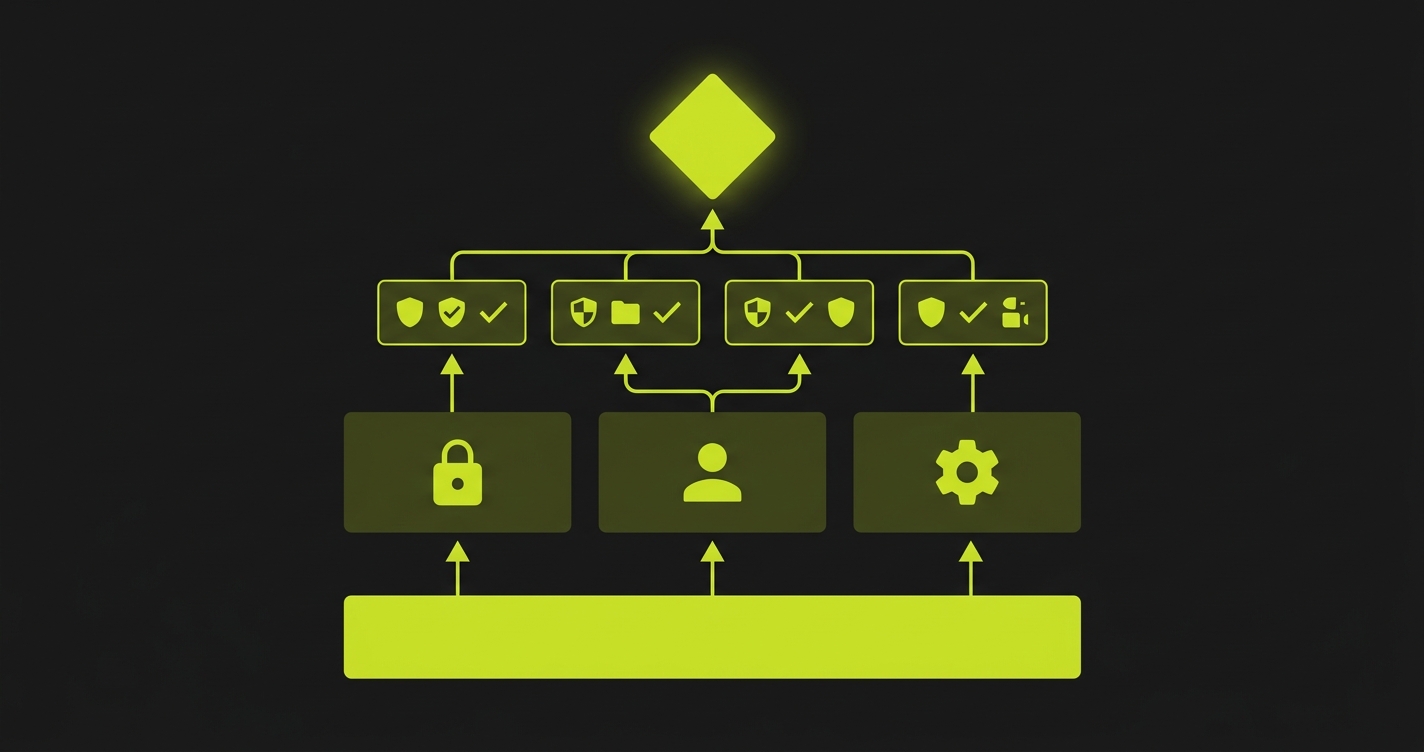
The spec demonstrates three fixture levels: a worker-scoped server fixture, a test-scoped authenticated context, and a composable cart fixture that builds on the auth fixture. The key observation is how the test body itself becomes a pure assertion. Setup is invisible. This is the same design principle Autonoma follows when generating tests from your codebase: every generated scenario receives composable fixtures scoped to the exact business state it needs, so the test body stays focused on verification.
5. Playwright Trace Viewer: Your First Move on Any Flaky Test
Most engineers reach for console.log, page.pause(), or a barrage of waitForTimeout calls when a Playwright test fails unexpectedly. All of these are slower than opening the Trace Viewer.
The Trace Viewer captures a complete timeline of your test: every action, every network request, every DOM snapshot before and after each step, every console log, and a full video of the browser session. It makes the debugging loop almost trivial. You see the exact state of the DOM at the moment the assertion failed, the network response that came back 50ms too late, the element that was covered by an overlay.
Enable traces with trace: 'on-first-retry' in your Playwright config (not trace: 'on', which generates a trace for every test including passing ones, inflating CI artifact storage). On first-retry captures the trace precisely when you need it: after a test has failed once and is retrying, the trace records the second attempt so you have evidence of the failure mode.
The workflow is: run the suite, find the failing test in CI artifacts, download the .zip trace file, run npx playwright show-trace trace.zip. From first failure report to root cause identification, this usually takes under five minutes for timing issues and under two minutes for element visibility problems.
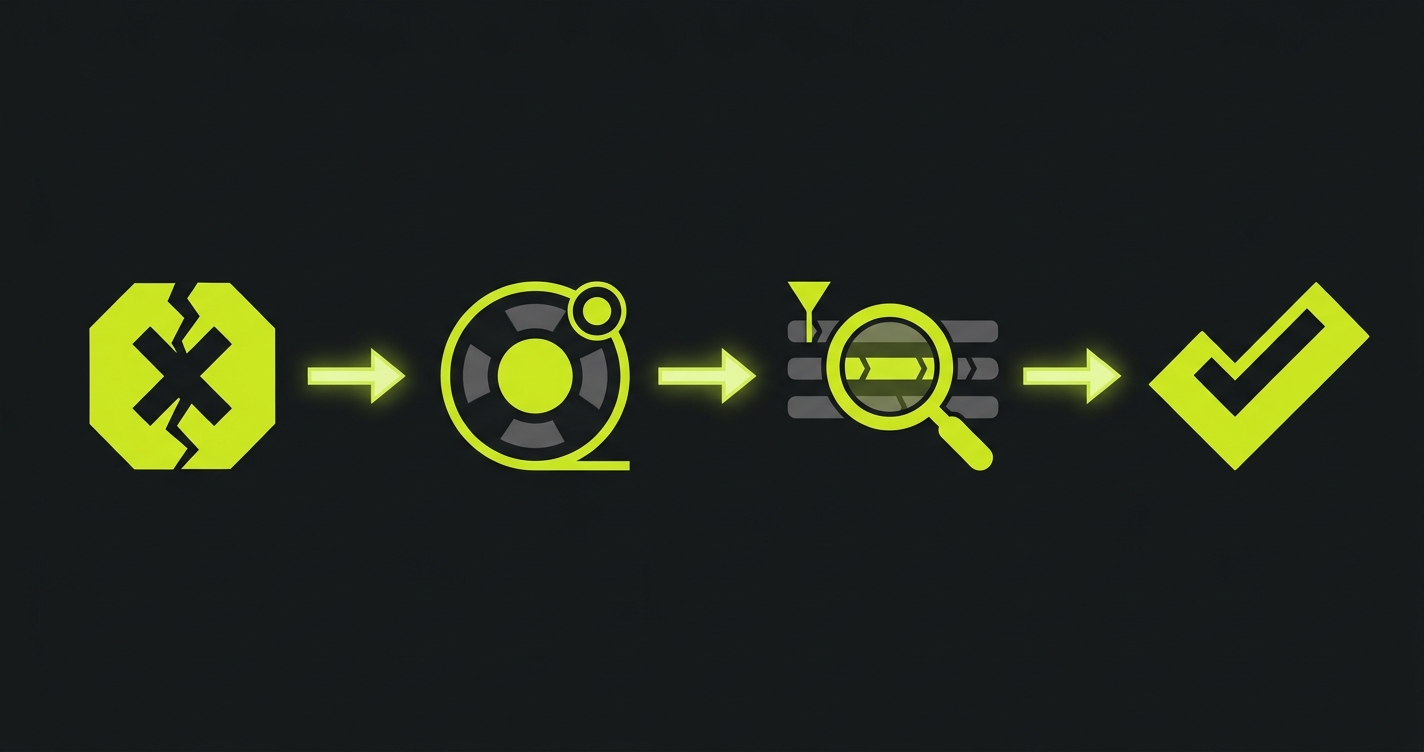
The script automates the most common trace workflow: run tests, extract the first trace, open it directly. It is also the right pattern for a local debug loop: run the failing test once with --trace on, let it fail, then inspect without re-running.
For teams investing in Test Automation Metrics That Actually Predict Release Quality, trace data is underused signal. Time-to-failure, action count before failure, and network error patterns in traces can surface systemic instability before it becomes a manual debugging burden.
6. CI Flakiness Fixes: The Four That Actually Work
Flaky tests in CI almost always have one of four root causes: missing explicit action timeouts, navigation wait conditions that assume too much, no screenshot on failure, or environment assumptions baked into test logic.
Action timeouts are the most common. Playwright's default actionTimeout is 0 — no per-action cap — so the only thing bailing you out is the 30-second per-test timeout. A click that takes 25 seconds to complete is not slow. It is broken. Set actionTimeout: 8000 in your project config and watch previously-hidden slowness become visible failures instead of intermittent ones. The same applies to navigationTimeout, which also defaults to 0.
Navigation waits are subtler. page.goto(url) completes when the browser fires the load event, which happens before many React and Vue applications have finished hydrating. Tests that immediately query the DOM after navigation fail on slow CI machines where hydration takes slightly longer. The fix is page.goto(url, { waitUntil: 'networkidle' }) for apps with API calls on load, or a specific waitFor on a landmark element that only appears after hydration.
Screenshot on failure is non-negotiable in CI. Without it, a failing test report tells you the assertion that failed and the stack trace, not what the user saw. screenshot: 'only-on-failure' in the Playwright config adds a screenshot to every failure artifact at near-zero cost.
Environment assumptions are the sneakiest. Tests that pass on developer machines with seeded databases fail in CI environments with clean state. Tests that depend on a specific timezone, locale, or system font render differently across environments. The fix is to make every environmental dependency explicit: seed data as a fixture, set timezone in the Playwright config, avoid font-dependent visual comparisons in CI.
This GitHub Actions workflow encodes all four fixes: explicit action timeout, networkidle navigation, screenshot artifacts, and environment variables that pin timezone and locale for every run. It is also the starting configuration we recommend for teams following The E2E Testing Strategy That Scales With AI-Generated Code. CI reliability is the prerequisite for everything else.
Autonoma approaches this problem from the other direction. Rather than writing tests that need careful timeout tuning, AI agents generate tests from your codebase with verification steps built in. When the app changes, Autonoma adapts the tests automatically — no rewriting selectors — so the category of "CI flakiness caused by a UI change" largely disappears. For teams already deep in a Playwright suite, these four fixes are the right path. For teams starting fresh, it is worth asking whether you want to own the timeout configuration at all.
7. Playwright Authentication Storage State: Never Re-Login in Tests
Authentication is the most commonly mishandled setup step in Playwright suites. The typical pattern is a beforeEach that navigates to the login page, fills in credentials, clicks submit, and waits for the redirect. On a suite of 100 tests, that is 100 full round-trips through your login flow, easily 3-5 minutes of pure overhead.
Playwright's storageState feature eliminates this entirely. The idea is simple: run the login flow once, save the resulting browser storage (cookies, localStorage, sessionStorage) to a JSON file, then load that file as the starting state for every subsequent test. Tests start already authenticated, with zero login overhead.
The setup is a global setup file that runs once before the entire suite. It creates a browser context, logs in, saves the storage state to disk, and exits. Each spec file then references that state file in its fixture. If your app has multiple user roles, you run the setup once per role and maintain separate state files.
One important caveat: storage state files contain session tokens. They should live outside your repository (or in a .gitignore-d directory) and be regenerated at the start of each CI run rather than committed and reused across days. Stale tokens cause an entire category of mysterious authentication failures that look like flakiness but are actually token expiry.
The spec shows the full pattern: global setup creating the state file, a fixture loading it per test, and a spec that uses the fixture without any login logic in the test body itself. The test body focuses entirely on what it is actually testing.
8. Playwright Page Object Model: Why You Might Not Need It in 2026
The Page Object Model has been the default architectural recommendation for E2E test suites for over a decade. The idea is sound: encapsulate page interactions behind class methods, making tests independent of UI implementation details.
In 2026, for Playwright specifically, the tradeoff has shifted. Playwright fixtures give you most of what the POM gives you (reusable setup, clean separation of concerns, composability) without the ceremony of class hierarchies and method chaining. A fixture that sets up a product page with specific inventory state is easier to understand, easier to modify, and easier to test than a ProductPage class with 20 methods.
The POM still makes sense in specific scenarios: large suites (200+ specs) where multiple engineers need a shared vocabulary for page interactions; teams migrating from Selenium where the POM is already established; and applications with very stable UI structure where the abstraction cost is genuinely paid back over time.
For everyone else, especially teams building new Playwright suites today, start with composable fixtures. If you later find yourself duplicating interaction logic across 20 fixtures, that is the natural signal to extract a page object. Do not start with the abstraction; let the duplication tell you when it is needed.
This connects directly to the broader testing architecture question in Storybook vs Playwright Component Testing: the right abstraction layer depends on what you are actually testing, not on what the conventional wisdom says you should do.
The spec includes two versions of the same test suite side-by-side: one using a classic POM class and one using composable fixtures. Both achieve the same isolation. The fixture version is 30% fewer lines and requires no class instantiation in test files.
Playwright Anti-Patterns to Avoid
Some patterns appear constantly in Playwright suites and consistently cause problems. None of them are obvious mistakes. They feel reasonable at the time.
Hardcoded waitForTimeout calls. page.waitForTimeout(2000) is a sleep. It adds two seconds to every test run unconditionally, makes tests slower on fast machines, and still fails on slow CI machines if two seconds is not enough. Replace with waitFor on a specific element or expect.poll for condition-based waiting.
Global state mutations in tests. Tests that modify application state without cleanup (creating users, changing settings, placing orders) contaminate subsequent tests. Use fixtures with teardown logic, or scope mutations to test-specific data that cannot affect other tests.
Ignoring the browser console. Playwright can capture browser console errors. A test that passes while the browser is logging uncaught exceptions is not actually passing. It is passing despite a broken state. Add a console listener in your global setup and fail tests that produce unexpected errors.
Testing implementation, not behavior. Selecting by class names, internal component IDs, or DOM structure couples tests to implementation details. When the implementation changes for a valid reason, tests break for the wrong reason. Test user-visible behavior: what is visible, what is interactive, what the user can accomplish.
One test file per page. The temptation to mirror your route structure in test file structure creates a maintenance coupling that hurts over time. Organize by user journey or feature: a checkout test file covers the full flow across multiple pages, not just the checkout page in isolation.
Our Fix Any Flaky Test in 30 Minutes playbook maps every flaky test symptom to its root cause if you want the full debugging decision tree for the anti-patterns listed above.
For teams where the anti-pattern list feels like a backlog of tech debt rather than a warning, Autonoma is worth evaluating. Autonoma's agents read your codebase and generate tests that follow the right patterns by default, and the tests adapt automatically when the UI changes. The category of "we have tests but they're fragile" largely disappears.
A strict selector hierarchy has the highest long-term impact on flakiness. Follow Playwright's official ranking: getByRole first (it matches how users and screen readers identify elements), then getByLabel and getByPlaceholder for form fields, then getByText for unique copy, then getByTestId as an explicit fallback, and only CSS or XPath when nothing else fits. Tests built on role and label survive redesigns, copy changes, and layout refactors without modification. Combined with explicit per-assertion timeouts (rather than leaving the action timeout at its default of 0, which effectively relies on the 30-second per-test timeout to bail you out), most intermittent failures either disappear or become consistently-reproducible failures that are straightforward to debug.
For most teams starting fresh with Playwright, composable fixtures are a better choice than the classic Page Object Model. Fixtures give you the same isolation and reusability with less ceremony: no class hierarchies, no constructor injection, no method chaining. Start with fixtures and extract page objects only when duplicated interaction logic across many fixtures makes the cost obvious.
Enable trace: 'on-first-retry' in your Playwright config and screenshot: 'only-on-failure'. When the test fails in CI, download the trace artifact and run npx playwright show-trace trace.zip. The trace gives you a complete DOM snapshot, network timeline, and browser video at the exact moment of failure. CI-only failures are almost always timing issues (too-short timeouts), environment assumptions (timezone, locale, seeded data), or navigation wait conditions that assume load equals hydrated.
Workers run tests in parallel within a single machine. Sharding splits your test suite across multiple CI machines. Use workers to maximize the hardware you already have. Add sharding when a single machine cannot run the full suite within your time budget, typically around the 5-10 minute mark. Sharding requires test isolation. Tests cannot share database state or browser sessions across shard boundaries.
Use Playwright's storageState feature. Run the login flow once in a global setup file, save the resulting session to a JSON file, and load it as the browser state for every test that needs authentication. This eliminates login overhead entirely. For multi-role applications, maintain separate state files per role. Regenerate state files at the start of each CI run rather than committing them. Session tokens expire and stale tokens cause mysterious authentication failures.
No. Autonoma is a testing layer that sits above individual frameworks. It uses browser automation internally as part of the execution engine, but the distinction is who owns the test code. With Playwright directly, your team writes, maintains, and debugs every spec. With Autonoma, agents read your codebase, generate the tests, and the tests adapt automatically when the UI changes. If you already have a well-maintained Playwright suite following the practices in this article, Autonoma is complementary: it covers new flows automatically as you ship. If you are starting from zero or drowning in maintenance, Autonoma is the faster path to coverage. Autonoma is open source and free to self-host; a managed Cloud tier is also available.
Not usually. Sharding adds CI configuration complexity: you need multiple parallel runners, a merge step for coverage reports, and consistent environment setup across machines. For suites under 5 minutes on a single machine, the overhead is not worth it. Focus on worker parallelism first, which requires no CI changes. Add sharding when the suite grows past the point where a single fast CI machine cannot keep up.


