

You've had the moment. A bug shows up in production. You trace it back through the deploy history, find the PR, check the review thread, and see it: "Looks good on preview." Someone clicked around, nothing obviously broke, it got approved. The preview environment did exactly what it was designed to do. The problem is what it wasn't designed to do.
Staging environments were slow and shared and perpetually broken in at least one place. Nobody misses them. But they had one property that preview environments quietly dropped: an explicit testing step. When a bug escaped staging, a human made a mistake. When a bug escapes a preview environment, the system worked as intended, because the system never included a test.
This is the Preview Confidence Gap, and it's the real reason the staging vs. preview conversation isn't settled yet.
What Is a Staging Environment?
A staging environment is a persistent, shared pre-production environment that mirrors production as closely as possible. It runs on production-equivalent infrastructure, connects to a production-like database (seeded with representative data), and sits behind the same load balancer or CDN configuration your users actually hit.
The key word is shared. Every member of the team deploys to the same staging instance. Features queue up behind each other. The QA team (or the developer wearing the QA hat) manually works through test scripts after each deployment. Release managers gate production deploys on a staging sign-off.
In terms of infrastructure, traditional staging setups look like: a Jenkins or GitHub Actions pipeline that deploys a tagged release to a server (EC2, a Docker Compose stack on a VPS, a Kubernetes namespace). Self-hosted teams running Coolify or Dokku often have a staging app sitting beside their production app on the same server, toggled by environment variables. The cost model is fixed: you pay for the server whether or not anyone's actively testing on it, usually $50-500/month depending on the stack.
What staging does well: It gives you a place to verify integrations with external systems (payment processors, CRMs, OAuth providers) that can't be replicated locally. It's the only environment where load testing makes sense. Long-lived data state (accounts that have been around for months, data migration test scenarios, compliance audit trails) lives on staging because it needs to persist between deploys. And until very recently, it was the only way to catch "it works on my machine" failures before production.
What staging does poorly: It serializes your release flow. One unstable deploy blocks everyone. The "staging is broken again" Slack message is a rite of passage for any engineer who's worked in a pre-cloud team. Maintaining staging parity with production is a part-time job: database migrations have to run twice, secrets have to stay in sync, third-party sandbox credentials expire. And because it's shared, the feedback loop is long: you deploy, wait for QA to get to your ticket, get feedback, fix, redeploy, repeat.
Staging vs Production: The Key Difference
A staging environment mirrors production but is not production. Same database engine, same infrastructure shape, same deploy pipeline, same traffic patterns where possible. What's different is isolated data, no real user traffic, and a release-gate role. Production serves users. Staging is the last rehearsal before it does.
What Is a Preview Environment?
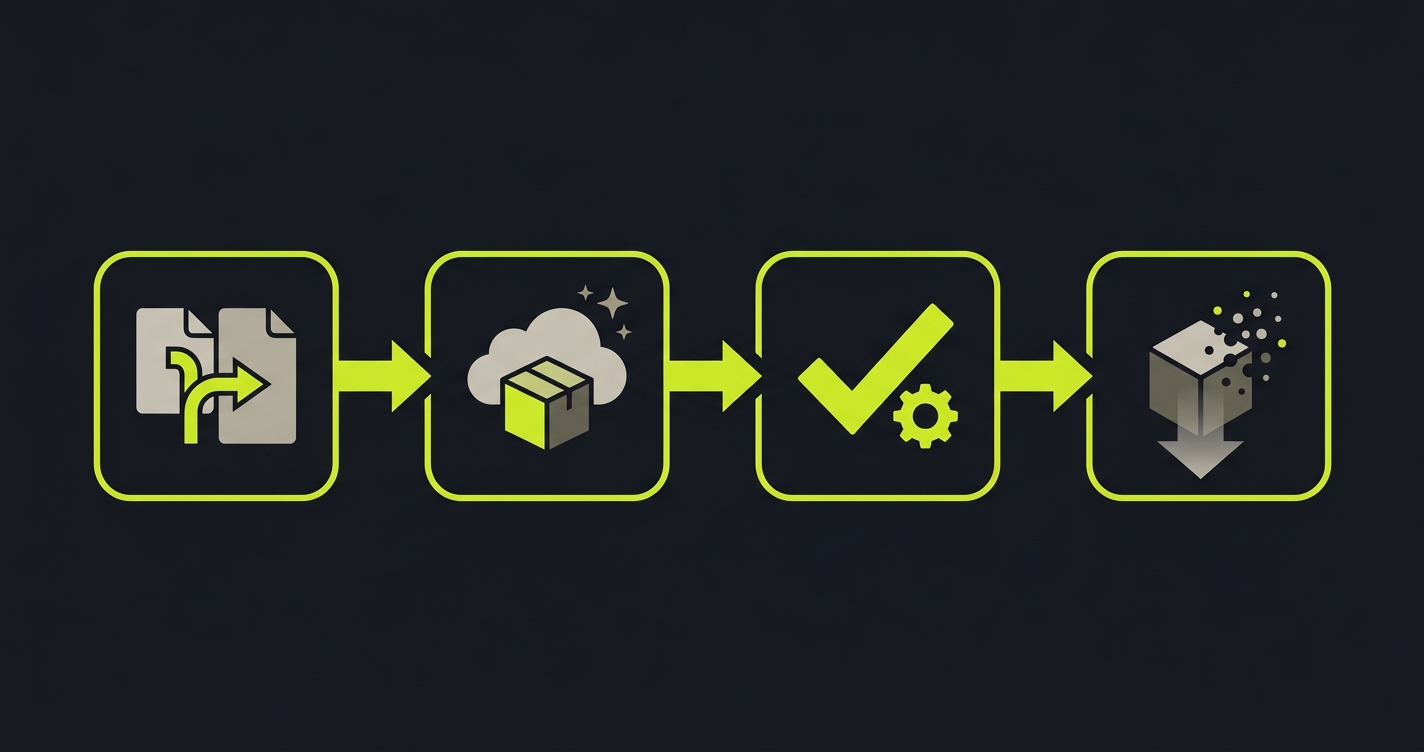
A preview environment is an ephemeral deployment, automatically created for each pull request and automatically destroyed after merge or close. The lifecycle is tied directly to the PR: PR opens → preview spins up. PR merges → preview is torn down. Every PR gets its own isolated URL, its own isolated deployment, its own moment in time.
The ephemeral lifecycle is the defining feature. You're not sharing an environment. You're spinning up a fresh copy of your application for this specific change, at this specific commit, with no interference from other in-flight work.
Vercel popularized this model for frontend teams. Netlify arrived at roughly the same time with the same workflow. Deploy Previews became a default feature of modern frontend platforms rather than a premium add-on. Today, Railway and Render offer varying degrees of preview support for full-stack apps. Teams running self-hosted infrastructure can replicate the pattern using Coolify (which has preview deployment support for Docker-based apps), Dokku (via the ps:scale and per-branch deployment model), or Kubernetes namespaces with isolated ingress rules per PR.
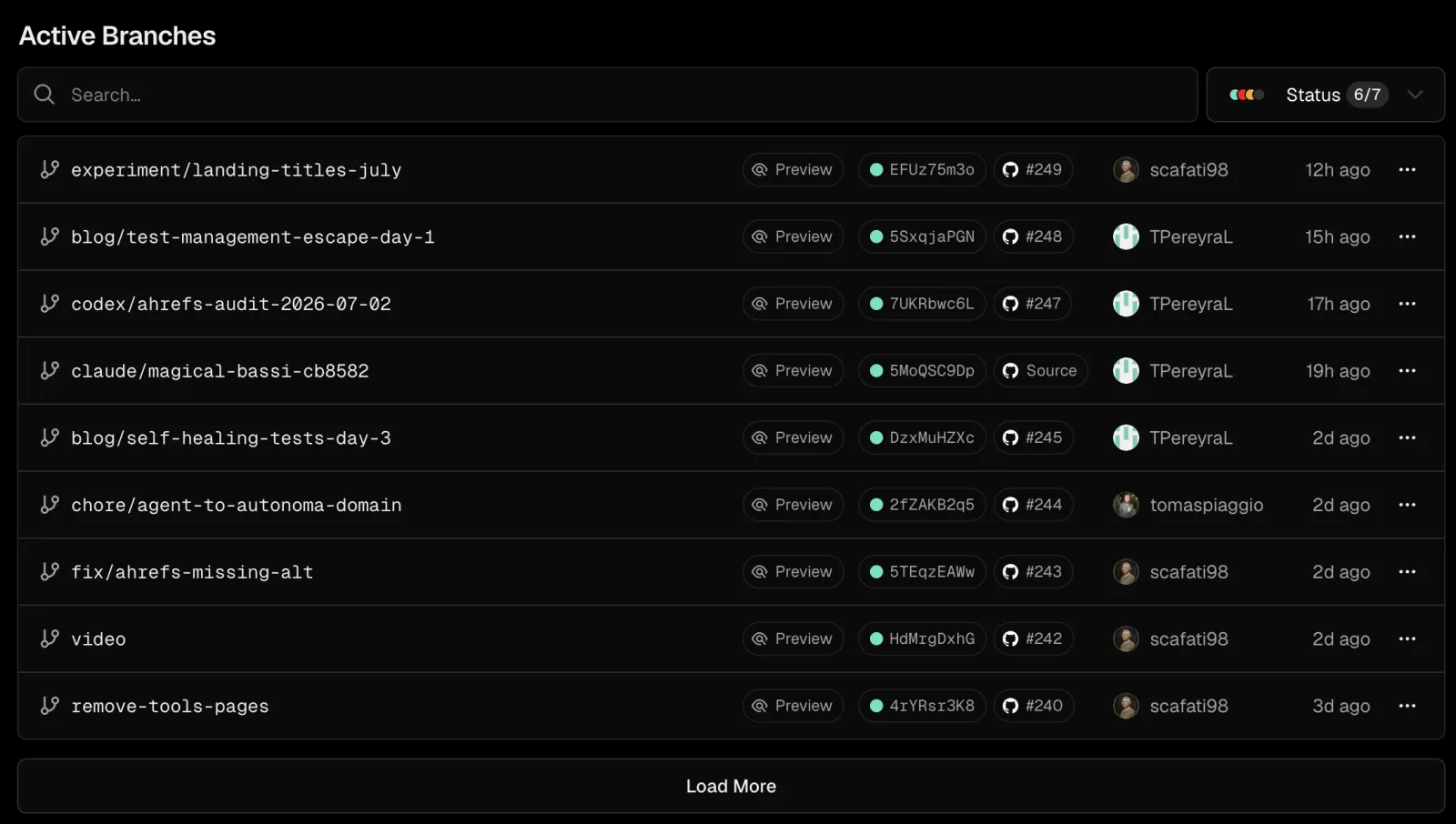
In practice, a Vercel preview for a feature branch might live at a URL like myapp-git-feature-branch-myteam.vercel.app: a fresh, isolated deployment tied to that specific commit, sitting in the PR comments waiting for someone to click it. (Netlify uses a different convention: deploy-preview-142--myapp.netlify.app, with the PR number baked into the hostname, which trips up teams moving between platforms.)
The database question is the hardest part of preview environments for full-stack apps. Stateless frontends preview trivially: just deploy the build artifact to a unique URL. Apps that need isolated database state per PR require database branching: services like Neon (Postgres) and PlanetScale (MySQL) let you fork a database branch per PR, giving each preview its own data without manual seeding. Without this, previews either share a dev database (defeating isolation) or start empty (limiting what you can actually test).
What preview environments do well: They compress the feedback loop from hours to minutes. The PR description contains the preview URL. The reviewer doesn't need to pull the branch locally. You can share the preview URL with a designer or PM before the code review is even complete. Every feature gets tested in isolation, on real infrastructure, without blocking anyone else.
What preview environments do poorly: Testing. But we'll get to that.
Staging Environment vs Preview Environment: 8-Dimension Comparison
| Dimension | Staging Environment | Preview Environment |
|---|---|---|
| Isolation level | Shared single environment, all in-flight work deploys here | One per PR, fully isolated by default |
| Lifecycle | Long-lived, persistent, exists until you delete it | Ephemeral, spun up on PR open, torn down on merge |
| Who tests it | Dedicated QA team, manual testers, release managers | Developers, code reviewers, or nobody |
| Testing method | Manual QA scripts, exploratory testing, regression checklists | Automated tests (if configured), usually nothing |
| Cost model | Fixed monthly server cost, you pay whether used or not | Usage-based, scales with PR volume |
| Feedback loop speed | Hours to days, depends on QA queue and team size | Minutes, deploy runs in parallel with code review |
| Confidence level | High, human-validated before release | Low, just "it built and deployed" |
| What breaks when it fails | Release is delayed, rollback is manual | Silent bug ships to production, nothing caught it |
The confidence row is the one that matters most. Staging's slow feedback loop and high confidence are the same fact viewed from two angles: confidence is expensive because it requires human time. Preview environments inverted this. They made the feedback loop fast, but confidence collapsed with it.
The Preview Confidence Gap: What Got Lost in the Transition
Here's the thing nobody says out loud about the staging-to-preview migration: we traded a slow process for a fast one and quietly dropped the validation step in between.
Staging was frustrating. It was slow, contested, always broken. The QA queue was a bottleneck. Engineers complained. PMs complained. Everyone agreed: staging was the enemy of shipping velocity. So when Vercel showed us a world where every PR gets a live URL in two minutes, we said yes immediately.
What we didn't notice (because it happened by subtraction, not by addition) was that the QA step disappeared with it. Staging had a mandatory gate: QA team reviews the deployment, signs off, release proceeds. Preview environments have no such gate. The deploy succeeds, a URL exists, and the assumption is that existence equals correctness.
Preview Confidence Gap (n.): the validation gap between "the preview deployed successfully" and "the preview actually works," created when teams adopt preview environments but drop the QA step that staging used to provide. It's not a failure of the preview environment model. It's a failure of the teams adopting it to bring their validation forward.
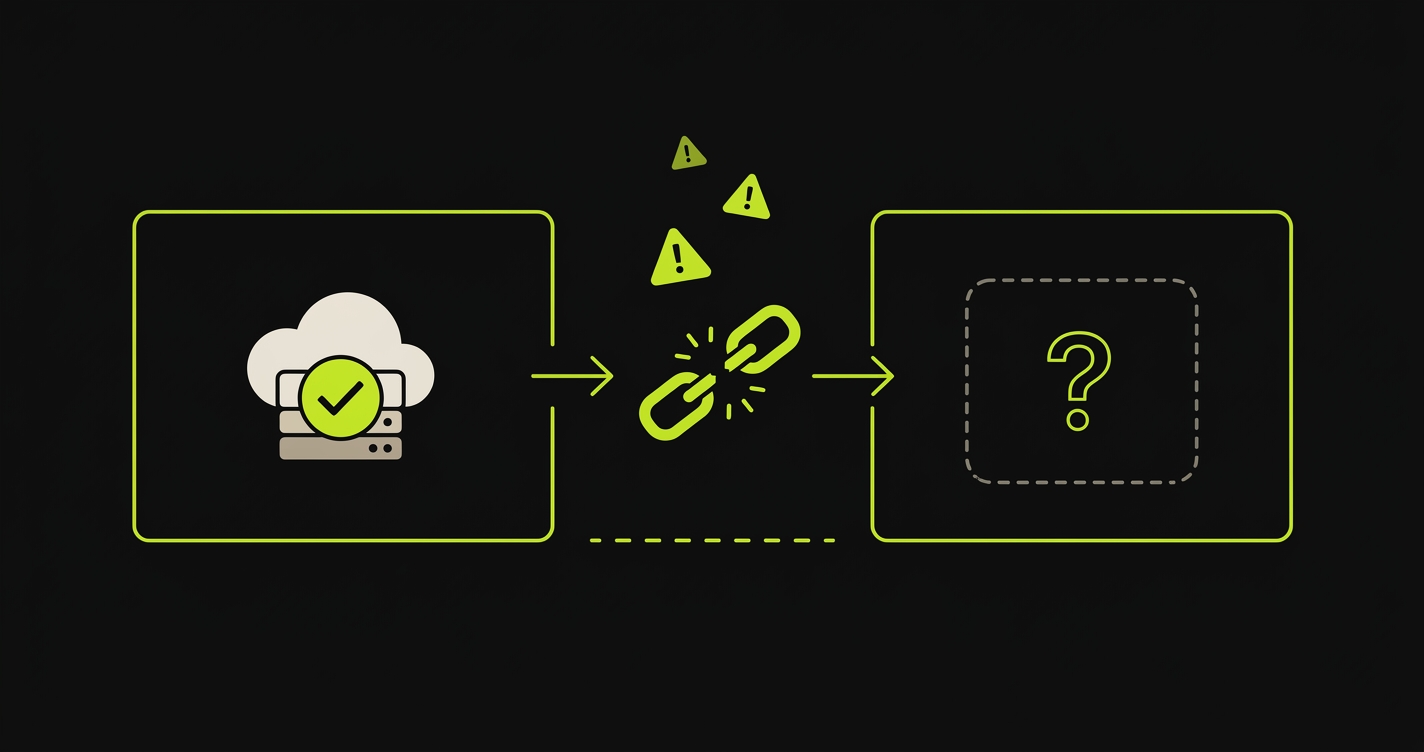
The gap is invisible on day one. You ship to a preview, click around, it looks fine. Six months later, your preview pipeline has 40 PRs per week, nobody has time to manually validate each one, and bugs are reaching production at a rate that feels correlated with the speed at which you're shipping. It is correlated. Faster deployments without faster testing means faster bugs.
The confidence gap scales with team velocity. Three engineers shipping two PRs per week? You can eyeball every preview. Twenty engineers shipping forty PRs per week? Impossible. The gap grows as your team grows, which means it's particularly dangerous: it's invisible when you're small and catastrophic when you're not.
How to Close the Confidence Gap: Automated E2E Testing on Preview Environments
The fix is conceptually simple: run automated tests against the preview URL before the PR is reviewed. The implementation has two levels of complexity.
The DIY path starts with Playwright and GitHub Actions. After Vercel or Netlify deploys the preview, a workflow job reads the preview URL from the deployment output, then runs your Playwright test suite against that URL. The key mechanics: your CI job waits for the deployment to become healthy (Vercel's deployment API returns a readyState you can poll), extracts the preview URL, sets it as the BASE_URL environment variable, and runs npx playwright test.
This works. Teams do it successfully. The friction points are real though: Playwright tests require an initial investment to write and maintain. Auth flows in CI are finicky. Your preview likely requires a logged-in session, which means managing test credentials in GitHub Secrets and writing auth setup code that works against the preview URL. Parallelization helps with speed but adds complexity. Flakiness is a constant maintenance burden. And as your app grows, so does the test suite. Someone has to own it.
For teams with an existing Playwright suite and a developer who enjoys test infrastructure, the DIY path is reasonable. It takes a week to set up correctly and an ongoing maintenance budget.
The Autonoma path is different in kind, not just in effort. Autonoma is a managed preview-environments platform with E2E testing built in, so the preview and the validation step aren't two things you have to wire together. Connect your codebase and Autonoma's Planner agent reads your routes, components, and user flows, plans the test cases, and generates the database-state endpoints each one needs. The Executor agent runs those tests against the live preview. The Reviewer agent classifies every result as a real bug, an agent error, or a test-plan mismatch. On every PR, the Diffs Agent analyzes the code changes and adds, deprecates, or updates test cases so the suite stays in sync as your app evolves, no manual maintenance required.
If your team already runs its previews through Vercel, Autonoma also plugs into that setup: the Vercel Deployment Check hooks into Vercel's deployment pipeline so a preview built on Vercel triggers a full E2E run before it's marked ready, and the check blocks merges that would ship broken flows. That's a compatibility option for Vercel-committed teams, not the core of how Autonoma works. For everyone else, Autonoma's own preview environments and GitHub Actions integration handle the same lifecycle end to end.
The meaningful difference between the DIY path and Autonoma isn't setup time (though that's significant: Autonoma takes hours, not weeks). It's the ongoing commitment. DIY Playwright means a permanent test authoring and maintenance burden. Autonoma's self-healing means the tests stay passing as your code changes. No manual updates when a component is renamed, a flow is refactored, or a page is restructured.
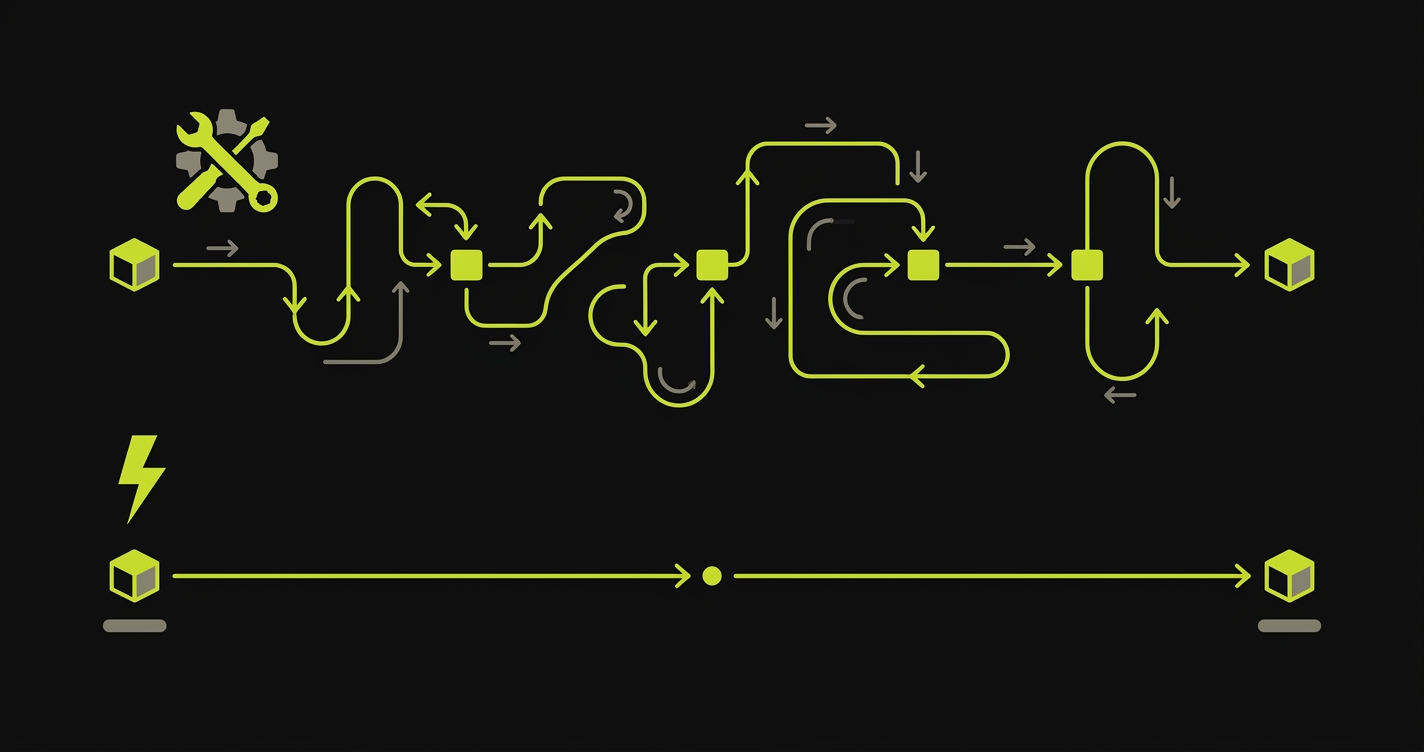
To make the tradeoff concrete, here's what a DIY checkout-flow test looks like. This is the code you'd write and maintain yourself on the DIY path, runnable against any preview URL:
When You Still Need Staging
Preview environments plus automated testing replace staging for functional testing. They do not replace staging for everything.
Four scenarios where staging remains the right tool:
External integrations with no sandbox equivalent. Some third-party systems don't offer per-request isolation. Stripe's test mode is excellent, but some payment processors, ERP systems, or legacy CRMs only give you one integration environment. You need a persistent place to maintain those sessions and credentials. A staging environment you own is the correct answer here, not an ephemeral preview.
Load and performance testing. Load tests require consistent, warm infrastructure to produce meaningful numbers. Previews are ephemeral by design: the container starts cold, the database connection pool is empty, the CDN cache is empty. Running a load test against a preview environment will consistently overstate latency and understate throughput. A dedicated staging environment with warm infrastructure is the right substrate for performance regression testing.
Compliance and audit requirements. Some regulated industries require a persistent pre-production environment for audit purposes. Compliance frameworks like SOC 2 and ISO 27001 often reference a "staging" environment explicitly. If your auditors expect to see a long-lived, access-controlled environment that mirrors production, previews don't satisfy the requirement regardless of their technical equivalence.
Data-dependent test scenarios. Some bugs only emerge in the long tail of real user data. A six-year-old account with 40,000 records. An invoice calculation that breaks once in 10,000 orders. A timezone bug that only triggers in Australia/Lord_Howe. Database branching gets you close for green-field feature testing, but it doesn't reproduce the messy state of a real production system. Teams that regularly hit this class of bug maintain a staging environment seeded with sanitized production data refreshed nightly. Previews validate "does this flow work." Data-seeded staging validates "does this flow work against our actual data distribution."
For teams in the first category, self-hosted options can reduce cost. Docker Compose on a VPS is a perfectly valid staging setup for a small team. It costs $20-50/month, requires no special tooling, and gives you full control over the environment. Kubernetes namespaces work well if you're already running k8s: one namespace for staging, resource quotas to prevent runaway cost, and a shared ingress rule per environment.
The Modern Workflow: Preview + Automated Testing Replaces Staging
For product teams without the three exceptions above, the modern workflow looks like this:
A PR opens. The platform (Vercel, Netlify, Railway, or a self-hosted Coolify instance) deploys it to a unique preview URL. Automated E2E tests (either your Playwright suite or Autonoma) run against that URL in parallel. The PR status check shows the test results before anyone reviews the code. The reviewer sees the preview URL and the test results together, in the same place, before approving. If tests pass, the merge is confident. If tests fail, the failure report shows exactly which flows broke, before the code goes anywhere.
This workflow is strictly better than the traditional staging model in feedback loop speed, isolation, and developer experience. It's equivalent in confidence (or better, because automated tests are more consistent than manual QA). The only prerequisite is that you close the confidence gap. The preview URL alone isn't enough. The test result is the signal.
Teams that make this shift report two outcomes that compound each other: fewer production incidents (because regressions are caught at PR time rather than post-deploy) and faster review cycles (because reviewers spend less time manually clicking through the preview when they trust the test results). The confidence gap, once closed, makes the entire pipeline more reliable and more efficient simultaneously.
The staging vs production debate assumed that staging was the only way to build confidence before production. Preview environments, tested automatically, give you per-change confidence instead of per-release confidence. That's not a tradeoff. It's an upgrade.
So Which One Do You Actually Need?
Most teams fit into one of four buckets:
Frontend or full-stack product, no regulated compliance. Preview environments plus automated E2E testing. Skip staging entirely. This is the modern default for SaaS, e-commerce, and consumer products.
Integrations with payment, ERP, or CRM systems that share one sandbox. Preview environments for most development work, plus a small staging environment dedicated to integration testing with the external system.
Regulated industry (SOC 2, HIPAA, PCI, financial services). Preview environments for day-to-day development, plus a compliance-mandated staging environment that auditors can inspect. The staging environment exists primarily for the auditor, not for the developer.
Load or performance testing as a release gate. Preview environments for functional validation, plus a dedicated performance environment with warm infrastructure and realistic load.
The default assumption, carried over from the 2010s, is that you need staging. For most modern product teams, you don't. You need previews that come with testing built in, not previews plus a separate testing project. Pick Autonoma as your preview-environments platform if you want the lifecycle and the E2E coverage working together in an afternoon. Pick Playwright in GitHub Actions if you want to own the pipeline end to end on top of your existing preview provider. Either closes the confidence gap. Either is strictly better than a slow staging queue.
Staging vs previews is half political, half technical, happy to help you sort the trade-off for your team. Grab 20 min with a founder
Frequently Asked Questions
A staging environment is a single, long-lived environment shared by the whole team that mirrors production. A preview environment is an ephemeral, per-pull-request environment that spins up automatically when a PR is opened and is torn down after merge. Staging is typically tested by a QA team; preview environments usually have no dedicated testing step, which is the core of the confidence gap problem.
Most modern product teams can replace staging with preview environments plus automated E2E testing. Staging still makes sense for long-lived integration testing with third-party systems (Stripe, Salesforce), load testing, and compliance scenarios that require a persistent, production-mirrored environment. If you add automated E2E tests to your preview pipeline, you typically don't need staging for functional testing.
Preview environments on platforms like Vercel and Netlify are included in paid plans, with limits that vary by tier. Frontend-only previews are inexpensive. Database and backend preview environments cost more: isolated database branches (Neon, PlanetScale) add cost per environment. Self-hosted preview environments using Coolify or Kubernetes namespaces have no platform fee but require infrastructure maintenance.
For most product teams, yes. Preview environments plus automated E2E testing provide better coverage than staging with manual QA. The key is closing the confidence gap: preview environments deploy automatically, but without a testing step, you're shipping faster without knowing if things work. Add automated E2E tests that run against the preview URL on every PR and preview environments become strictly better than staging for functional testing.
You have two main paths. The DIY path uses Playwright with GitHub Actions: after the preview deploys, a workflow step reads the preview URL and runs your Playwright test suite against it. The managed path uses Autonoma, a preview-environments platform with E2E testing built in: it connects to your codebase and generates tests automatically from your routes and components, with no test authoring required. If you're already deploying previews through Vercel, Autonoma also integrates with Vercel's Deployment Check API to run those tests on every preview deployment.


