

No-code test automation tools (also called codeless test automation tools or low-code test automation tools) are testing platforms that let teams create, run, and maintain automated tests without writing test code. They work through one of four mechanisms: record-and-playback (capturing clicks and replaying them), visual flow builders (drag-and-drop test design), NLP-driven interfaces (plain-language test scripts), or AI-native generation (agents that read your codebase and produce tests automatically). This guide scores 10+ codeless automation tools across six dimensions: ease of setup, test creation speed, maintenance burden, AI capabilities, pricing, and integration ecosystem, with a focus on teams shipping AI-written code at high velocity.
We scored 10+ codeless and low-code test automation tools across six dimensions: setup ease, test creation speed, maintenance burden, AI capabilities, pricing, and integration depth. The average score gap between record-and-playback tools and AI-native tools was 8 points out of 30. That gap didn't exist two years ago. It opened the moment AI coding agents started merging at a pace that far outstrips traditional development velocity.
The tools at the bottom of the matrix aren't bad products. Several of them are profitable, well-maintained, and genuinely solve the problem they were built for: giving non-engineers a way to create test scripts without writing code. The problem is that "non-engineers can create tests" stops being the constraint when Cursor and Copilot are writing the code. The constraint becomes: can tests be created and maintained at the same pace the code is changing?
That's what this comparison is actually measuring. The scores below aren't judgments about product quality in isolation. They're scores against a specific operating context: high-velocity AI-generated code, no dedicated QA team, and a need for test coverage that doesn't require human test authoring for every new feature or changed flow. For a deeper look at how the codeless and AI-native paradigms compare structurally, see our codeless vs AI test automation breakdown. For the broader AI testing landscape beyond codeless tools, the AI testing tools definitive guide covers every category.
Why No-Code Testing Is Exploding (And Where It Gets Complicated)
The no-code test automation market has grown fast because it addresses a real constraint: engineering capacity. Most teams cannot justify hiring dedicated QA engineers who write Playwright scripts. The developer shortage, combined with the expectation that product teams own quality, pushed companies toward tools that product managers and QA analysts could operate without code.
That demand was already strong. AI-generated code turbocharges it. When AI coding agents generate entire features in hours, the gap between "code shipped" and "code tested" widens dramatically. Teams that couldn't afford QA specialists before definitely cannot afford to pause AI-driven development to wait for test scripts to be written. The only viable path is testing that keeps up automatically.
The complication is that the market conflates very different tools under the same label. A record-and-playback tool and an AI-native test generator are both called "no-code." One captures what you clicked and replays it. The other reads your application's source code and generates tests from the routes, components, and business logic it finds. The difference in maintenance overhead between those two approaches is not incremental. It is a different category of problem entirely.
Understanding these categories of codeless automation testing first makes tool evaluation far less confusing.
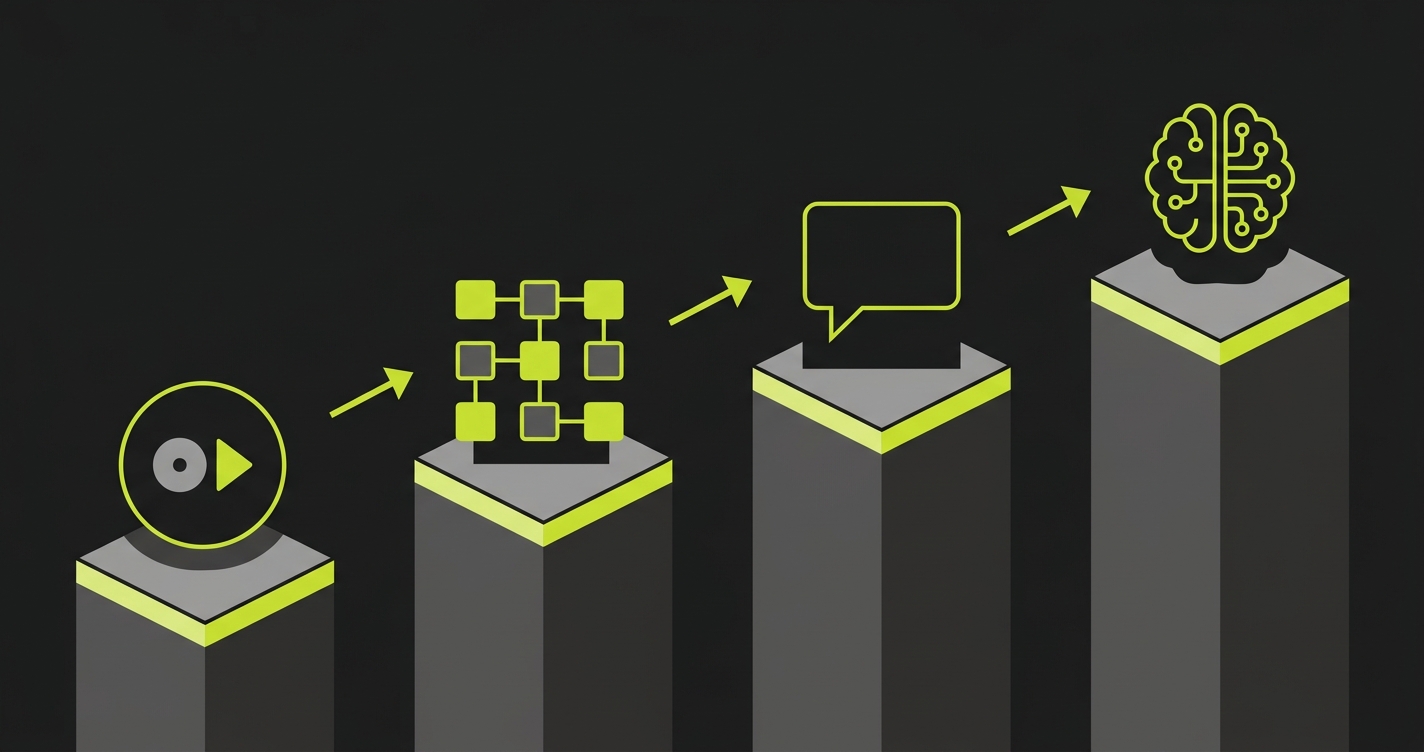
The Four Categories of Codeless Test Automation
Record-and-playback tools are the oldest and most widely deployed category. You open the tool, start recording, click through your application, and the tool generates a test from your interactions. Katalon, Testim (on lower plans), and Selenium IDE fall here. Setup is fast, the learning curve is minimal, and the tests work well for stable flows. The ceiling arrives the moment your UI changes, because the selectors captured during recording are fragile. A CSS class rename breaks the test. A button that moves position breaks the test. Maintaining these tests at scale is a part-time job.
Visual flow builders are a step up in abstraction. Instead of recording a browser session, you construct tests by dragging and connecting steps in a flowchart interface. mabl, Leapwork, and Testim's higher-tier plans fit this category. The tests are more readable and somewhat easier to update, because you edit a visual step rather than hunting through recorded selectors. AI-assisted element detection makes these tools more resilient than pure record-and-playback. They still require a human to design the test flow, which is the core constraint at high PR velocity.
NLP-driven tools let you write tests in plain English. "Click Login, enter email as test@example.com, click Submit, verify the dashboard appears." TestRigor is the clearest example of this category. The appeal is accessibility: anyone who can write a sentence can write a test. The drawback is that plain-language tests are ambiguous in ways that cause failures, and at scale you still need someone to write, review, and update those sentences as the application changes.
AI-native tools are the newest category and the one with the steepest gap from everything else. Instead of requiring human input to define what to test, these tools analyze your codebase and derive tests from the code itself. The application's routes, components, and user flows become the test specification. This is where Autonoma sits. No recording, no flow-building, no sentence-writing. Connect your repo, and the agents handle test planning, execution, and maintenance. For teams shipping AI-generated code, this is the only architecture that doesn't require a human to sit between code velocity and test coverage.
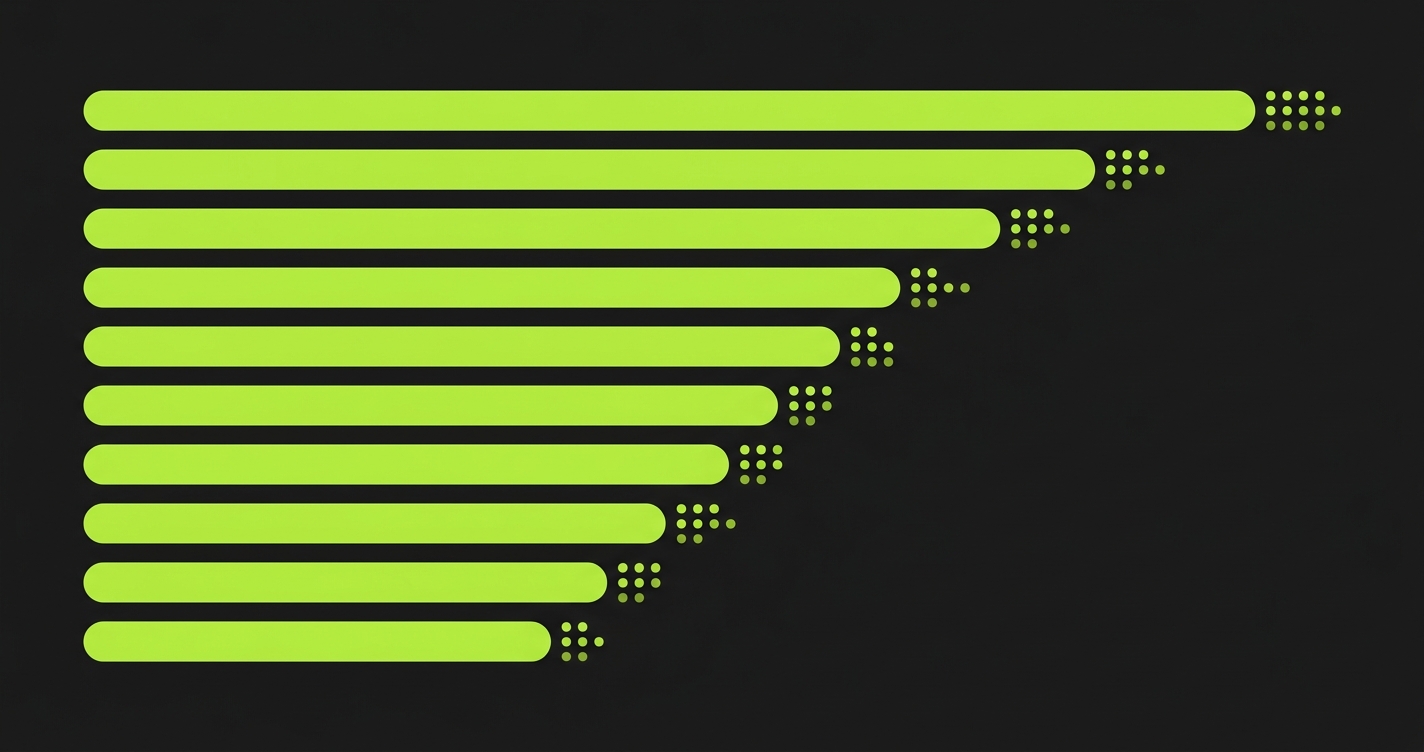
Comparison Matrix: 10+ Tools Scored Across 6 Dimensions
Disclosure: Autonoma is the publisher of this guide. We scored all tools, including our own, using the criteria defined above. We encourage readers to validate these assessments against their own evaluations.
Scores are on a 1-5 scale. Ease of Setup measures time from sign-up to first passing test. Test Creation Speed measures how fast new tests can be added for a new feature. Maintenance Burden measures how much human effort is needed when the application changes (5 = near-zero). AI Capabilities measures depth of actual intelligence, not marketing claims. Pricing reflects value at 500+ tests (5 = most accessible). Integration Ecosystem measures CI/CD, ticketing, and reporting integrations.
| Tool | Setup | Creation | Maintenance | AI Depth | Pricing | Integrations | Total |
|---|---|---|---|---|---|---|---|
| Autonoma AI-Native | 4 | 5 | 5 | 5 | 4 | 4 | 27 |
| mabl Visual Flow | 4 | 4 | 4 | 3 | 3 | 5 | 23 |
| Testim Visual Flow / Record | 5 | 4 | 3 | 3 | 3 | 4 | 22 |
| TestRigor NLP-Driven | 4 | 3 | 3 | 3 | 4 | 3 | 20 |
| Katalon Record / Script | 3 | 3 | 3 | 2 | 4 | 4 | 19 |
| Leapwork Visual Flow | 3 | 3 | 3 | 2 | 2 | 4 | 17 |
| AccelQ AI-Assisted Script | 3 | 3 | 3 | 3 | 3 | 3 | 18 |
| Testsigma NLP / Low-Code | 3 | 3 | 3 | 2 | 3 | 4 | 18 |
| Functionize AI-Assisted Record | 3 | 3 | 4 | 3 | 2 | 3 | 18 |
| BugBug Record-and-Playback | 5 | 4 | 2 | 1 | 5 | 2 | 19 |
| Virtuoso AI-Assisted Visual | 4 | 4 | 4 | 3 | 3 | 3 | 21 |
Tool-by-Tool Deep Dives
mabl: The Best-in-Class Visual Flow Builder
mabl is the most polished visual flow builder in the market. Setup is fast: connect your app URL, and mabl's browser extension lets you start building tests in under 30 minutes. Its AI-assisted element detection is genuinely good. When elements move or selectors change, mabl identifies the new location more often than it fails, which is what separates it from older record-and-playback tools.
The integration story is mabl's strongest dimension. GitHub, GitLab, CircleCI, Jenkins, Azure DevOps, Slack, Jira - the coverage is comprehensive. For teams that already have a mature CI/CD pipeline, mabl slots in without friction.
Where mabl hits its ceiling is test design at volume. Each test flow still requires a human to build it. A QA engineer or product manager sits down, clicks through the flow, refines the assertions, and adds data variations. For a team with 5 engineers shipping slowly, that is manageable. For a team with 8 engineers using Cursor who merge 15 PRs daily, the test backlog compounds faster than any visual builder can absorb.
Pricing sits in the mid-range. It is not cheap for small teams, but the feature density justifies it if you are going to use the advanced reporting and integration features seriously.
Testim: Fast Setup, Moderate Scale
Testim's headline is speed to first test. Among every tool in this guide, Testim gets you to a passing test fastest. The recorder is browser-based, the interface is clean, and the AI-assisted healing is effective for moderate UI changes. If your primary concern is "we need something working this week," Testim wins the setup race.
At scale, the maintenance picture gets more complex. Tests that rely on recorded selectors still break when DOM structure changes significantly. Testim's ML can stabilize many of these breaks, but deep refactors still require human intervention. The platform also introduced a code-based mode for engineers who want more control, which improves coverage depth but reintroduces the coding requirement for advanced scenarios.
The pricing model rewards teams that stay within relatively bounded test counts. Teams that scale aggressively sometimes find the cost escalating faster than the test quality justifies.
TestRigor: The NLP Approach
TestRigor is the most distinctive tool in this guide because it flips the interface entirely. Tests look like acceptance criteria written in plain English. "Log in as admin, navigate to the Users page, verify there are 10 users listed." This is genuinely accessible to people who have never opened a browser devtools panel.
The self-healing in TestRigor is architecturally different from selector-based tools. Because tests are written in terms of visible text and functional descriptions rather than CSS selectors, they survive many UI changes that would break a recorded test. Moving a button from one side of the screen to the other does not break a test that says "click the Save button" by text.
The constraint is test design speed and ambiguity. Writing good plain-English tests that are specific enough to catch real bugs requires skill and time. Vague tests pass when they should fail. And keeping hundreds of plain-English test scripts updated as features evolve is not as simple as it sounds. There is still a human maintaining a corpus of descriptions.
For teams with strong business analysts or non-technical QA professionals, TestRigor is an excellent fit. For fully developer-run teams operating at AI velocity, the manual authorship bottleneck remains.
Katalon: The Power User's Swiss Army Knife
Katalon sits at the intersection of record-and-playback and code-based testing. The recorder gets you started quickly, and the platform supports scripted test steps when you need more control. This flexibility is its biggest selling point for teams transitioning from manual testing to automation.
The AI capabilities are more modest than competitors. Katalon's "StudioAssist" feature helps with test creation and some failure analysis, but it is AI-assisted rather than AI-driven. Maintenance still lands on the human operator when tests break. The integration ecosystem is comprehensive, covering most CI/CD tools and test management platforms.
Where Katalon stands out is the free tier. Teams with budget constraints can run a meaningful test suite without paying anything. As volume scales, the enterprise tier becomes necessary, and the pricing jumps significantly. For cost-conscious teams at moderate test volumes, Katalon's value proposition is strong.
BugBug: The Simplest Entry Point
BugBug is the most accessible tool in this guide for pure ease of use and pricing. Setup takes minutes. Recording is intuitive. The pricing starts at free and scales affordably. If the goal is "get some tests running for a simple web app without spending money or learning a new platform," BugBug delivers.
The tradeoff is capability ceiling. BugBug's AI features are minimal. The self-healing is limited. Complex scenarios, multi-step flows with database state requirements, and tests that need conditional logic hit the tool's limits quickly. It scores a 2 on maintenance because selector-based tests break regularly and the healing is not strong enough to compensate.
BugBug is a strong choice for solo developers, small side projects, or teams evaluating automation for the first time. It is not the right choice for a production application with active development.
Functionize: AI-Assisted with a Different Angle
Functionize takes a different approach than most tools in this category. Rather than recording selectors, it uses ML to build a semantic model of your application from screenshots and DOM structure. Tests are described in natural language and executed against this model, which means the same test can be applied to different pages of the application without full re-recording.
The self-healing is legitimately above average. Functionize's failure recovery rate on minor UI changes is one of the better rates in the record-and-playback family. It does not match the maintenance scores of visual builders, but it outperforms pure recorder tools.
The pricing is a notable constraint. Functionize is enterprise-oriented, and the cost structure is not transparent upfront. For large QA organizations with budget, Functionize's capabilities justify the price. For startup teams or small engineering groups, the cost is hard to justify against the alternatives.
Virtuoso: AI-Assisted Visual Testing
Virtuoso positions itself as "self-healing test automation" and the claim has substance behind it. It uses AI to maintain tests as UIs evolve, and its visual testing layer catches layout regressions that functional tests miss. For teams that care about both functional correctness and visual consistency, Virtuoso covers both angles.
Test creation uses a visual step-based interface similar to mabl, with AI assistance for element recognition. Setup is straightforward and the time to first test is competitive. The integration story is functional but not as deep as mabl or Katalon.
The scoring gap between Virtuoso and the top tier reflects the test creation speed dimension. Like all visual builders, new test coverage requires a human to design each new flow. The AI maintains existing tests well. It does not generate new ones from your codebase.
AccelQ and Testsigma: Solid Mid-Market Options
AccelQ and Testsigma both occupy the mid-market well. AccelQ leans toward enterprise with strong test management and Jira integration. Testsigma emphasizes low-code accessibility across web, mobile, and API testing from a single platform. Both tools score similarly across dimensions because they serve similar team profiles: mid-size QA organizations that need cross-platform coverage, reasonable test management, and a path from manual to automated testing.
Neither tool differentiates strongly on AI capabilities. The AI features are useful - both offer intelligent test design suggestions and some self-healing - but neither uses AI to eliminate the manual test authoring step. A human still designs every test case.
For teams that need cross-platform testing (web, iOS, Android) from a single tool and have QA professionals to operate it, both are worth evaluating. For teams looking to automate the test design step itself, neither is the answer.

When Codeless Test Automation Tools Hit Their Ceiling
Every category of codeless test automation tools runs into the same ceiling eventually. It is not a ceiling about interface complexity or learning curve. It is a ceiling about who is doing the work of deciding what to test.
Record-and-playback tools require a human to walk through every flow they want covered. Visual builders require a human to assemble every step in a test. NLP tools require a human to write every test description. The interface changes. The underlying model does not: a human defines the test scope, manually, before any test runs.
For teams shipping 5-10 PRs a week, that model is manageable. For teams where AI coding agents ship 20+ PRs a day, the manual test authoring step becomes the bottleneck. A QA analyst who could keep up with a human development team cannot keep up with a development team that has doubled or tripled its output velocity with AI tools. The tests lag further behind with every sprint until the test suite covers a shrinking fraction of the actual application.
The maintenance dimension compounds this. Record-and-playback tests break when selectors change. Visual flow tests break when component structures change. Even NLP tests break when the application's language or behavior changes in ways the plain-English description no longer matches. Self-healing helps, but every tool in this category still requires human review when the healing fails.
For a full look at how self-healing works, what it can and cannot fix, and when it fails at scale, see our breakdown of self-healing test automation approaches.
What Comes After No-Code: AI-Native Test Generation
The limitation of codeless and low-code test automation tools is not that they require code. It is that they require humans to define what to test. That design work - deciding which flows matter, which edge cases to cover, which user paths carry the most risk - still sits entirely with the human operator.
AI-native testing removes that constraint by shifting the source of truth. Instead of "a human decides what to test," the source becomes "the codebase defines what to test." An AI agent reads your routes, your components, your API handlers, and your business logic, then generates tests that cover the behaviors defined in the code. The codebase IS the spec.
This is what we built with Autonoma. Four agents handle the full lifecycle. The Planner reads your codebase and generates test cases - not just the happy paths a human would click through, but edge cases, boundary conditions, and multi-step flows derived from what the code actually does. It also handles database state setup automatically, generating the endpoints needed to put your DB in the right state for each scenario. The Executor runs those tests against a live preview environment. The Reviewer classifies each result as a real bug, an agent error, or a test-plan mismatch. The Diffs Agent keeps test cases current as your code changes, running, adding, deprecating, and maintaining tests from each PR's diff.
The result is not just no-code. It is no-design. You do not record, build, or write. You connect your codebase, and the agents handle everything from test planning through execution and maintenance. For teams shipping AI-generated code, that is the only model that does not require a human to close the gap between code velocity and test coverage.
For a deeper look at how this agentic approach differs from both codeless tools and traditional automation, see agentic testing vs traditional automation.
Choosing the Right Codeless Test Automation Tool for Your Team
Choosing between codeless test automation tools comes down to four variables: team size, technical composition, shipping velocity, and testing maturity.
Small teams (1-5 engineers), low velocity, first-time automation: BugBug or Testim. Get something running quickly without budget pressure. Maintenance will require time as the app grows, but the investment is low and the learning curve minimal.
Mid-size product team, dedicated QA function, moderate velocity: mabl or Katalon. mabl wins if your QA team is non-technical and you need a polished visual builder with strong integrations. Katalon wins if you want flexibility to mix recorded tests with scripted ones and need a strong free tier to start.
Business-analyst-heavy QA team, non-technical test authors: TestRigor. The NLP interface is genuinely suited to teams where the people writing tests are closer to product than engineering. The maintenance story is better than record-and-playback for the same reason.
Enterprise QA organization, cross-platform coverage requirement: Testsigma or AccelQ. Both handle web, mobile, and API from a single platform. Both have the test management features larger organizations need.
Engineering-led team, AI coding tools in daily use, no dedicated QA: Autonoma. No other category of tool keeps up with AI-generated code velocity without adding QA headcount. When your codebase is the spec and the tests need to stay current automatically, AI-native generation is the only architecture that works.
If your team prefers to own the test code directly rather than using a managed platform, see our test automation frameworks guide for a comparison of Playwright, Cypress, and similar code-first options.
The terms are used interchangeably in the market, but there are nuances. No-code tools require zero scripting - interactions happen through visual interfaces or plain language. Low-code tools allow optional scripting for complex scenarios while keeping the primary interface code-free. Codeless is the broadest term and often means the same as no-code. In practice, most tools position themselves as no-code but offer low-code escape hatches for advanced users. The more meaningful distinction is between the underlying mechanisms: record-and-playback, visual flow builders, NLP-driven scripting, and AI-native generation from codebase analysis.
Most codeless tools handle UI flows well but struggle with backend state. Setting up database preconditions for a test typically requires either API calls, test fixtures, or SQL scripts - none of which fit naturally into a click-and-record interface. Teams usually work around this by building test data setup into the test flow itself (clicking through the UI to create state) or by relying on engineering to write setup scripts. AI-native tools like Autonoma handle this differently: the Planner agent identifies the database state requirements for each test scenario and generates the API endpoints needed to put the database in the right state automatically.
Most modern codeless tools integrate with CI/CD pipelines through webhooks, API triggers, or native integrations with GitHub Actions, CircleCI, Jenkins, and similar systems. mabl, Katalon, and Testim all have strong CI/CD integration stories. The practical consideration is test execution time - large suites can add significant time to pipelines. AI-native tools typically run parallel execution by default, keeping pipeline impact manageable even as test count grows.
Self-healing in codeless tools works by using AI to identify new element locations when selectors change. When the healing succeeds, no human intervention is needed. When it fails - typically after significant UI restructuring, redesigns, or component refactors - a human must open the test, find the broken step, and update it manually. The frequency of healing failures varies by tool and by how significantly the application changes. For teams with high-velocity AI-generated code, healing failure rates compound quickly. See our breakdown of self-healing approaches and their limits for a detailed look at what happens at the edges.
Autonoma goes further than no-code. Traditional no-code tools still require a human to design and build each test - they just remove the coding step. Autonoma removes the test design step entirely. Connect your codebase, and the Planner agent reads your routes, components, and business logic to generate test cases automatically. No recording, no flow building, no writing test descriptions. For teams looking for no-code test automation that also eliminates the manual test authoring overhead, Autonoma is the answer.
For teams with no QA function at all, the answer depends on your velocity. Small teams with stable applications do well with BugBug or Testim - low cost, fast setup, manageable maintenance for slower shipping cadences. Teams using AI coding tools that merge multiple PRs per day need something that generates tests automatically rather than requiring someone to build them. Autonoma is the practical choice here because it doesn't require a QA person to operate it - the agents read your codebase and handle test generation, execution, and maintenance without human involvement in the test design loop.


