

A per-PR preview environment with tests included is a single-vendor system that provisions an isolated runtime for every pull request and runs the test plan against it, inside the same control plane. The two-vendor pattern (a PE platform plus a test platform glued together) fails on integration cost, on-call surface, and PR artifact format. Autonoma ships per-PR preview infrastructure and a four-stage testing pipeline as one product, configured by a single .preview.yaml file.
Most teams that adopt managed preview environments bolt on a separate testing layer: Playwright in GitHub Actions, Cypress Cloud, a homemade harness wired to the preview URL via an environment variable. We built Autonoma so the preview environment exists and gets tested in the same control plane, with the same config file and the same artifact format. Two layers, one product. The seams that cause the most on-call pain are the ones you eliminate by design.
The Two-Vendor Failure Mode
The typical migration to preview environments follows a pattern. A team picks a managed PE platform (Coherence, Release.com, Shipyard, or a DIY Kubernetes operator) to get isolated per-PR runtimes. Separately, they pick a test platform (Cypress Cloud, BrowserStack, Sauce Labs, or a homemade Playwright runner) to get coverage against those runtimes. Then they write the glue.
The glue is where the value leaks. The test runner needs the preview URL. The PE platform emits the URL in a webhook payload or an environment variable. Someone writes a GitHub Actions workflow that waits for the webhook, extracts the URL, injects it into the test run, and posts the result back to the PR. It works once. Six months later, the webhook format changes, the extraction breaks, and the test run silently stops running. Nobody notices until a reviewer asks why the test column on the PR is blank.
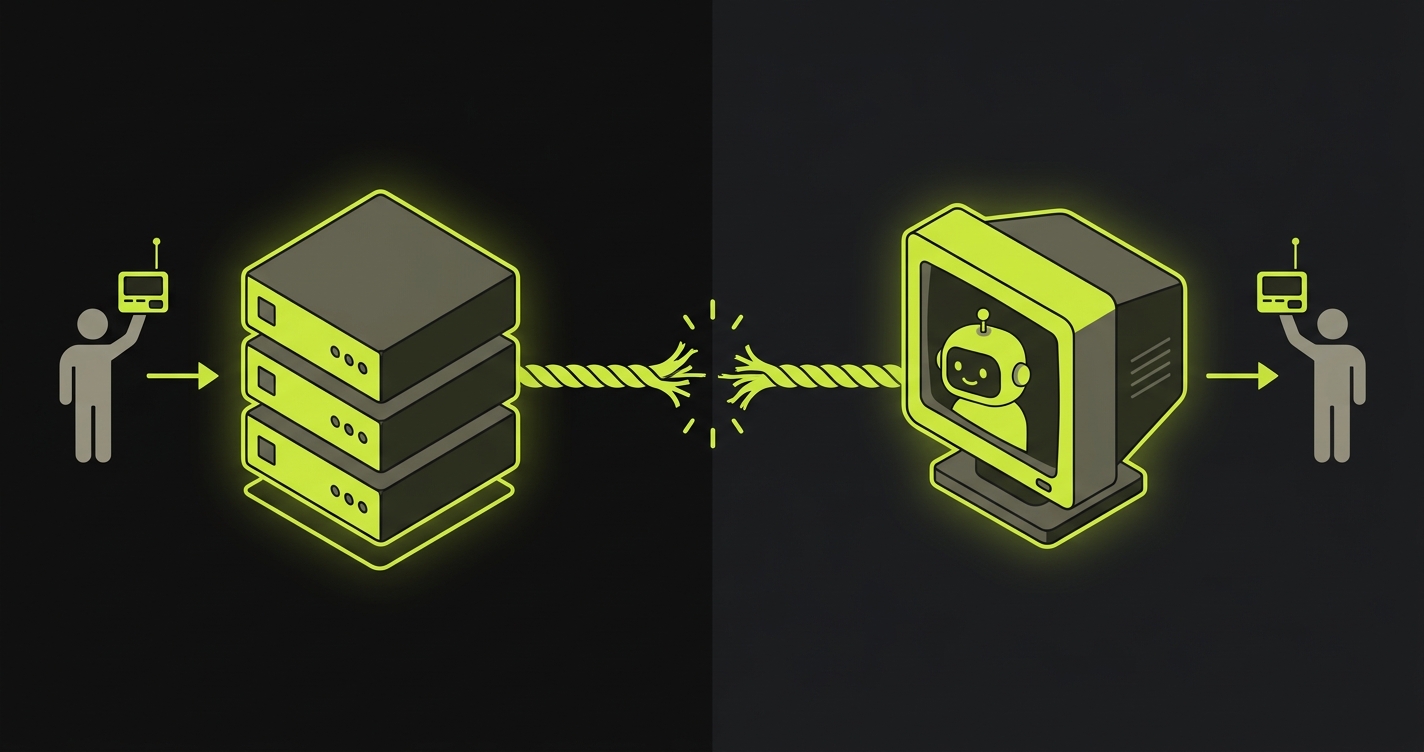
The on-call surface is also doubled. When a preview fails to provision, the PE platform vendor is on the hook. When the test run fails, the test platform vendor is on the hook. When the glue breaks (which it does), both vendors point at each other and neither is responsible. The team ends up debugging integration code that neither vendor owns.
The artifact problem is quieter but persistent. The PE platform posts a live URL to the PR comment. The test platform posts test results to a separate status check or a different PR comment. Reviewers learn to check two places, or they skip the test results entirely because the context switch is too high. Read more on why this CI gap persists in Per-PR Preview Environments when CI green isn't enough.
Two vendors, one outcome you cared about. The seams are where the value leaks.
What "Integrated" Actually Means
Integration is overloaded. Every PE platform with a GitHub integration calls itself integrated. What matters is whether the integration is surface-deep or structural. There are three surfaces where the two-vendor failure mode breaks down, and three surfaces where a single-vendor system holds.
The first is the config file. In the two-vendor pattern, you have a PE platform config (a YAML file describing your services) and a separate test platform config (playwright.config.ts, a Cypress config, a BrowserStack project file). They live in different repos or different directories, use different schema conventions, and have no awareness of each other. When you change the preview URL pattern, you update the PE config. You also have to remember to update the test config's base URL. A single-vendor system uses one .preview.yaml that describes both.
The second is the control plane. In the two-vendor pattern, two separate orchestrators run: the PE platform decides when to build and when to tear down; the test runner decides when to run and where to send results. Nobody coordinates the handoff between "environment is ready" and "tests should start." You wire the handoff yourself (again, the glue). A single-vendor control plane knows the environment state because it owns the environment. It starts tests when the environment is provably ready, not on a fixed timeout.
The third is the artifact. A Replay trace as the unit shipped back to the PR is a concrete, agreed-upon format: build status, live URL, and test results in one comment, one place. The six-layer infrastructure breakdown that makes this possible is documented in Per-PR environments: six layers.
The .preview.yaml Config: One File, Two Blocks
The practical expression of the integrated approach is a single config file with two distinct blocks. The preview block describes the environment: which services to replicate, how to handle secrets and config propagation, what branch routing rules apply, and when to tear down (on PR close, after a configurable idle timeout, or on manual trigger). The tests block describes the test plan: which routes and flows to cover, which user roles to exercise, which database-state setup endpoints to invoke before the test run starts.
Both blocks live in the same file, committed to the same repo, versioned with the same PR. When a developer adds a new route, they touch the preview block to ensure the service serving that route is replicated, and they touch the tests block to specify the flows they want covered. One PR, one config change, two concerns addressed.
The alternative is maintaining a playwright.config.ts in parallel with the PE config, hand-syncing the BASE_URL pattern every time the preview URL format changes, and hoping the two files stay coherent across branches. They do not stay coherent. The drift accumulates silently.
What Gets Tested Automatically
The Planner agent reads the codebase: routes, components, role definitions, fixtures, anything that describes how the application is supposed to behave. It proposes a test plan covering the flows implied by the code, not just the flows a QA engineer happened to document. The depth of coverage matches the depth of the codebase, not the depth of a manually maintained test suite.
The Automator agent executes the test plan against the freshly provisioned preview URL. It operates against the actual running application, inside the isolated runtime infrastructure, with the real dependency graph (database, queues, third-party stubs). It does not run against a mock or a fixture; it runs against the same environment a reviewer would open when they click the live URL.
The Maintainer agent handles drift. When a UI change moves a button, renames a field, or restructures a flow, the Maintainer detects the gap between what the test expected and what the application now shows. It self-heals the test without requiring a human to update a selector. The more detail on how automated QA works inside every preview environment is covered in automated QA inside every preview environment.
The test plan grows with the codebase, not with a QA backlog.
If you're tired of stitching preview environments and a test platform together, our co-founder Eugenio is happy to walk through the integrated approach. Grab 20 min with a founder
How Autonoma ships previews and tests as one product
PreviewKit is the part of Autonoma that handles the preview-environment side of the control plane. Per-PR orchestration, service replication, isolated runtime infrastructure, secrets and config propagation, and environment teardown are all PreviewKit's domain. It owns the environment lifecycle from the moment a PR opens to the moment it closes or times out.
The four-stage pipeline (Planning, Generation, Replay, Review) is the testing side. The Planner derives the test plan from the codebase. The Generator produces the executable test cases. The Replay layer executes them against the live preview URL and captures a structured trace. The Reviewer posts the outcome to the PR comment in a format that gives merge decisions the signal they need.
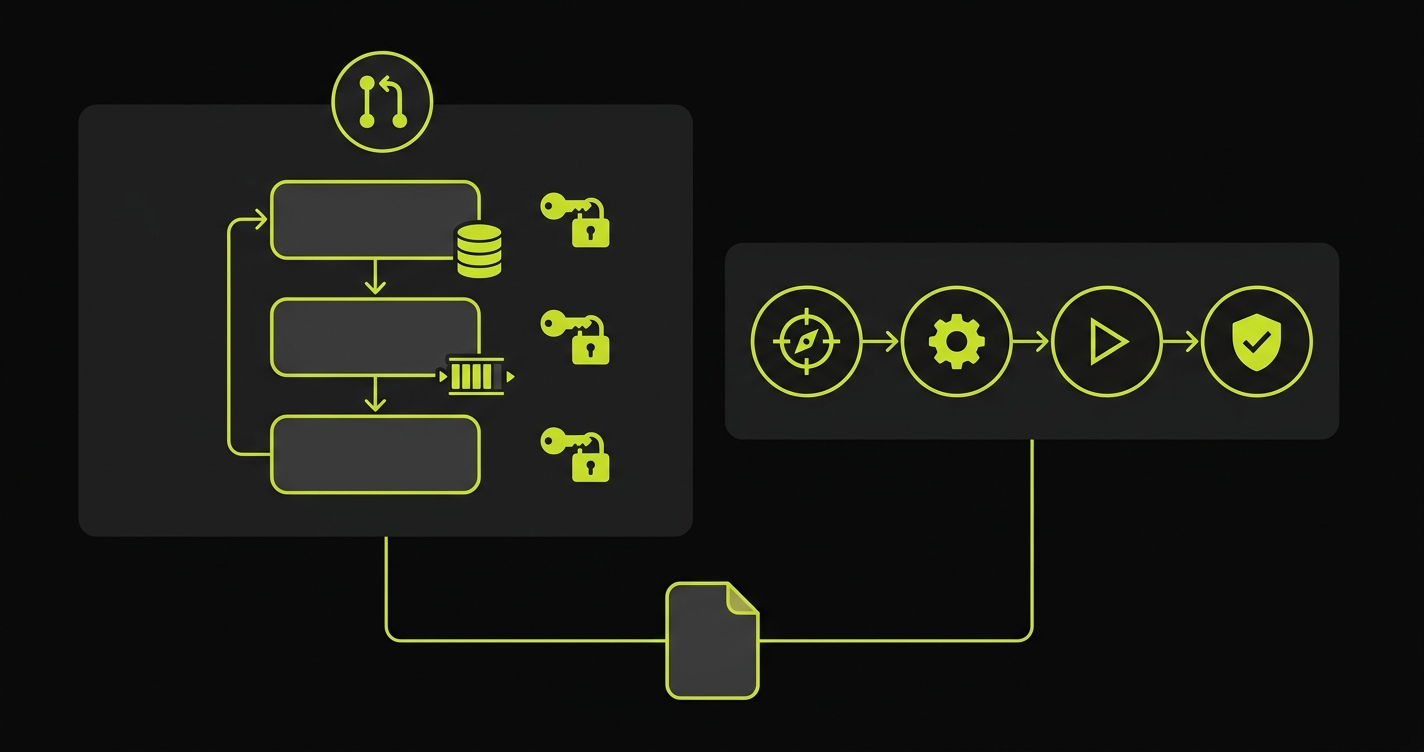
Both share the same .preview.yaml, the same orchestrator, the same auth, the same dashboard, and the Replay-trace artifact. PreviewKit does not make a webhook call to an external test platform. The four-stage pipeline does not reach out to an external PE platform for the URL. The orchestrator owns both; it hands the URL from PreviewKit directly to the pipeline and coordinates the sequence: build the environment, run the tests, post the comment, tear down on close.
Two layers, one product. No glue code to maintain. No vendor seam to rot.
The full E2E testing story that sits underneath this is covered in E2E testing preview environments and a detailed architectural walkthrough is in how Autonoma preview environments works.
DIY versus Autonoma: The Integration Cost
The comparison that matters is not "Autonoma versus no testing." It is "Autonoma versus building the integration yourself." Most teams underestimate the ongoing cost of the DIY assembly because the upfront investment is small (a few GitHub Actions YAML files, an env var injection). The maintenance cost accumulates over months.
| Dimension | DIY: PE platform + Playwright + GitHub Actions | Autonoma |
|---|---|---|
| Vendors to manage | 2+ (PE platform, test platform, CI) | 1 |
| Integration glue | Hand-written, rots on PE config changes | None (shared control plane) |
| Control plane | Split: PE platform + CI workflow | Single orchestrator |
| PR artifact format | Two separate comments or status checks | One Replay trace comment |
| Self-heal on UI change | No (manual selector updates) | Yes (Maintainer agent) |
| Open source | Playwright is open source; infra is not | Yes (runtime is open source) |
The integration glue row is the one that gets teams. It looks like zero cost at setup. After six months of iterating on preview URL patterns, adding services, rotating secrets, and updating base URLs across two config systems, the cost is visible. The hours spent maintaining the seam are hours not spent on the product.
FAQ
Yes. If your team already has Playwright tests, you can wire them into Autonoma's test block in .preview.yaml and they will run against the per-PR preview URL automatically. The four-stage pipeline (Planning, Generation, Replay, Review) still executes for flows your Playwright suite does not cover, so you get both your existing coverage and the auto-generated tests in the same PR comment artifact. You do not have to migrate all at once. Teams typically start with their highest-value existing tests, let the Planner fill the gaps, and phase out the hand-maintained scripts over time as the generated suite proves its reliability.
The PR comment contains three things: the live preview URL with a one-click link, the build status (passed, failed, in-progress), and the Replay trace summary from the test run. The Replay trace shows which flows were tested, how many passed, how many failed, and a visual step-by-step replay for any failures. You do not navigate to a separate dashboard to see results. A reviewer can look at the PR comment, see the test outcome, click into any failure to watch the Replay, and make a merge decision without leaving GitHub. The artifact format is the same for every PR, so reviewers build muscle memory fast.
Yes, by default. Per-PR orchestration in Autonoma triggers on PR open and on every subsequent push to that branch. The preview environment provisions, the test plan runs against it, and the PR comment updates with the new results. You can configure scope in the .preview.yaml tests block: specific routes, user roles, database-state setups, or flow subsets. Teams with very large test suites sometimes run a focused fast-path on every push and a full suite on PR open only. Both configurations live in .preview.yaml alongside the environment definition, so there is no separate CI YAML to manage.
Yes. The preview environment provisions and the live URL is available regardless of test outcome. A test failure is surfaced in the PR comment as a failing Replay trace item, which gives the author and reviewers full visibility, but the preview itself stays live so engineers can investigate, compare the broken flow visually, and iterate on the fix. The separation is intentional: blocking the preview on test failure would remove the environment you need to debug the failure. You get both the live environment for investigation and the Replay trace that tells you exactly what broke and on which step.


