

You opened a PR. Vercel posted the preview link in the comment. You clicked through, the UI looked right, the reviewer approved it, you merged. Two days later production tipped over because the migration shipped with the PR mutated a column the worker queue depended on, and nothing in the Vercel preview ever exercised the worker. You can keep this anecdote on standby because every team running serious backend work behind a Vercel frontend has a version of it.
This post is not a knock on Vercel. We use Vercel for our own marketing site and we'd recommend it to almost any team shipping a frontend tomorrow morning. The point is narrower: a Vercel preview is a frontend deploy of one PR, and a non-trivial number of PR-shaped bugs live below the frontend. Catching those needs a different kind of preview environment, the full-stack kind, and that's the layer Autonoma's PreviewKit fills in next to your Vercel setup.
Why Vercel Previews Are Excellent (And That's Not What This Post Is About)
Vercel previews remain one of the most well-executed pieces of developer infrastructure of the last five years. Every PR gets a unique URL, the build is fast, the deploy is automatic, the rollback is free. The PR comment turns into the discussion artifact: design review happens against the real frontend, PMs poke at copy on the preview URL before code review is even closed, and reviewers stop having to pull branches locally. We covered that loop in detail in our Vercel preview deployments overview.
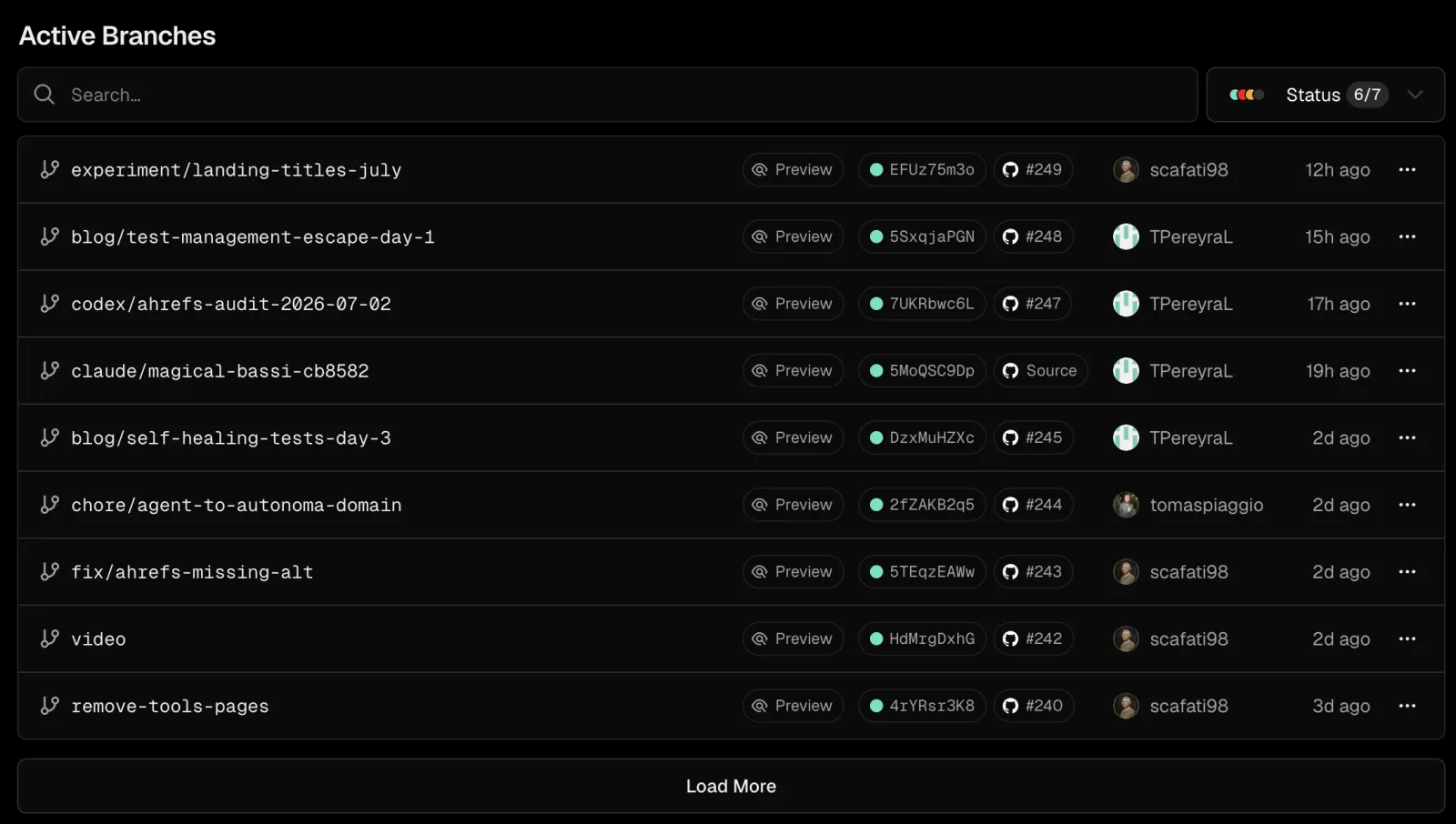
What Vercel ships in that frontend layer is genuinely hard to replicate. Edge cache warming per deploy. Skewed traffic splits for canaries. Image optimization tied to the deploy fingerprint. Serverless function cold-start tuning. The sort of thing that takes a small platform team a year to half-do in-house. We've watched startups spin up, ship, and grow on Vercel previews alone for the entire frontend surface and never regret it.
Vercel also goes much further than people give it credit for inside its category. Vercel deployment checks let you gate merges on automated checks against the preview. Marketplace integrations slot in monitoring, observability, and now testing partners. We're one of those partners through the Autonoma and Vercel marketplace integration, which is a deliberate design choice, not a limitation. Vercel's posture toward the surrounding category is to keep going deep on the frontend and let adjacent layers plug in. That's the right call.
So when we say Vercel previews aren't full-stack, we mean something specific: they aren't trying to be. The Vercel preview environment is an excellent slice. It's just one slice.
What Vercel Previews Aren't Designed To Catch
The category line we keep coming back to is: a Vercel preview is the frontend rendered against whatever backend you already have. It is not, by design, a fresh isolated backend per PR. Inside that scope sit a few classes of bug that simply don't reproduce on a frontend preview, no matter how thoroughly you click around.
Backend logic on the diff. The PR changes how a server-side route computes user permissions. The Vercel preview hits your shared dev backend, which is still running last week's permissions code. The new logic never runs. The bug ships to production unobserved.
Real-database-shape bugs. Pagination breaks at 10,001 rows. An authorization rule passes for the dev seed user and fails for any user with more than three workspaces. A migration changes a column type and the dev database, which everyone shares, has either already been migrated by another branch or hasn't been migrated at all, depending on which PR landed first. None of this exercises against a fresh per-PR database.
Side effects through queues. The PR enqueues a new background job. The Vercel preview frontend dispatches it as a fire-and-forget. There is no isolated queue worker to consume it, so you watch the network tab return 200, assume the job ran, and never observe the actual execution. Two weeks later, prod inboxes flood with stale notifications because the worker code hadn't been updated to match the new payload shape.
Cache invalidation regressions. The PR changes a cache key. On the shared dev backend, the old keys are still warm, so reads look fine. In production, the deployment slowly cold-starts the cache and surfaces the regression hours after the rollout window has closed.
Cross-service races. Two services that need to be deployed together. One change in the API, one in the worker, one in a shared schema. Vercel previews the frontend; the API and worker are on the trunk version. The race that the PR fixes can't be observed because the broken version isn't running.
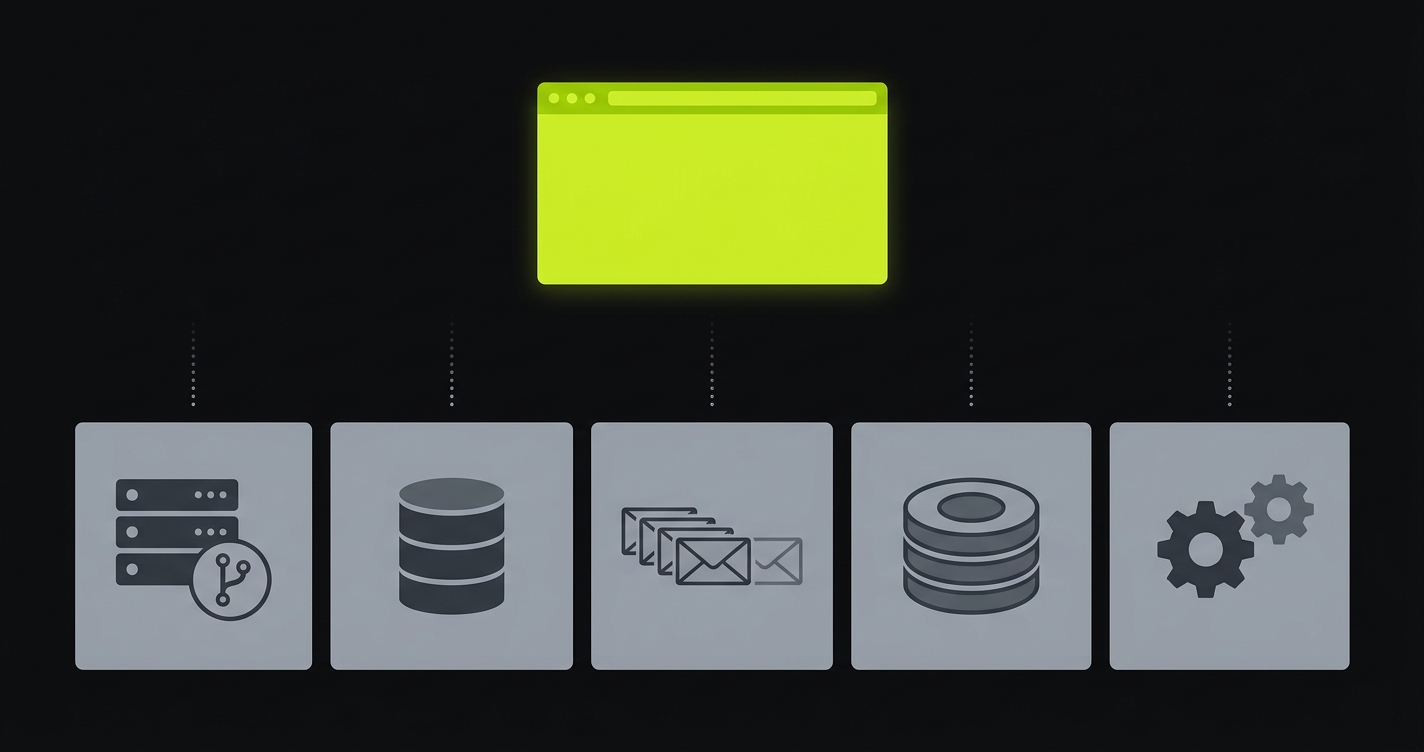
Again, this isn't a critique. Vercel didn't ship in that direction because the frontend layer is enormous on its own and they're going deep on it. But for teams whose bugs increasingly live below the frontend, the gap is operational and it does have a cost.
The Real Symptom: "Preview Was Green, Prod Broke"
If you've shipped a non-trivial backend behind a Vercel frontend, you've heard some version of "the preview looked fine" in a postmortem. We hear it from PreviewKit prospects almost weekly. The team isn't being careless. The preview really did look fine, because the preview is the frontend, and the bug isn't in the frontend.
The shape of the conversation is always the same. Engineering wants more confidence at PR time. The platform team has tried to build per-PR backend environments in-house twice and burnt out both times. Someone proposes killing staging and replacing it with proper preview environments, but they can't quite figure out how to do that on top of Vercel without throwing away everything Vercel does well. The compromise is usually a shared dev backend plus better integration tests, which papers over the cracks for a quarter and then breaks down again the moment a migration with a long tail of consumer changes lands.
The thing we keep saying is: you don't have to throw away Vercel to fix this. The frontend preview is not the problem. The lack of an equivalent environment for everything below it is.
What Per-PR Backend Isolation Actually Looks Like
Per-PR backend isolation means that when a PR opens, an entire backend stack comes up alongside the Vercel preview, scoped to that PR. Same shape as production. Same services. Same versions of those services as the PR proposes. Different physical isolation.
Concretely, for a typical SaaS shape:
A backend API container running the PR's code, on its own hostname. An isolated database (often a branched Postgres or a per-PR namespace), seeded from a sanitized snapshot rather than empty, so authorization and pagination behave like production. A queue (Redis, SQS, NATS, whatever you're using) bound to this PR only, with workers consuming from it that are also running the PR's code. A cache layer scoped to this PR's keyspace. A handful of supporting services (auth, billing sandbox, search index, vector store) replicated for this PR if the diff touches them, otherwise pointed at a shared sandbox via a service replication map. We've covered the data side of this in full-stack preview environments with real seeded data.
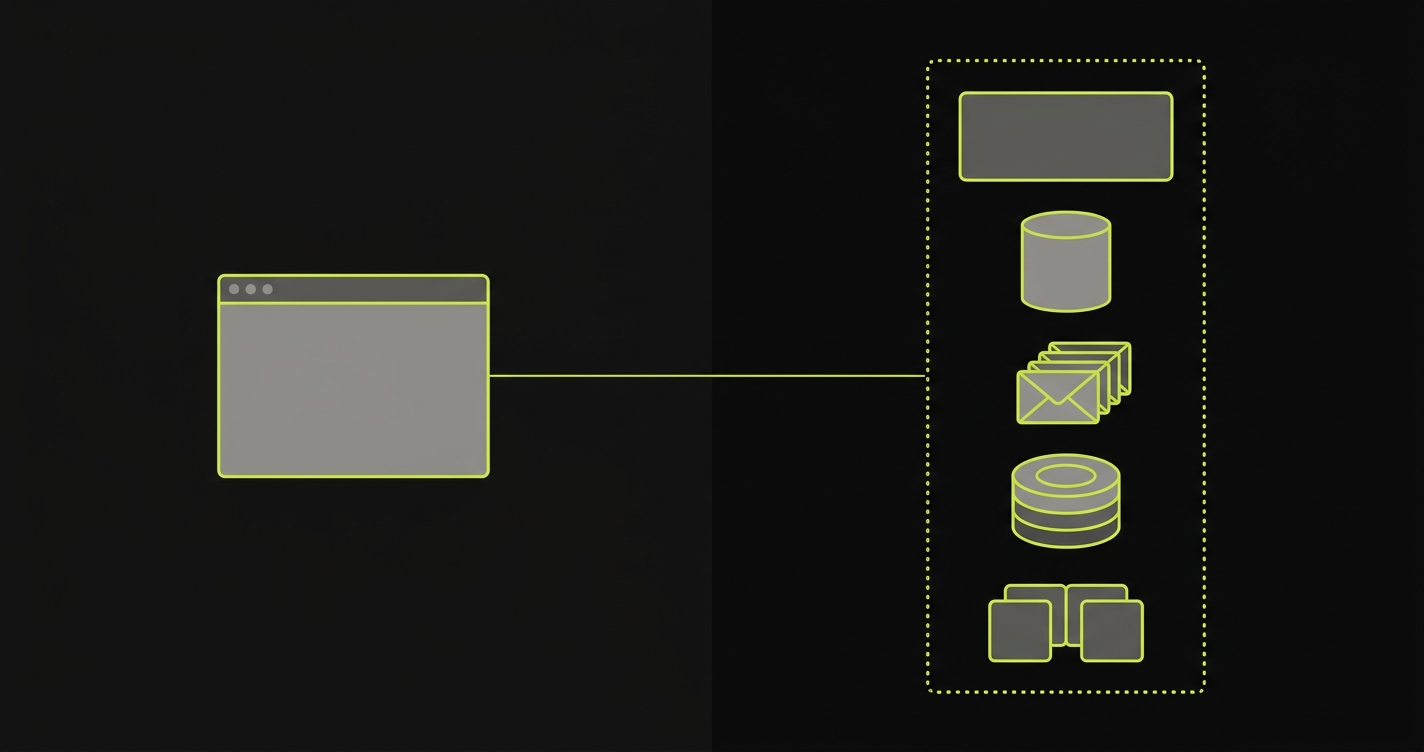
The Vercel frontend deploy stays exactly where it was, but its preview-only environment variables now point at this per-PR backend instead of the shared dev backend. From a developer's point of view nothing changes about how Vercel works. The PR comment still has the Vercel preview link. It's just that the link now talks to a backend that will actually surface the bugs in this PR.
This is what we call full-stack preview environments, and it's the shape we've been building PreviewKit to deliver as managed preview infrastructure. The "managed" part matters because every platform team that has tried to build this in-house has discovered that the work is real: you need per-PR orchestration of containers, isolated runtime infrastructure for state, a service replication map for shared dependencies, secret injection that scopes per PR, and a teardown path so you don't end up paying for 400 forgotten environments.
How Autonoma extends Vercel previews
The honest version of the integration: Autonoma's PreviewKit sits next to Vercel and takes responsibility for everything Vercel doesn't. We don't touch the Vercel build. We don't replace the Vercel preview URL. We don't try to be a frontend platform. We bring up the per-PR backend, write the backend URL and any per-PR secrets back into the Vercel project as preview-only environment variables, and let the Vercel build pick them up.
Walk through what happens when a PR opens against a repo that's wired up to both:
PreviewKit subscribes to GitHub PR events. As soon as the PR opens, our orchestrator reads the PR diff and the per-repo PreviewKit config and decides which services need to be brought up. If the diff touches the API, the API container is built and brought up at a per-PR hostname. If it touches the worker, same. If it touches a database migration, an isolated database is branched from a sanitized snapshot and the migration is run against it.
In parallel, Vercel does what Vercel does. It builds the frontend off the same PR commit. The only thing different is that the Vercel project has a small set of preview-scoped environment variables PreviewKit owns: NEXT_PUBLIC_API_URL, DATABASE_URL, REDIS_URL, whatever your stack needs. PreviewKit writes those values per PR before Vercel's build runs, so the Vercel preview that ends up in the PR comment is talking to the per-PR backend, not the shared dev one.
Then PreviewKit runs tests against the resulting full-stack preview. This is where the second half of Autonoma's value lands: the backend is real, the data is real, and we can actually run end-to-end tests that exercise migrations, queues, and side effects, not just the frontend rendering. The test results post back to the PR comment as a status check, sitting next to the Vercel preview URL.
When the PR merges or closes, PreviewKit tears the per-PR backend down. Database branches drop, containers stop, secrets are revoked, hostnames recycle. The Vercel preview also tears down on Vercel's own lifecycle. From a cost standpoint, you pay for what was up while the PR was open, not for a long-running environment.
The product position we're occupying is straightforward: managed preview infrastructure for everything that isn't the frontend. Vercel covers the layer Vercel covers. PreviewKit covers the layers below.
If you're running Vercel previews and trying to figure out the backend story for per-PR environments, our co-founder Eugenio is happy to walk through how teams stitch the two layers together. Grab 20 min with a founder
Wiring Autonoma Alongside Vercel Previews
The high-level integration shape, without going into the weeds, looks like this. The full setup typically takes an afternoon for a team that already has Vercel previews working.
You install the PreviewKit GitHub App on the repo. It reads PR events and writes back PR comment statuses. You hand it credentials for your Vercel project (a token scoped to the project) so it can write preview-only environment variables. You point it at your container registry so it can pull or build the backend services. You declare your stack in a small previewkit.yml at the repo root, which lists the services that need per-PR isolation and the ones that can point at a shared sandbox.
When a PR opens, the orchestration runs as described in the previous section. The PR comment ends up with the Vercel preview URL (frontend) and the PreviewKit status check (backend up, tests run, results). You merge or close, everything tears down.
The two design decisions worth flagging. First, we lean on Vercel's existing preview-scoped environment variable model rather than building our own URL rewriter. Less magic, fewer surprises, and you can always look at the Vercel project settings to see exactly what got injected. Second, we never write to the production Vercel environment scope. PreviewKit only ever touches preview scope, which is a hard boundary in our orchestrator and in our Vercel API surface. It's the kind of thing you want to be explicit about up front because the worst version of "managed preview infrastructure" is the kind that accidentally writes a preview secret over a production one.
Vercel Preview vs Autonoma PreviewKit, Side By Side
This is the version of the table we tend to draw on a whiteboard when a team is working out how the two layers compose. It's intentionally not a versus chart, just a coverage map.
| Capability | Vercel Preview | Autonoma PreviewKit |
|---|---|---|
| Frontend deploy per PR | Yes, this is the core of the product | No, we don't touch it |
| Standalone backend services / workers per PR | Not as an isolated service graph; Vercel Functions deploy with the preview. | Yes, isolated runtime infrastructure per PR |
| Isolated database per PR | Not provided | Yes, branched or namespaced from a sanitized snapshot |
| Queues, caches, workers per PR | Not provided | Yes, scoped per PR with service replication for shared deps |
| Tests on each preview | Via Checks API, CI, and partner integrations. | Yes, full-stack tests against the per-PR environment, results posted to PR |
| The layer it covers | Frontend, edge, serverless functions | Backend, database, queues, caches, workers, full-stack test execution |
| Lifecycle | Created/updated from PR or branch events; retention handled by Vercel. | Tied to PR open and close, on the same hooks |
Read this as a stack rather than a competition. The frontend row is Vercel's category and PreviewKit doesn't touch it. The rows below are the layers Vercel doesn't try to cover, and that's the surface PreviewKit fills in.
When Vercel-Only Is Genuinely Enough
We try to be honest about this with prospects: not every team needs full-stack preview environments. If your application is a static or mostly-static frontend, a marketing site, a documentation portal, a Jamstack content site backed by a CMS you don't deploy, the frontend Vercel preview is the whole story. Adding per-PR backend isolation buys you nothing because you don't have meaningful backend changes to isolate.
If your backend is small, mature, and changes once a month, the marginal value of per-PR backend previews is also low. A shared dev backend plus a small staging environment can be a perfectly reasonable answer for that team for a long time. We've talked to PreviewKit prospects who walked away after we ran them through this conversation, and we'd do the same again, because the worst kind of preview infrastructure is the kind nobody actually uses.
The teams where the cost of the Vercel-only setup compounds are the ones with active backend work, frequent migrations, queue-driven side effects, multi-service architectures, and a meaningful blast radius on prod when a backend regression slips. That's where the gap between frontend preview and full-stack preview shows up in postmortems, in churned customers, and in engineering hours spent on hot-fixes. That's the audience we built Autonoma's PreviewKit for, and it's the audience that tends to land on this post.
Frequently Asked Questions
Yes. PreviewKit is designed to sit alongside Vercel, not replace it. Vercel handles the frontend deploy. PreviewKit handles the backend, database, queues, and workers for the same PR.
PreviewKit listens to GitHub PR events, brings up an isolated backend per PR, and writes the backend URL plus per-PR secrets into Vercel as preview-only environment variables. Your Vercel build picks them up automatically.
Vercel's category is the frontend cloud and they go deep on it. Per-PR orchestration of arbitrary backend services and isolated runtime infrastructure is an adjacent category, which Vercel partners across through its marketplace.
No. We're an adjacent layer. Vercel covers the frontend and edge. Autonoma's PreviewKit covers the per-PR backend, database, queues, caches, workers, and runs full-stack tests on top.
Backend logic on the diff, real-DB-shape bugs (N+1, pagination, authorization), queue side effects, cache invalidation regressions, and cross-service races. None of those reproduce on a frontend-only preview.


