

Open-source Vercel alternatives fall into four mature, free, self-hosted options. Each is genuinely strong for a different team:
- Coolify is the most Vercel-like: a polished Docker-based PaaS with a web UI and native per-branch preview environments.
- Dokku is the battle-tested Heroku clone: minimal, CLI-first, and beloved by Unix-comfortable teams.
- Kamal is 37signals' minimal Docker deploy tool: no server abstraction, no web UI, just a clean YAML config and a
kamal deploycommand. - CapRover is a Docker Swarm cluster with a web UI that sits between Coolify's polish and Dokku's simplicity.
All four score low on one universal gap: testing integration. None have a native equivalent to Vercel's Deployment Checks. The universal fix is a GitHub Actions workflow that posts the preview URL to Autonoma's REST API, which runs the E2E suite and reports back as a PR status check. One workflow, four platforms, zero Vercel lock-in.
The open-source Vercel alternative conversation usually starts with a Hacker News thread and ends with a spreadsheet nobody finishes. Someone posts "we're paying $800/month for Vercel, what do you use?" and the replies are split roughly four ways: Coolify, Dokku, Kamal, CapRover. Each camp is convinced theirs is obvious. None of them are wrong.
This comparison doesn't pick a winner. All four tools are genuinely good. What they aren't is equivalent. They make different tradeoffs on setup complexity, operational burden, preview environments, and the web UI question. Pick the wrong one and you spend three months migrating back. Pick the right one and you stop thinking about your deployment platform entirely, which is exactly what you want.
Quick verdict: which open-source Vercel alternative should you choose?
- Choose Coolify if you want the Vercel developer experience without the Vercel bill: web UI, native per-branch previews, managed databases.
- Choose Dokku if you're comfortable in a terminal, want Heroku's simplicity on your own infrastructure, and value a decade of reliability over a polished UI.
- Choose Kamal if you're Docker-native (especially Rails), want zero abstraction over your deploys, and plan to own multi-server orchestration yourself.
- Choose CapRover if you want a GUI with one-click apps, need basic Docker Swarm clustering, and want a leaner resource footprint than Coolify.
Why these four?
We scoped this comparison to the four tools most engineering teams actually shortlist in 2026. Dokploy is the frequent fifth contender and it's promising, but it remains a newer, smaller-maintainer project than the four above, and its production track record is still accumulating. Haloy and Portainer occupy different layers. Kubernetes is what you graduate to after you've outgrown this category, not an alternative within it. When Dokploy graduates to the scale and maintainer depth of Coolify or Dokku, we'll revisit.
Why teams look for Vercel alternatives
The Vercel pricing page is honest, but the bill isn't always what you expected. Bandwidth overages on the Pro plan catch teams off guard: 1 TB is included, but image-heavy apps or high-traffic launches can blow past it fast. Function invocation costs scale with traffic in ways that are hard to forecast until you're already paying. At small scale Vercel is a bargain. At mid-scale, the math starts to look different.
Cost isn't the only reason. Data residency is increasingly important for European teams subject to GDPR and for regulated industries where customer data cannot touch US infrastructure. Self-hosting on Hetzner in Falkenstein or a Fly machine in Frankfurt gives you explicit control that a managed platform can't provide by default.
There's also the vendor lock-in question. Vercel's proprietary Next.js features (App Router edge runtime, Deployment Checks, Image Optimization CDN) are deeply integrated and not portable. If you ever want to leave, you're rewriting infrastructure, not just changing a deployment config. Some teams treat this as a calculated bet. Others treat it as an unacceptable dependency.
And then there's philosophy. A meaningful slice of engineering culture values open-source not for cost but as a principle: the platform you build on should be one you can inspect, contribute to, and run forever if the company behind it pivots. That's a legitimate engineering value, not nostalgia.
Self-hosting isn't for everyone. But when it makes sense, it makes a lot of sense. The rest of this post helps you choose which self-hosted path to take.
The Self-Hosted PaaS Decision Matrix
Before diving into each tool, it helps to have a shared framework. We evaluated all four on four dimensions that actually matter for production use.
Setup complexity is how long from "fresh VPS" to "first successful deploy." This includes DNS, SSL, secrets management, and the first CI/CD run. Lower is better, but very low setup complexity often means fewer knobs to turn later.
Preview environment support is where most open-source tools lag furthest behind Vercel. Vercel creates a unique URL per branch automatically, wires it to Deployment Checks, and posts the URL to the GitHub PR. Replicating this on self-hosted infrastructure is non-trivial, and the four tools differ significantly in how much they help.
Testing integration is whether the platform has native hooks for running E2E tests after a deploy before traffic is shifted. Vercel Deployment Checks are the benchmark here: a first-class API that pauses traffic promotion until registered testing tools post a pass or fail. They are zero-configuration for Vercel Marketplace integrations and the reason testing "just works" on Vercel. None of the four open-source alternatives match it natively, which is why we built Autonoma to be the testing layer that works across all of them.
Community maturity is a proxy for: will this tool be maintained in two years? Does it have plugins for the things you need? Is there a Stack Overflow answer for your weird edge case? We measure this by GitHub stars, commit cadence, Discord/Slack activity, and the quality of documentation.
Scores are 1 to 5 on each dimension, where 5 means "matches or beats Vercel's native experience" and 1 means "no support, fully DIY." These are relative assessments based on our experience running each tool in production, not marketing scores.

| Dimension | Coolify | Dokku | Kamal | CapRover |
|---|---|---|---|---|
| Setup complexity | 3 (30 min, guided) | 4 (20 min, CLI) | 4 (15 min, YAML) | 4 (20 min, UI-guided) |
| Preview environments | 4 (native per-branch) | 2 (plugin required) | 1 (fully DIY) | 1 (fully DIY) |
| Testing integration | 1 (no native hooks, CI-driven) | 1 (no native hooks, CI-driven) | 1 (no native hooks, CI-driven) | 1 (no native hooks, CI-driven) |
| Community maturity | 5 (35k+ stars, active releases) | 5 (29k+ stars, decade of stability) | 3 (11k+ stars, newer project) | 3 (13k+ stars, smaller community) |
Every tool scores 1 on testing integration, not a knock on any of them individually, just an honest read of where the ecosystem is. We cover the fix in the last sections.
Coolify
Coolify is the most complete open-source Vercel alternative available today. It's a Docker-based PaaS you run on any VPS: one install script, one web UI, and within about 30 minutes you have SSL-terminated deployments, managed databases, and branch-based previews wired to GitHub webhooks. The Coolify vs Vercel post has the full cost and feature breakdown, but the short version is: Coolify gives you roughly 80% of Vercel's developer experience for roughly 20% of Vercel's price.
Setup. The install process is a single curl command that provisions Coolify on your server, configures the Docker runtime, and spins up the dashboard. You connect a GitHub (or GitLab) application, add your repository, and configure your build command and port. Nixpacks handles most frameworks automatically. For a Next.js app, detection is automatic. For a Dockerized backend service, you point it at your Dockerfile. First deploy typically succeeds without manual intervention.
Preview environments. This is where Coolify separates from the other three. It has native per-branch deploy support: create a resource pointing at a branch wildcard, and every push to a feature branch spins up an isolated environment at its own subdomain. Combined with webhook triggers and the Coolify API, you can close the loop with GitHub PR comments showing the preview URL. It's not as zero-config as Vercel, but it's the closest of the four. The Coolify preview environments post has a step-by-step implementation guide.
Strengths. The UI is genuinely polished, not "good for open source" polished, just polished. Real-time log streaming, resource monitoring, one-click database provisioning (Postgres, MySQL, Redis, MongoDB all supported), and a growing library of community application templates. The project has roughly 35,000+ GitHub stars and a Discord that's active enough to get real answers quickly. It's actively maintained with frequent releases.
Weaknesses. Coolify runs well on a single VPS, but high-availability clustering is not its primary design goal. If you need multi-region failover, you're looking at external load balancers and sticky sessions. The preview environment feature works, but it requires more configuration than Vercel's zero-config equivalent. And because you own the infrastructure, you own the 2 AM incident when the VPS runs out of disk because Docker build cache accumulated for three months.
Coolify is the right choice when you want the Vercel developer experience without the Vercel bill, and you have one person on the team who can handle a quarterly infrastructure check-in.
Dokku
Dokku calls itself "the smallest PaaS implementation you've ever seen," and that's accurate. It's a Heroku clone that runs on a single Linux server. You git push dokku main, Dokku detects your buildpack, builds a container, and deploys it behind nginx. No web UI. No dashboard. No frills. It has been doing this reliably since 2013, which is the entire point.
Setup. Dokku installs with a single script on Ubuntu or Debian and takes roughly 20 minutes to get from a fresh server to a running app. The CLI is well-documented and consistent. You add a git remote pointing at your server, push, and it deploys. SSL via Let's Encrypt is a one-command plugin install. Database provisioning (Postgres, MySQL, Redis) is handled through the official plugin system. If you've used Heroku, the mental model transfers directly.
Preview environments. Dokku has a plugin for multi-environment deployments, but there's no native per-branch URL generation. The typical pattern is to create a separate Dokku app per environment and manage routing manually, or use a community recipe that pairs Dokku with a reverse proxy and a naming convention. It works, but it requires construction. For teams that need preview environments to be automatic and developer-self-service, Dokku asks for more plumbing than Coolify.
Strengths. The reliability track record is unmatched. Dokku has been production-ready for over a decade and the core API has barely changed, which means Stack Overflow has answers for nearly every situation. The plugin ecosystem is deep: redis, postgres, mysql, mongo, elasticsearch, letsencrypt, git-auth, and more, all officially maintained. For teams that are comfortable in the terminal and don't need a visual dashboard, Dokku's simplicity is a feature, not a gap. It has roughly 29,000+ GitHub stars and a track record of stability that newer tools simply haven't had time to accumulate.
Weaknesses. The CLI-only interface genuinely isn't for everyone. If you have developers who are more comfortable clicking than typing, onboarding takes longer. Dokku is also explicitly a single-server tool. Clustering and horizontal scaling require you to graduate to something else (Kubernetes, Nomad) or bolt on a load balancer yourself. And like all the self-hosted options, the operational burden is yours: disk management, OS updates, database backups. Dokku doesn't manage any of that for you.
Dokku is the right choice for small-to-medium teams that migrated off Heroku and want the same experience on infrastructure they control. It's also a natural fit for solo engineers or indie hackers who are already comfortable in the terminal and want zero abstraction over their deployment process.
Kamal
Kamal is the outlier. It's not a PaaS. There's no server abstraction, no managed database provisioning, no web UI. Kamal is a deploy tool: it takes a Docker image, connects to your server over SSH, pulls the image, and runs it behind a Traefik reverse proxy that handles SSL and zero-downtime deployments. That's it.
It was built by 37signals (the team behind Basecamp and HEY.com) to deploy their own applications, open-sourced in 2023, and has attracted a tight community of Rails developers and Docker-native teams who want minimal tooling with no magic.
Setup. A kamal setup command does the initial provisioning: installs Docker on the target server, sets up Traefik, and runs your first deploy. The entire configuration lives in a config/deploy.yml file. For a single-server deploy, setup takes about 15 minutes. Secrets are managed via a .kamal/secrets file that doesn't get committed. Everything is explicit in YAML. There are no hidden defaults you have to discover.
Preview environments. This is Kamal's honest weakness. It has no native concept of a preview environment. To get per-branch deploys, you'd configure multiple Kamal targets (one per environment), automate kamal deploy -d staging calls from CI, and manage your own URL routing. Teams do it, but it's fully DIY. If preview environments are a core workflow requirement, Kamal will ask you to build the plumbing yourself.
Strengths. Simplicity and explicitness are genuine strengths. You understand exactly what Kamal is doing because there's almost nothing it's hiding. The YAML config file is human-readable and fits in a single screen. Upgrades are just rerunning the deploy command with a newer image. The 37signals pedigree matters: this is the tool powering HEY.com, and the design decisions reflect real production experience. It also composes well with any CI system since it's just a CLI tool.
Weaknesses. Kamal is not a platform. If you need managed databases, SSL automation beyond Traefik basics, or a UI for less technical teammates, you're adding tools on top of Kamal or switching to something else. The community has roughly 11,000+ GitHub stars, which is meaningful but smaller than Coolify and Dokku. It's newer (2023), so the "weird edge case" documentation is still accumulating.
Kamal is the right choice for Rails-native teams, teams with a strong Docker-first culture, and engineers who find even Dokku too magical. It's also a good fit for teams deploying to bare metal where a heavier PaaS layer would be overhead.
CapRover
CapRover occupies the middle ground between Coolify's polish and Dokku's simplicity. It's a Docker Swarm-based PaaS with a web UI that makes it accessible to teams who want a GUI without Coolify's feature breadth. You deploy to a CapRover instance, and it manages routing, SSL, and container orchestration via Docker Swarm under the hood.
Setup. CapRover installs via a Docker run command and takes about 20 minutes to get operational. The initial setup includes creating your admin account through the web UI, pointing a wildcard DNS record at your server, and deploying your first app. It supports Dockerfile-based deploys as well as a Captain-definition file for CapRover-native configuration. The UI is functional and straightforward without being particularly polished.
Preview environments. CapRover has no native branch-based preview environments. Like Kamal, you'd achieve it by scripting separate app deployments per branch and managing subdomain routing yourself. The Docker Swarm architecture does make it easier to run multiple isolated environments on the same cluster, but the automation layer isn't provided.
Strengths. The one-click app library is a genuine strength: over 100 community-maintained templates that deploy databases, CMS systems, monitoring tools, and more with a single click. The web UI is accessible to team members who aren't comfortable with CLI tooling. Docker Swarm gives you basic multi-host clustering that Dokku and single-node Coolify don't. It has roughly 13,000+ GitHub stars and a reasonably active community.
Weaknesses. Compared to Coolify, the UI feels older and less intuitive. Compared to Dokku, the documentation is thinner and the community smaller. CapRover sits in a position where it's not clearly the best choice for any specific team type, but it's a solid second choice for many. Docker Swarm itself is a constraint: Swarm is officially supported by Docker but less actively developed than Kubernetes, which creates some uncertainty about long-term architecture direction.
CapRover is the right choice for small teams that need a GUI and want more multi-service orchestration than Dokku provides, but aren't ready for Coolify's full feature set or don't want to manage a single polished system.

How they compare
| Dimension | Coolify | Dokku | Kamal | CapRover |
|---|---|---|---|---|
| Architecture | Docker-based PaaS | Docker-based PaaS (git push deploys) | Docker deploy tool (no server abstraction) | Docker Swarm cluster |
| Setup time | ~30 min | ~20 min (CLI) | ~15 min | ~20 min |
| Preview environments | Native (per-branch) | Plugin / community recipes | None (DIY) | None (DIY) |
| Testing integration | None native | None native | None native | None native |
| Database support | Managed (Postgres, MySQL, Mongo, Redis) | Managed (plugins) | Bring your own | Managed (one-click apps) |
| Web UI | Yes (polished) | No (CLI-only) | No (CLI + YAML) | Yes (functional) |
| Community size (GitHub stars, approx) | ~35,000+ | ~29,000+ | ~11,000+ | ~13,000+ |
| Maintenance effort | Low-medium | Low | Medium (you own the server) | Medium |
| Ideal team | Teams wanting Vercel DX without Vercel | Unix-comfortable teams, Heroku migrants | Rails/Docker-native teams, minimalists | Small teams wanting a GUI without Coolify's complexity |
Adding E2E testing to self-hosted platforms
The one column where all four tools score identically is testing integration: none. Vercel's Deployment Checks are the benchmark here, a first-class API that pauses traffic promotion until registered testing tools pass their checks. It's native, zero-configuration (for tools in the Vercel Marketplace), and automatic. None of the four open-source alternatives have an equivalent.
The gap is real, but it's also closeable. We built Autonoma partly for this: an E2E testing layer that's platform-agnostic, triggered via REST API, and integrates with any CI system, useful when you've already committed to one of these four platforms for hosting. The pattern works identically across Coolify, Dokku, Kamal, and CapRover. Autonoma is also a managed preview-environments platform in its own right, so the choice isn't strictly "pick a PaaS for hosting, then bolt on Autonoma for testing": teams who'd rather not run their own preview-environment layer at all can let Autonoma provision that too.
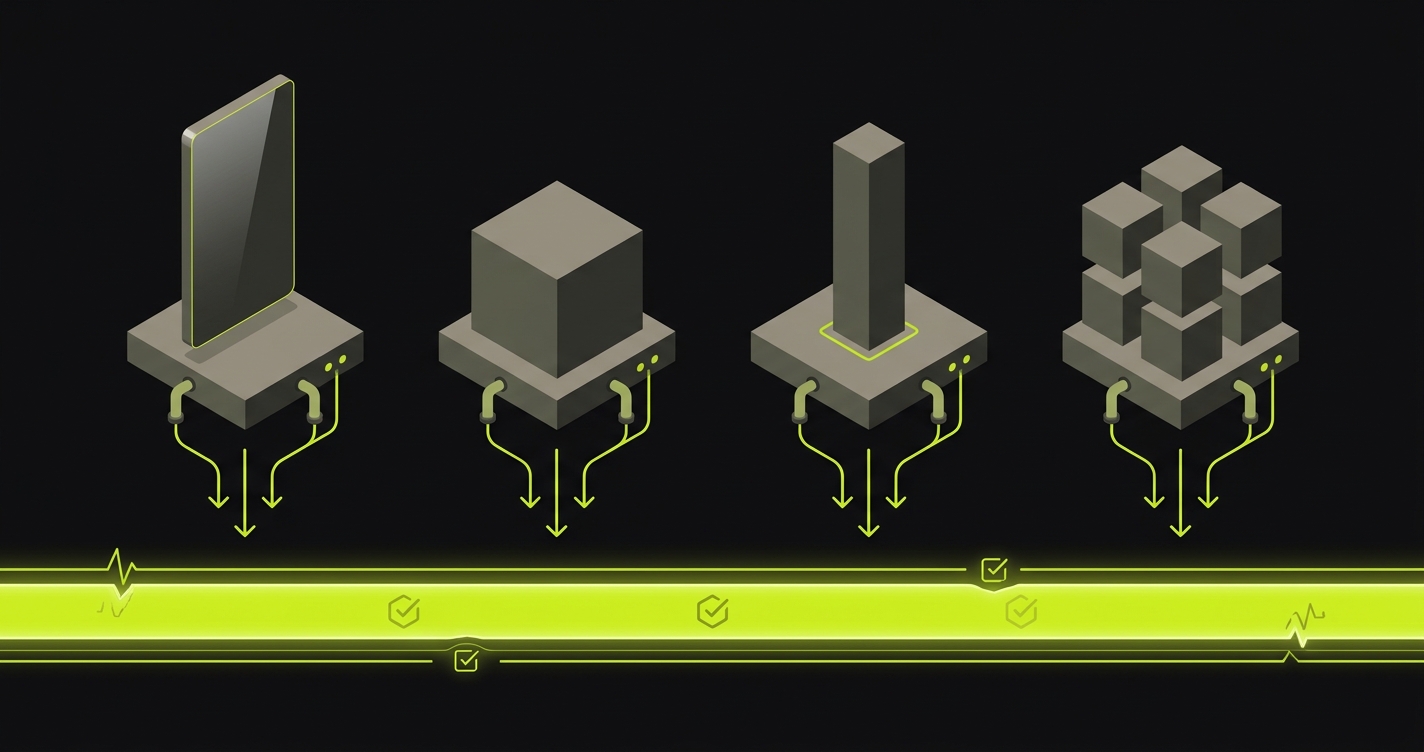
The integration lives in a GitHub Actions workflow. After your PaaS deploy completes, the workflow extracts the preview URL (from a Coolify webhook response, a Dokku deploy log, a Kamal deploy output, or a CapRover app status endpoint), then fires a POST to Autonoma's API with that URL. Autonoma runs the E2E test suite against the live preview environment. Results come back via webhook or polling. The workflow posts a status comment to the PR and either approves or blocks the merge depending on pass/fail.
The workflow above handles all four platforms. The only platform-specific piece is how you extract the preview URL from the deploy output, which varies slightly. Coolify provides a deploy webhook with the URL in the response body. Dokku outputs it to the deploy log. Kamal's deploy output includes the target host. CapRover exposes it via the web UI and API. Once you have the URL, the Autonoma call is identical.
For Coolify specifically, the self-hosted preview environments post has a detailed walkthrough of the Coolify webhook configuration and the full integration.
This is what we mean when we say testing is the universal layer. The PaaS decision is about where your code runs and who manages the infrastructure. The testing decision is about confidence in what you ship. Those are independent problems, and solving one doesn't solve the other.
What you can't replicate from Vercel (honestly)
We want to be upfront about the Vercel capabilities none of the four fully match, even in the best hands. This matters because the right decision depends on whether your app actually needs these things.
- Global edge network with image optimization CDN. Vercel has 250+ PoPs and a deeply integrated image pipeline. Self-hosting on a single VPS, or even two, gives you roughly one region. If latency on another continent matters to your users, you'll need a CDN layer in front, and you'll own the integration.
- ISR and on-demand revalidation. Next.js's incremental static regeneration runs inside Vercel's infrastructure. You can get close on self-hosted Next.js, but it's no longer a one-line config.
- Middleware at the edge. Vercel's edge runtime executes middleware near the user. Self-hosted Next.js middleware runs in your Node.js server, which has different latency and cold-start characteristics.
- Native preview comments from the platform. Vercel posts preview URLs to GitHub PRs itself. On self-hosted, you're the one wiring the webhook that posts the comment.
- Integrated Web Analytics and Speed Insights. Vercel has first-party analytics with zero setup. Self-hosting means bringing your own (PostHog, Plausible, Umami).
None of these are dealbreakers for most apps. But if any of them are load-bearing for your product, honest accounting puts them on the "still cheaper to stay on Vercel" side of the ledger.
When self-hosting makes sense (and when it doesn't)
Self-hosting is a real operational commitment, and honest advice here matters more than a tidy recommendation to go build your own infrastructure.
Self-host when: your Vercel bill is growing faster than your revenue and you have at least one engineer comfortable managing a Linux server. When GDPR, HIPAA, or financial data residency requirements mean you can't use a US-managed platform. When your team has open-source values as a genuine engineering principle and you want to contribute back to the tools you run. When you're learning infrastructure as a skill and the operational overhead is education, not tax.
Don't self-host when: you're a two-person team with no one who wants to own infrastructure. When you're running mission-critical workloads without a redundancy and failover plan. When you need Vercel's edge network (250+ PoPs globally) for latency-sensitive applications. When your developers' time is better spent building features than managing platforms. The Vercel bill at 20 users is usually cheaper than one engineer-hour per week of platform ops.
The preview environments post has a longer treatment of the infrastructure decision specifically around review environments, including a cost model for different team sizes.
No tool on this list will make the self-hosting decision for you. But all four make it survivable, and in the right context, genuinely excellent.
Stuck between Coolify, Dokku, Kamal, and CapRover? Happy to compare tradeoffs on a quick call. Grab 20 min with a founder
FAQ
There isn't one answer. Coolify is the closest feature match to Vercel: polished UI, native preview environments, and managed databases. Dokku is the best choice for teams with Heroku familiarity who want reliability over features. Kamal is best for Rails and Docker-native teams who want minimal abstraction. CapRover is best for small teams that want a GUI without Coolify's full feature set.
Yes, but the effort varies by platform. Coolify has native per-branch preview environment support, which is the closest to Vercel's zero-config experience. Dokku requires a plugin and some configuration. Kamal and CapRover require fully custom CI scripting. For all four, pairing with Autonoma's REST API closes the testing gap that even Coolify's native previews leave open, or you can skip building the preview layer entirely and use Autonoma's own managed preview environments instead.
The self-hosted version of Coolify is fully open-source and free. You pay for the server (typically a $5-20/month VPS on Hetzner or DigitalOcean) and your time. Coolify also offers a managed cloud service if you want the dashboard without managing your own server, but the self-hosted path is completely free to use.
Kamal is more minimal: it's a deploy tool rather than a PaaS, with no managed databases, no web UI, and no server abstraction beyond Docker. Dokku manages more for you but is also a more opinionated system. Teams with a strong Docker-first culture typically prefer Kamal. Teams that want a self-contained PaaS with plugins tend to prefer Dokku.
Yes. Dokku uses Heroku-compatible buildpacks, so any framework Heroku supports, Dokku supports. Next.js deploys cleanly. For static export or Docker-based Next.js, you can also use a Dockerfile-based deploy. The main gotcha is that Dokku is designed for long-running server processes, so stateless serverless functions don't map as cleanly as they do on Vercel.
Kubernetes is the production-grade answer for large-scale self-hosted infrastructure, but it's not a Vercel alternative in the developer experience sense. The operational overhead of running Kubernetes correctly (HA control plane, node management, CNI plugins, storage classes) is an order of magnitude beyond any of the four tools here. Kubernetes is what you graduate to when you've outgrown these tools, not what you start with.
If you keep Coolify or Dokku as your preview-environment provider, the pattern is the same for both: after the deploy completes, a GitHub Actions workflow extracts the preview URL and calls Autonoma's REST API to trigger E2E tests. Autonoma's Planner agent reads your codebase and generates test cases, the Executor agent runs them against the live preview URL, and the Diffs Agent keeps them current as your code changes. Results come back via webhook and post to the PR as a status check. The companion GitHub repo linked at the top of this post has a working implementation. Autonoma can also run the preview environment itself, for teams who'd rather not manage Coolify or Dokku's deploy lifecycle at all.


