

Railway vs Vercel is the full-stack-vs-frontend-first deployment choice. Railway bundles databases, Redis, cron jobs, and containers alongside your app services on per-minute billing, no separate database hosting, no egress surprises, but has no native preview environments (you build them with GitHub Actions). Vercel is frontend-first with exceptional DX, native Next.js support, and a Deployment Checks API that gates previews behind real test results. Pick Railway if your app needs co-located databases and background jobs; pick Vercel for Next.js or JAMstack frontends.
Most railway vs vercel comparisons stop at "serverless vs containers." That framing misses the testing layer entirely, and testing is where the platform choice hurts you six months in, not day one. Vercel has Deployment Checks as a native API; Railway leaves that wiring to you.
This is an honest comparison across the dimensions that actually matter at the evaluation stage: infrastructure philosophy, cost at different team sizes, preview environments, and the deployment-testing integration that every other writeup leaves out. We've run both in production at Autonoma. This is what we actually found.
The fundamental difference: frontend-first vs full-stack managed
Vercel was built around a simple idea: deploy frontend code as close to users as possible, with zero configuration. Everything in Vercel's product traces back to that premise. Serverless functions exist to complement your frontend, not replace a backend. The edge network is optimized for serving static assets and SSR pages. The Deployment Checks API is designed for teams reviewing frontend previews in pull requests.
Railway starts from a different premise entirely: your app is a collection of services, and those services need to talk to each other, use databases, run background jobs, and be co-located for latency. Railway is closer in philosophy to Heroku than to Vercel. It's a managed platform for full-stack applications where infrastructure is still infrastructure, not an afterthought.
This isn't a "better vs worse" distinction. It's a spectrum. Understanding where your app sits on that spectrum is the only correct way to evaluate these platforms.
| Dimension | Railway | Vercel |
|---|---|---|
| Architecture model | Always-on containers; long-lived processes with persistent state | Serverless functions; stateless, isolated invocations |
| Pricing | Resource-based, billed per minute (CPU + RAM); no per-seat charge | $20/member/month on Pro, plus usage; generous free tier for personal projects |
| Database hosting | Built-in: Postgres, MySQL, MongoDB, Redis on the same private network | None native; connect via Supabase, Neon, PlanetScale, or other Marketplace services |
| Preview environments | Not native; requires custom GitHub Actions to provision per-branch environments | Zero-config; automatic preview URL on every branch push, linked in the PR |
| Deployment checks / testing | No native hooks; testing must be wired through GitHub Actions workflows | Deployment Checks API gates deploys on external test pass/fail results |
| CI/CD integration | GitHub Actions workflow; extract service URL, run tests, post status check | Marketplace integrations; point-and-click check providers in the dashboard |
| Scaling model | Horizontal scaling of containers; always-on, charged for uptime | Automatic scaling of serverless functions; charged per invocation |
| Cold starts | None (containers are always running) | Typically 50-200ms for Node.js serverless functions |
| DX / CLI | Ops-focused CLI; service management, log streaming, env var injection | Developer-focused CLI; vercel dev mirrors production runtime locally |
| Ideal use case | Full-stack apps needing co-located databases, background jobs, or persistent services | Frontend-heavy apps and Next.js projects needing best-in-class DX and previews |
Architecture: serverless vs containers
Vercel deploys functions as isolated serverless units. Cold starts are real (typically 50-200ms for Node.js) but manageable for frontend-adjacent workloads. The platform assumes stateless, horizontally scalable functions, with no persistent connections to databases and no in-memory caches that survive between requests. This is the right model for frontend-heavy apps where most work happens in the browser.
Railway deploys containers. Your services run as long-lived processes, maintain persistent database connections, and can hold in-memory state. There are no cold starts in the traditional sense. Railway's containers are always on. The tradeoff is cost: you pay for uptime, not invocations. On Railway's per-minute billing model, a hobby app that runs 24/7 costs real money even if traffic is zero.
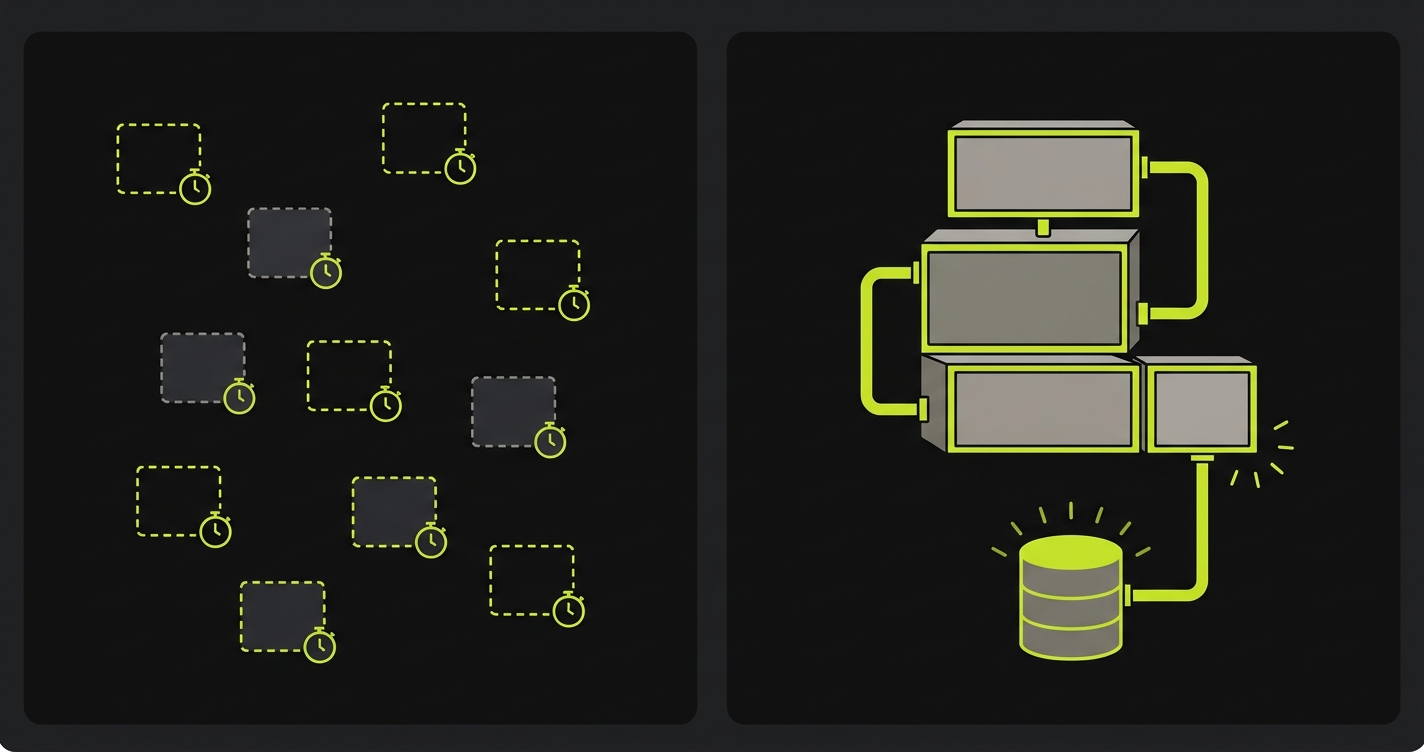
The architectural difference cascades into everything else. Vercel can't run a long-lived WebSocket server natively. Railway can. Vercel can't co-locate a Postgres database with your API. Railway can. These aren't configuration differences. They're architectural constraints baked into the platform model.
Pricing: per-minute vs per-seat
Railway's pricing is resource-based: you pay for CPU and RAM consumed, billed per minute, with a $5 minimum on the Starter plan. A small Postgres database and a Node.js API running continuously costs roughly $10-20/month depending on memory usage. There are no seat-based charges. Add as many team members as you want without per-user costs climbing.
Vercel's Pro plan runs $20 per member per month plus usage overage. For a solo developer or small team, that's predictable. For a 10-person team, you're paying $200/month before you've made a single deployment. Vercel's free Hobby tier is genuinely generous for personal projects, but it explicitly prohibits commercial use (something Netlify's free tier doesn't restrict).
One 2025 change matters here: Vercel's Fluid compute model bills by Active CPU, not wall-clock duration. Code waiting on a database query or an external API isn't billed during the wait. Railway's per-minute model charges the full duration. For I/O-heavy workloads, this narrows Vercel's cost gap against Railway significantly from what older comparisons suggest.
The comparison gets complicated fast because they're billing for different things. Railway charges for infrastructure consumed. Vercel charges for seats and usage above generous thresholds. A high-traffic, low-complexity frontend is likely cheaper on Vercel. A full-stack app with persistent services is almost certainly cheaper on Railway.
For teams doing a serious railway vs vercel pricing evaluation: model your actual resource usage. Railway's calculator is surprisingly transparent. Vercel's pricing page is more complex but the Pro tier's included limits are substantial.
Database and backend services
This is where Railway pulls ahead decisively for full-stack apps. Railway ships with one-click provisioning for Postgres, MySQL, MongoDB, Redis, and several other services. Your database lives in the same project as your app, on the same private network, with no egress costs between services. Connection strings are injected as environment variables automatically.
Vercel has no database hosting. You're expected to connect to Supabase, PlanetScale, Neon, or another managed database via their Marketplace integrations. Those are all excellent services, but each one is a separate billing relationship, a separate set of credentials to manage, and a separate source of truth for your infrastructure. For teams that want everything in one place, Railway's integrated approach is genuinely simpler.
Railway also supports cron jobs as a first-class concept. You define a service with a cron schedule, and Railway runs it. Vercel Cron is available on Pro, but it's limited to Vercel Functions invocations, not arbitrary containers or long-running scripts.
The self-hosting equivalent of Railway's architecture is Coolify, which gives you similar container-based orchestration on your own infrastructure. Railway is the managed version of that model: no servers to maintain, but the same mental model.
Preview environments: Vercel's built-in vs Railway's DIY
A preview environment is a temporary, deployed copy of your application created from a feature branch, reachable via a unique URL so reviewers can test changes before merge.
This is the clearest practical gap between the platforms for development teams.
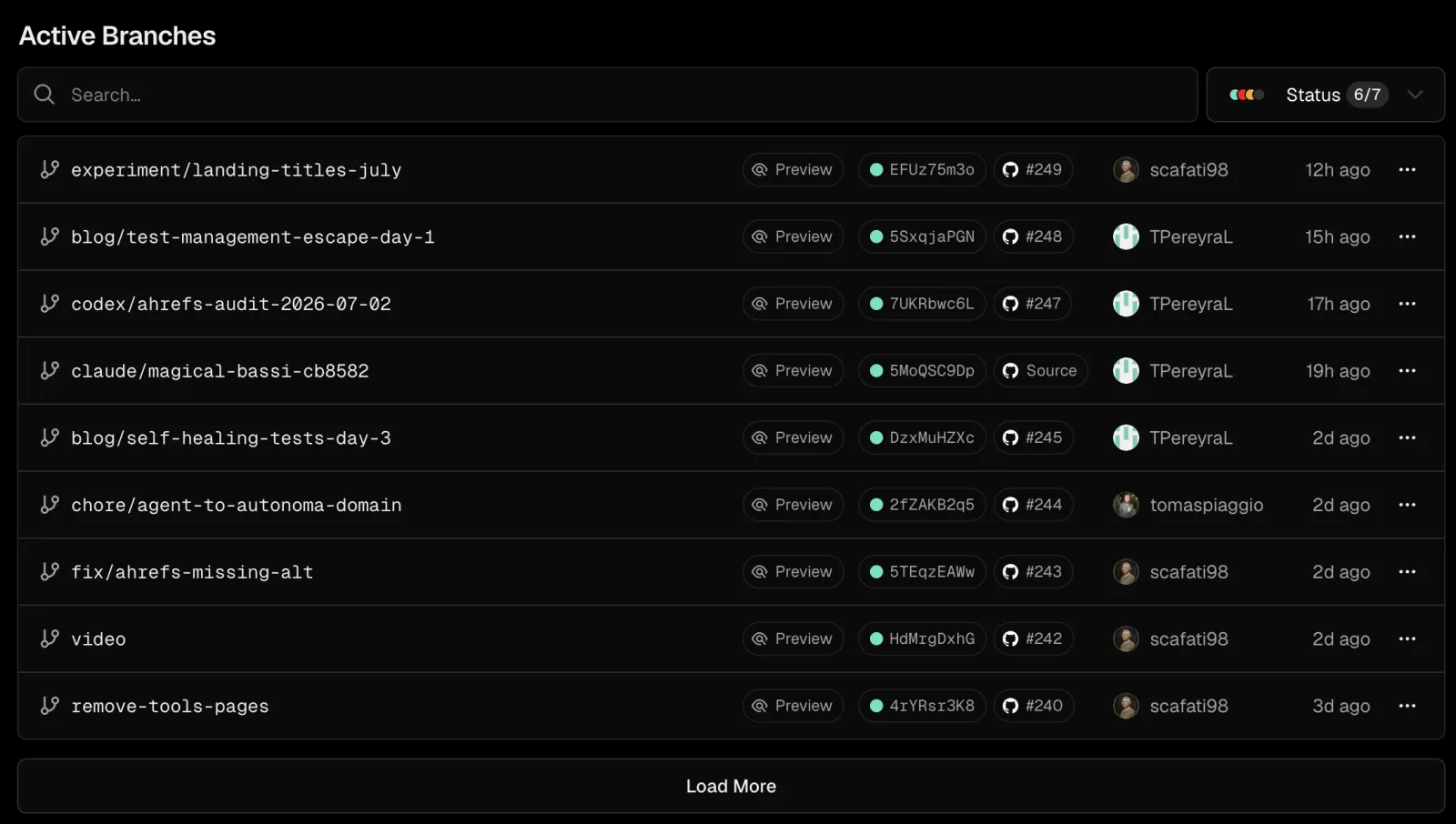
Vercel creates a preview URL for every push to every branch, automatically. No configuration. The URL is deterministic (your-project-branch-name.vercel.app), shareable with stakeholders, and linked in the GitHub PR automatically. Every Vercel project gets this by default, starting on the free tier.
Railway has no native preview environments. Services are persistent. You spin them up, they run, and you tear them down manually. Creating branch-specific ephemeral environments on Railway requires GitHub Actions workflows that provision a new Railway project or service on branch push, capture the service URL, and tear everything down on merge. It's achievable, but it's infrastructure work that Vercel does for you at zero configuration cost.
For teams where preview environments are core to the development workflow (product managers reviewing features before merge, QA catching regressions on branch deploys, designers inspecting visual changes), Railway's DIY approach adds friction. For teams running full-stack apps where the database state matters, Vercel's previews often need their own database scaffolding anyway, which creates a different kind of DIY work.
There's no clean winner here. It depends on whether your team's workflow is frontend-review-centric (Vercel wins) or infrastructure-flexibility-centric (Railway's trade is worth it).
The Full-Stack Deployment Spectrum
A useful way to frame this choice is as a spectrum from "frontend-only" to "full-stack managed" to "full control."
At the frontend-only end: Vercel, Netlify, Cloudflare Pages. Best-in-class preview environments and DX. Testing integrations are mature (Vercel's Deployment Checks, Netlify's GitHub Actions hooks). You bring your own backend and database.
In the middle, the full-stack managed tier: Railway, Render, Fly.io. Databases and services are co-located. More infrastructure flexibility. Preview environments require more setup work. Testing must be wired through GitHub Actions. The platform doesn't do it for you.
At the full-control end: self-hosted Kubernetes, Coolify on your own VPS. Maximum flexibility. Maximum ops burden. Testing is entirely your responsibility.
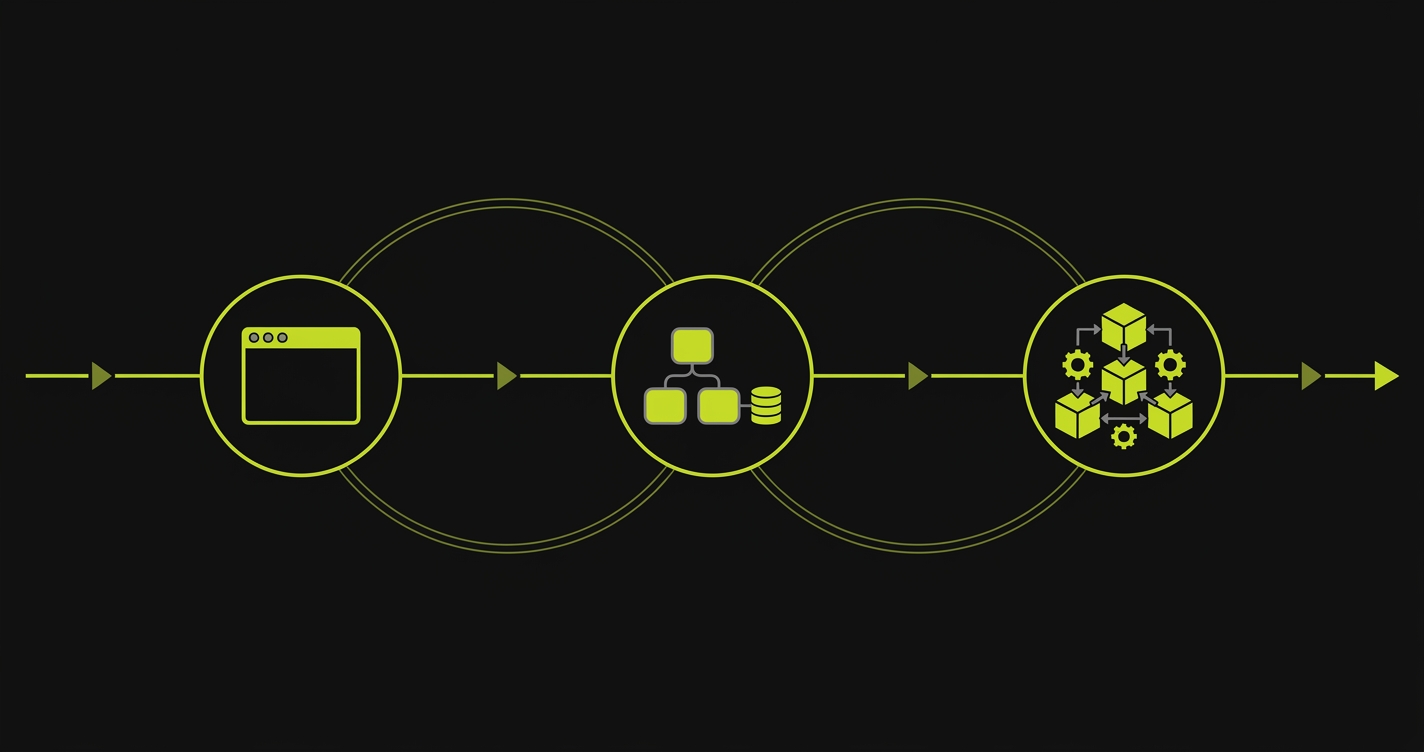
The testing dimension is the part most deployment comparisons omit entirely. As you move right on the spectrum toward full-stack managed, you gain infrastructure flexibility and lose testing convenience. Frontend-only platforms abstract testing integration into the platform itself. Full-stack platforms abstract the infrastructure and leave the testing wiring to you.
This matters more than most teams realize when they're making the initial platform choice. Vercel teams get Deployment Checks essentially for free. Railway teams need to build the equivalent from their CI pipeline.
Testing your deployments: deployment checks vs GitHub Actions
Deployment Checks are external test gates that Vercel holds a deployment in "Pending" status for until each registered check reports pass or fail. On Railway, equivalent gating requires a GitHub Actions workflow that posts status checks back to the PR manually.
Vercel's Deployment Checks API is genuinely excellent. Any external service can register as a check provider, run tests against a preview URL, and post a pass/fail result back to Vercel. The deployment is held in a "Pending" state until all checks resolve. From the PR, reviewers see green checks before they ever click the preview link. It's the testing-first deployment workflow done right.
Railway has no equivalent. There's no native hook for running tests against a deployment before it's considered ready. The standard approach is a GitHub Actions workflow: on push, wait for the Railway deploy to complete, extract the service URL, run E2E tests against it, and report results back to the PR as a GitHub status check.
This is where Autonoma fits cleanly into a Railway workflow, if you keep Railway as your preview-environment provider. Because Autonoma exposes its test runs via API, you can trigger test execution from GitHub Actions the same way you'd trigger any other external test suite: pass the Railway service URL, wait for results, surface the outcome as a GitHub check. It's a few more YAML lines than Vercel's Marketplace integration, but it gets you the same deployment-gating behavior. The testing quality is the same; the wiring is slightly more manual. Autonoma also offers its own managed preview environments, for teams that would rather not provision the Railway service and write that GitHub Actions workflow at all.
For teams doing E2E testing on preview environments, the practical difference is roughly one GitHub Actions workflow file, or none at all if you use Autonoma's own managed preview environments instead. Railway teams need to write that workflow if they stick with Railway-provisioned previews. Vercel teams point-and-click in the Marketplace. Either way, tests end up running on every preview deploy.
Here's the GitHub Actions workflow that runs Autonoma E2E tests against a Railway preview service and posts the result as a GitHub status check:
The key pattern: the workflow waits for Railway's deploy to reach a healthy state (using Railway's CLI or webhooks), extracts the service URL, then calls the Autonoma API with that URL. The result gets surfaced as a required status check on the PR, matching Vercel's Deployment Checks behavior without any Railway-native testing infrastructure.
Developer experience and CLI
Both platforms have invested in CLI tooling, and both have genuinely good experiences.
Vercel's CLI (vercel) is mature and tightly integrated with the platform. vercel dev runs your project locally with the same function runtime as production, including environment variable injection. Deployment from the CLI is one command. The local development parity is genuinely impressive for Next.js apps.
Railway's CLI (railway) handles service management, environment variable injection, and log streaming. railway run is Railway's equivalent of injecting production variables into a local process, useful for debugging database connection issues locally. The CLI feels more ops-focused than DX-focused, which reflects the platform's heritage.
The dashboard experience follows the same pattern. Vercel's dashboard is polished and frontend-developer-friendly: previews front-and-center, deployment history at a glance, real-time analytics built in. Railway's dashboard is more infrastructure-minded: service graphs, resource usage by service, memory and CPU charts. Both are genuinely functional. One feels like a product demo; the other feels like a server monitoring dashboard. Neither is wrong for its intended audience.
The hybrid pattern: Vercel frontend plus Railway backend
A rising number of teams don't pick. They use both.
The common shape: Vercel hosts the Next.js (or Remix, or Astro) frontend. Railway hosts the API service, background workers, and Postgres database. Vercel's functions call Railway services as external APIs via their public URLs. Frontend changes get Vercel's zero-config previews and Deployment Checks. Backend changes get Railway's container flexibility and co-located database.
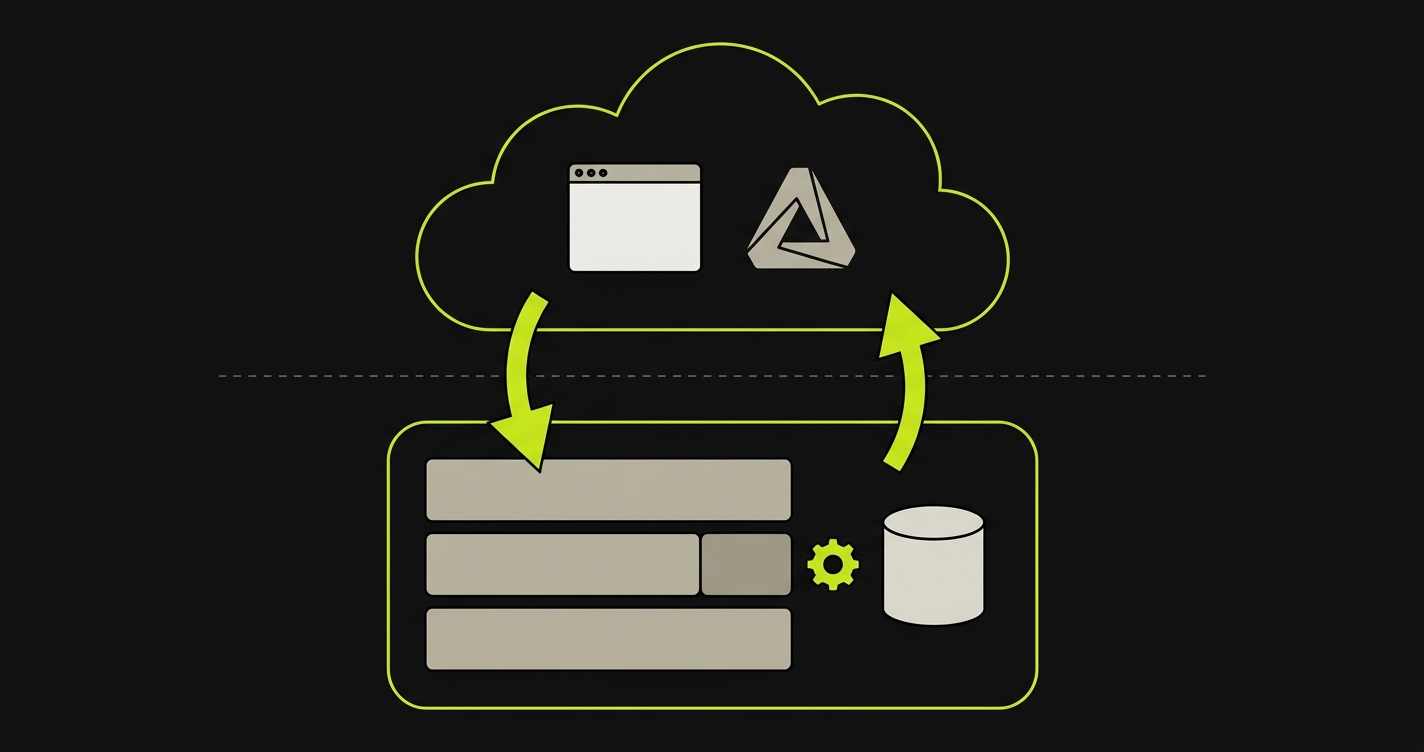
Three signals typically push teams toward this split architecture. The frontend team needs Vercel's preview environments for stakeholder review, and moving those to Railway is a regression in DX. The backend needs persistent state, cron jobs, or long-running workers that don't fit Vercel's serverless model. Cost modeling at scale suggests Vercel's per-seat pricing is only worth it for the components that actually need Vercel's edge.
The tradeoffs are two real ones. Two billing relationships instead of one. Some extra CORS or networking configuration between the frontend and the Railway-hosted API. Neither is a dealbreaker, and both are usually worth the combined DX.
When to choose Railway over Vercel (and when to pick Vercel)
Choose Railway over Vercel when your application genuinely needs what Railway provides: a persistent API or background worker that runs continuously, a co-located database without external egress costs, cron jobs or queues that live alongside your app services, or a containerized architecture that doesn't fit the serverless function model. Railway is also the right call when your team is comfortable writing infrastructure-as-code and wants cost efficiency for sustained workloads.
Choose Vercel when your app is primarily frontend: Next.js, React, Vue, or another framework where the "backend" is mostly API routes that are thin, stateless, and latency-sensitive. Choose Vercel when your team's workflow depends on frictionless preview environments that non-technical stakeholders can review. Choose Vercel when you want Deployment Checks integrated out of the box and you'd rather configure testing in a marketplace UI than write GitHub Actions YAML.
What you shouldn't do is pick Railway expecting it to match Vercel's preview environment and testing DX out of the box, or pick Vercel expecting it to host your Postgres database and background workers without external services. The mismatch between what you need and what the platform provides is where most teams run into friction.
For teams who chose Railway and want deployment confidence on previews, the path forward is Autonoma wired into GitHub Actions to test what Railway provisions, or Autonoma's own managed preview environments if you'd rather not own the Railway provisioning workflow at all. Railway gives you the infrastructure either way; what changes is whether Autonoma is just the quality assurance layer on top of it or the platform providing the preview environment too. Check out how Railway preview environments work for a step-by-step implementation guide.
If you're weighing Railway vs Vercel and testing is the wildcard, we've helped teams think it through. Grab 20 min with a founder
FAQ
For apps that need persistent services, co-located databases, and background jobs, Railway is the more natural fit. It bundles the infrastructure you need without requiring separate managed database subscriptions. Vercel is better for frontend-heavy apps where "backend" means stateless API routes, not long-running services.
Not natively. Railway services are persistent and don't automatically create branch-specific ephemeral URLs like Vercel does. You can build preview environments on Railway using GitHub Actions workflows that provision project-per-branch or service-per-branch, but it requires custom CI setup. Vercel's previews are zero-configuration by comparison.
Railway uses resource-based pricing billed per minute. You pay for CPU and RAM consumed. A small full-stack app (API + Postgres) typically runs $10-20/month. Vercel Pro is $20 per member per month plus usage. For solo developers or small projects, Railway is often cheaper. For teams on Vercel where seat costs are shared across many users, the comparison becomes more nuanced. Model your actual workload to get accurate numbers.
Yes, Railway supports Next.js as a containerized service. You'll lose some Vercel-specific features: automatic preview environments, the Deployment Checks API, and the native Next.js runtime optimizations Vercel provides as the framework's creator. For Next.js apps, Vercel is still the lower-friction choice unless you have a strong reason to run everything on Railway.
Since Railway has no native deployment hooks for testing, the standard approach is GitHub Actions. Your workflow waits for the Railway deploy to complete, extracts the service URL, triggers your test suite against that URL, and posts results back to the PR as a GitHub status check. With Autonoma, you call the API with the Railway URL from your workflow. The test run executes and posts results back as a required check before reviewers merge. It's more wiring than Vercel's Deployment Checks, but it produces the same deployment-gating outcome.
Railway itself is not open-source. If you want a self-hosted alternative with a similar container-based, multi-service architecture, Coolify is the closest open-source equivalent. Railway is the managed, zero-ops version of that model.


