

Netlify vs Vercel is the choice between two best-in-class frontend deployment platforms with near-identical Pro pricing and similar DX. Netlify wins on framework-agnostic breadth, headless CMS integrations, and commercial use on the free tier. Vercel wins on native Next.js support and the Deployment Checks API that gates previews behind real test results. The dimension most comparisons miss is how you test what you deploy, a preview environment without a testing gate is just shipping bugs one step earlier.
Most Netlify vs Vercel comparisons are benchmarks dressed up as advice. They compare build minutes, edge function pricing, and framework support tables - and then stop right before the question that actually matters: once your code is deployed to a preview URL, how do you know it works?
We've shipped production apps on both platforms. This guide covers the standard dimensions fairly, then adds the testing lens that no other comparison includes - because shipping a preview URL without testing it is just shipping bugs one step earlier in the cycle.
A quick overview of both platforms
Netlify, in one paragraph
Netlify invented the modern Jamstack deployment workflow. Push a branch, get a URL. The platform has matured significantly from its static-site origins and now supports serverless functions, edge functions, full-stack frameworks, and a surprisingly deep integration ecosystem. Its developer experience is polished, its documentation is thorough, and its community is one of the largest in the frontend deployment space. It's genuinely framework-agnostic: Gatsby, Astro, SvelteKit, Remix, Next.js, Nuxt - all supported with sensible defaults and build plugins.
Vercel, in one paragraph
Vercel built the platform around Next.js - and that heritage shows in everything from the build output API to the Deployment Checks integration. If you're running a Next.js app, Vercel isn't just a deployment target; it's the runtime the framework was designed for. Beyond Next.js, Vercel supports the same broad framework ecosystem as Netlify, adds an impressive Marketplace of integrations, and has invested heavily in edge infrastructure and analytics. The Deployment Checks API - which lets any external tool post a pass/fail result to a preview before it can be promoted - is a feature that has no direct equivalent on Netlify today.
Netlify vs Vercel pricing comparison
Both platforms are generous at the free tier and comparable at the Pro level. Here's how they break down:
| Tier | Netlify | Vercel |
|---|---|---|
| Free | Personal and commercial projects allowed. 100GB bandwidth/month, 300 build minutes/month, 125k serverless invocations/month | Personal projects only (commercial use requires a paid plan). 100GB bandwidth/month, 6,000 build minutes/month, 1M edge function invocations/month |
| Pro | Starts around $19/month (includes team seats). Higher build minutes, team collaboration, password-protected previews, background functions | Starts around $20/member/month. Higher limits, Deployment Checks, enhanced analytics, custom OIDC token support |
| Enterprise | Custom pricing. SSO, audit logs, SLA, priority support, advanced security controls | Custom pricing. Advanced security, compliance controls, SAML SSO, dedicated support, spend management |
Pricing reflects published tiers as of April 2026. Check netlify.com/pricing and vercel.com/pricing for current rates.
The headline Pro number looks similar, but two details are often missed in Netlify vs Vercel pricing discussions. First, the free tier build allowance differs by 20x: 300 minutes on Netlify versus 6,000 on Vercel, which matters for solo developers and open-source projects. Second, Vercel charges per member at the Pro tier while Netlify's Pro is effectively flat-rate for a small team. A 5-person team lands around $100/month on Vercel and closer to $19 on Netlify, so the gap widens quickly once you grow past a handful of seats.
The third often-missed detail is the commercial-use restriction on Vercel's Hobby tier. Netlify's free plan permits commercial projects; Vercel's does not. For freelancers and small agencies shipping client work on a personal account, this alone can drive the decision.
For most startups and scale-ups, cost should not be the sole deciding factor between the two. Pick on architecture and workflow fit, then model the pricing once you know the platform.
Framework support and developer experience
For most frameworks - Astro, SvelteKit, Remix, Nuxt, Hugo, Gatsby, Eleventy - Netlify and Vercel are functionally equivalent. Both detect the framework automatically, apply the right build settings, and handle the deployment plumbing without configuration.
Where they diverge is Next.js. Vercel created Next.js and operates the production infrastructure that runs it at scale. That means features like the Next.js App Router, Server Components, Partial Prerendering, and the Build Output API are designed with Vercel's runtime in mind. Netlify has worked hard on Next.js support through its adapter layer and supports most features, but there's typically a lag when Next.js ships something new - Vercel supports it on day one, Netlify follows. For teams on the bleeding edge of Next.js features, that matters.
Developer experience on both platforms is strong. Vercel's dashboard is cleaner and more opinionated. Netlify's is more configurable and arguably more powerful for non-standard workflows. Both offer CLI tools that are actively maintained, local development servers, and fast iteration cycles.
Preview deployments: how each platform handles them
Preview environments are the feature that made both platforms famous. Push a PR, get a unique URL pointing to a deployed version of your code - isolated, shareable, reviewable. It's one of the highest-leverage workflows in modern frontend development. We've written a full breakdown in Preview Environments: How They Work and What Teams Get Wrong if you want the deep dive.
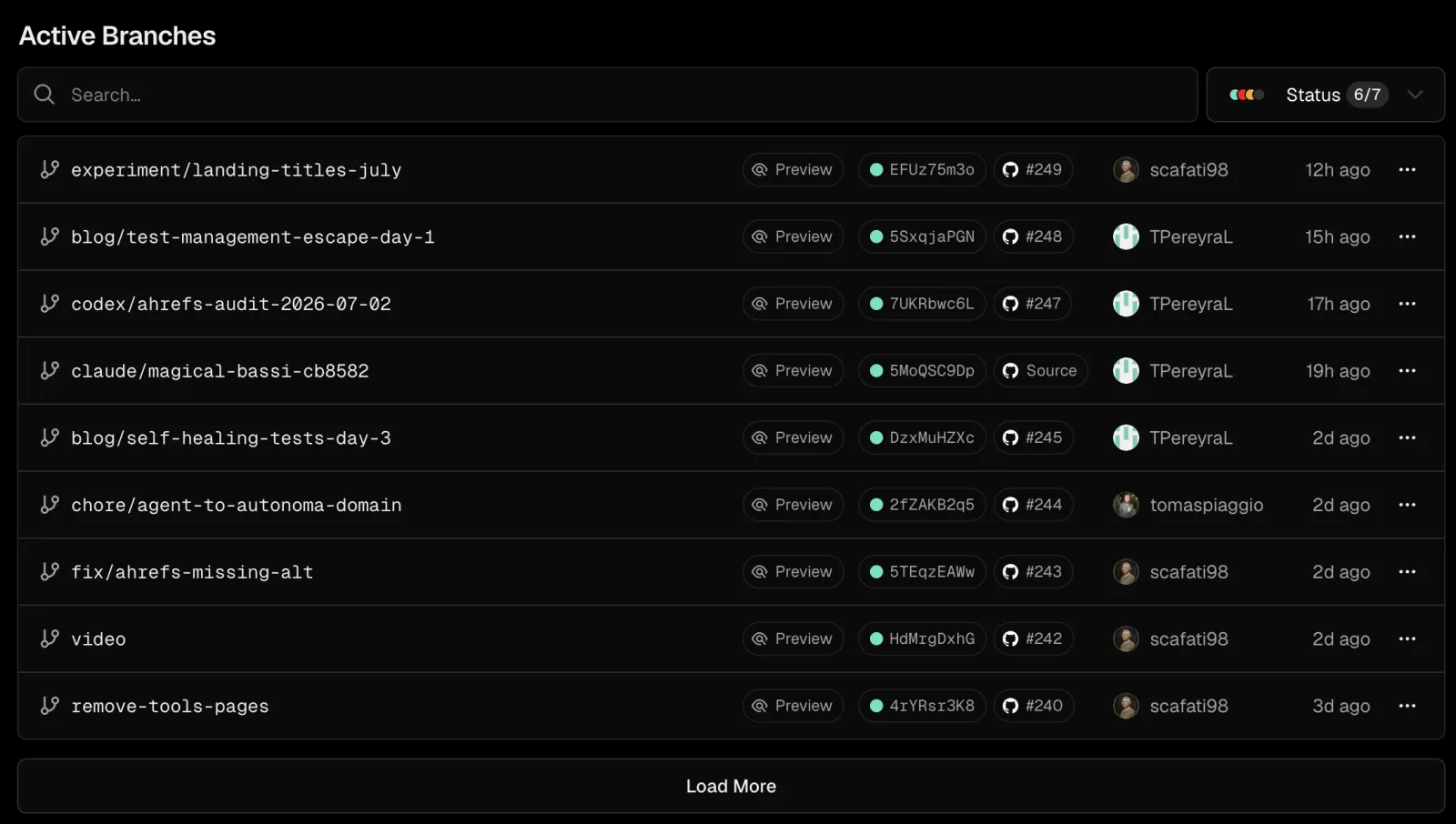
Netlify generates preview deployments on every push to a PR branch. The URL is predictable, the deployment is fast (often under 60 seconds for typical frontend apps), and the integration with GitHub, GitLab, and Bitbucket is seamless. You can password-protect previews on Pro, which matters for client work. The deployment is visible in the PR as a GitHub status check - pass/fail based solely on whether the build succeeded.
Vercel does the same. Fast, reliable, per-PR previews with a GitHub integration that posts the URL directly to the PR. Where Vercel adds a layer is the Deployment Checks API: after a preview is deployed, external tools can post a pass/fail result back to the deployment before it's marked as ready for review. This is how testing integrations plug in natively, without writing GitHub Actions workflows.
Both platforms nail the core preview deployment experience. The difference is what happens after the URL is live. For more on testing those previews once they're up, see E2E Testing on Preview Environments: The 4-Step Loop.
Build performance and edge capabilities
Build performance is largely similar between the two platforms for most workloads. Vercel has invested in remote caching at the build layer (through Turborepo integration), which can dramatically reduce build times for monorepos. For standard single-repo Next.js or SvelteKit apps, both platforms are fast and unlikely to be your bottleneck.
Edge capabilities are a genuine differentiator at the architecture level, though both platforms offer them. Vercel's Edge Runtime runs on V8 isolates globally and integrates directly with Next.js Middleware. Netlify's Edge Functions also run on Deno-based isolates globally. Both support geolocation, request rewriting, and A/B testing at the edge. Neither is dramatically ahead of the other here - your choice of edge function runtime (V8 vs Deno) is more of a personal taste decision than a performance one.
One practical note: Netlify's edge functions have a slightly more permissive API surface and let you import npm packages more freely. Vercel's Edge Runtime is more constrained by design, which reduces the attack surface but also means some packages won't work without adjustment.
The dimension most comparisons miss: testing your deployments
Here's where every other Netlify vs Vercel comparison stops short. A preview deployment is not a confidence signal by itself. It's a running instance of your code. Whether that code is correct is a separate question entirely - and the platform choice you make affects how easy that question is to answer.
Vercel's Deployment Checks API is the standout feature in this dimension. It's a native hook that lets external tools - testing frameworks, security scanners, accessibility checkers - register against a deployment and post a result before the deployment is considered complete. The Vercel Marketplace includes several testing integrations that use this API natively. Autonoma is one of them: connect your codebase, and the Planner agent reads your routes and components, generates E2E test cases, and the results post back to the deployment as a native check. Your PR goes from "preview deployed" to "preview deployed and tested" without writing a single line of GitHub Actions YAML.
Netlify's model is different but not less capable. Testing on Netlify happens in your CI layer, typically GitHub Actions or CircleCI, often paired with Netlify Build Plugins. You write a workflow that triggers on deployment, waits for the preview URL to be live, then runs your test suite against it. This is more wiring than Vercel's native check, but it works. Autonoma is available here too, via GitHub Actions. The same E2E coverage, pointed at your Netlify preview URL. The gap is ergonomics: Vercel's integration requires zero workflow configuration, while Netlify's requires you to own the CI step.
Neither platform prevents you from testing your previews. Vercel makes it native. Netlify makes it possible.
The honest summary: if testing preview deployments is a priority for your team (and it should be), Vercel reduces the friction to near zero. On Netlify, you'll get there with more setup, and the results are equally valid once configured.
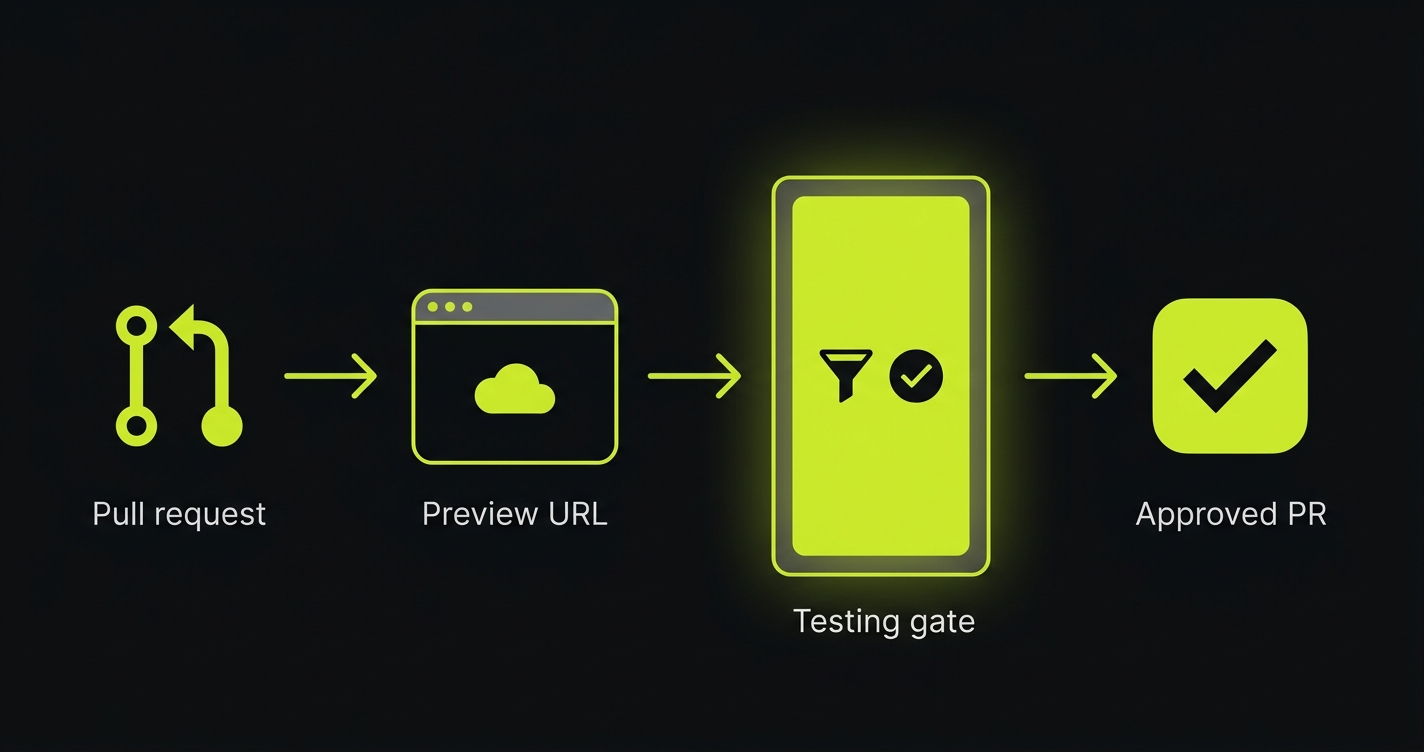
The Deployment Confidence Matrix
Where you land in this matrix determines how much you actually know about the code in your preview environment before a human reviews it:

| Platform | Testing Layer | Confidence Level | What it means |
|---|---|---|---|
| Vercel | Deployment Checks configured | Full confidence | Every preview is gated behind real test results. The PR only moves forward when both build and tests pass. This is the gold standard. |
| Vercel | No Deployment Checks configured | False confidence | The platform can gate previews - but nothing is plugged in. Your PR status says "preview ready" but that means "build passed", not "app works". |
| Netlify | Testing via GitHub Actions / CI | Partial confidence | Testing happens, but it lives outside the platform. The deployment and the test results are separate status checks. More wiring, same coverage once configured. |
| Netlify | No testing configured | Confidence gap | Previews ship untested. The URL exists. Whether the feature works is unknown until a reviewer manually clicks through it - or a customer finds the bug first. |
The matrix makes clear that the platform is only half the equation. A Vercel project with no Deployment Checks configured gives you less deployment confidence than a Netlify project with a solid GitHub Actions test workflow. The platform sets the ceiling; your setup determines where you actually land.
Most teams sit in the yellow rows. The goal is to get to green - regardless of which platform you're on.
Integrations and ecosystem
Vercel's Marketplace is newer but growing quickly. It covers monitoring (Datadog, Sentry), feature flagging (LaunchDarkly, Flags SDK), testing (Autonoma, Checkly), and CMS platforms. The key characteristic of Marketplace integrations is that they plug into the Deployment Checks API natively - they don't require you to write CI workflows. You install the integration, configure it once, and it runs on every preview automatically. You can read more about how the Autonoma and Vercel Marketplace integration works if you want the full picture.
Netlify's integration ecosystem is older and broader. The Build Plugin system has been around longer and covers a wider range of use cases: form handling (Netlify Forms is built in), identity management (Netlify Identity), CMS integrations (Contentful, Sanity, DatoCMS, Prismic all have first-class support), and analytics via Netlify Analytics. For teams working in the Jamstack + headless CMS space, Netlify's ecosystem is genuinely more mature.
Both platforms integrate deeply with the standard CMS and analytics stack. Vercel's integrations are narrower but native. Netlify's are broader but require more manual wiring for testing-related workflows.
When to choose Netlify vs when to choose Vercel
Choose Netlify if...
- Your stack is framework-agnostic or non-Next.js. SvelteKit, Nuxt, Astro, Remix, and Gatsby all run great on Netlify with zero extra configuration.
- You're working in the headless CMS space and want deep, battle-tested integrations with Contentful, Sanity, or Prismic.
- Your team already has mature GitHub Actions workflows and prefers to own the CI layer rather than delegate it to the deployment platform.
- You're shipping commercial or client work on a free or small plan. Netlify's free tier permits commercial use; Vercel's Hobby tier does not.
- You need built-in form handling or identity management without adding third-party services.
- Your project is client work where password-protected previews are a frequent requirement.
Choose Vercel if...
- You're building with Next.js, especially if you're using App Router, Server Components, or any feature from the last two major Next.js releases. Vercel is the native runtime; everything works on day one.
- You want native testing integration on preview deployments without writing CI YAML. The Deployment Checks API with a Marketplace integration like Autonoma gets you from "deployed" to "deployed and tested" in one step.
- Your team wants a clean, opinionated deployment workflow with minimal configuration surface area.
- You're working with Turborepo or a monorepo and want the fastest possible build cache integration.
- Analytics and web performance insights matter to your team - Vercel's analytics are deeply integrated into the platform.
Consider self-hosting (Coolify, Fly.io) if...
- Vendor lock-in is a hard constraint. Both Netlify and Vercel tie your deployment workflow to their platforms; self-hosted alternatives give you full portability.
- You need to run workloads that require persistent processes, custom runtimes, or infrastructure configurations neither platform supports. See our comparisons of Coolify vs Vercel and Fly.io vs Vercel for the full trade-off analysis. We also have comparisons for Railway vs Vercel and Render vs Vercel if you want to explore the full self-hosting and PaaS landscape.
- Cost at scale is prohibitive. At high traffic volumes, the bandwidth and invocation costs on managed platforms can exceed the cost of running your own infrastructure.
Netlify vs Vercel: the full comparison at a glance
| Dimension | Netlify | Vercel |
|---|---|---|
| Free tier | Commercial use allowed. 100GB bandwidth, 300 build minutes/month | Personal only (no commercial use). 100GB bandwidth, 6,000 build minutes/month |
| Pro tier pricing | ~$19/month, flat rate for a small team | ~$20/member/month, per-seat pricing |
| Enterprise availability | Yes, custom pricing | Yes, custom pricing |
| Framework support | Broad. Next.js supported via adapter. Excellent for Gatsby, Astro, SvelteKit, Nuxt, Remix | Broad. Next.js is native. All major frameworks supported with strong defaults |
| Build performance | Fast. Good caching for single-repo projects | Fast. Remote caching via Turborepo for monorepos. 20x more free build minutes |
| Edge functions / middleware | Deno-based edge functions. Flexible npm support | V8-based Edge Runtime. Tightly integrated with Next.js Middleware |
| Preview deployments | Yes. Per-PR, fast, reliable. Password-protected on Pro | Yes. Per-PR, fast, reliable. Shareable with fine-grained access controls |
| Deployment checks / testing integration | No native hook. Testing lives in GitHub Actions / CI. Fully capable with setup | Deployment Checks API. Native testing gate on every preview via Marketplace integrations |
| Analytics | Netlify Analytics (server-side, no cookies). Add-on pricing | Vercel Analytics (real user monitoring, Core Web Vitals). Included on Pro |
| CMS integrations | Excellent. Deep support for Contentful, Sanity, DatoCMS, Prismic, Storyblok | Good. Marketplace integrations. Less mature for headless CMS workflows |
| Community and ecosystem | Large, mature Jamstack community. Extensive third-party plugin library | Large, growing community. Strong Next.js ecosystem. Active Marketplace |
| Ideal team profile | Framework-agnostic teams, headless CMS projects, teams that own their CI layer | Next.js teams, teams that want native testing gates, monorepo workflows |
Netlify vs Vercel usually hinges on Next.js depth and free-tier commercial use — we've helped teams make the call. Grab 20 min with a founder
FAQ
Neither platform is objectively better - they're both excellent and serve slightly different use cases well. Vercel has a clear edge for Next.js apps and for teams that want native testing integration on preview deployments via the Deployment Checks API. Netlify has a broader integration ecosystem, particularly for headless CMS workflows, and gives teams more control over their CI layer. For most non-Next.js stacks, Netlify is equally strong and sometimes the better fit.
At the Pro tier, they're nearly identical: Netlify starts around $19/member/month, Vercel around $20/member/month. The free tier difference is more notable: Vercel includes 6,000 free build minutes per month versus Netlify's 300, which matters for teams with active development workflows. At enterprise scale, pricing is custom for both and depends on your specific traffic and usage patterns.
Vercel, without hesitation. Vercel created Next.js and runs the production infrastructure at scale. New Next.js features - App Router, Server Components, Partial Prerendering - work on Vercel on day one. Netlify supports Next.js via an adapter and does a good job, but there's typically a feature-support lag after major Next.js releases. If your team is on Next.js and plans to stay on the latest version, Vercel removes friction at every layer.
The core behavior is the same: push a PR branch, get a unique URL pointing to a deployed, isolated version of your code. Both platforms post the preview URL to your pull request and both are fast. The difference is what happens after deployment. Vercel's Deployment Checks API lets external tools post pass/fail results to the preview natively. Netlify's model requires testing to live in your CI layer (GitHub Actions, etc.) and post separate status checks. Same end goal, different wiring.
Yes. The typical pattern is a GitHub Actions workflow that listens for a successful Netlify deployment event, extracts the preview URL, and runs your E2E test suite against it. Tools like Playwright and Cypress work well here. Autonoma also works via GitHub Actions on Netlify - the Planner agent reads your codebase, generates test cases, and runs them against the preview URL. It's more setup than Vercel's native integration, but the testing coverage is equivalent once configured.
Yes. Coolify and Fly.io are the most common self-hosted alternatives for teams that want to avoid vendor lock-in or need custom infrastructure configurations. They require more DevOps effort to set up and maintain, but give you full portability and can be more cost-effective at high scale. See our dedicated comparisons for Coolify vs Vercel and Fly.io vs Vercel for a full breakdown of the trade-offs.
On Vercel, the simplest path is installing a Marketplace integration that uses the Deployment Checks API. Autonoma connects your codebase, generates E2E tests automatically from your routes and components, and posts results to every preview as a native check - no YAML, no manual test authoring. On Netlify, the path is a GitHub Actions workflow that triggers on deployment success, runs tests against the preview URL, and posts results back as a PR status check. Autonoma works in this model too via a GitHub Actions step. Regardless of platform, the principle is the same: your preview URL should be tested before a human reviews the PR.


