

Render vs Vercel is a trade-off between simplicity and frontend performance. Render optimizes for transparent pricing, built-in databases, and a platform any full-stack team can operate without DevOps expertise, including Pull Request Previews on every paid plan. Vercel optimizes for frontend DX with native Next.js, edge infrastructure, and a Deployment Checks API that gates previews behind real test results via the Marketplace. Render ships previews but leaves testing to your CI. Vercel ships both natively.
Most Render vs Vercel comparisons read like spec sheets. They compare compute tiers, bandwidth limits, and CDN geography, and then they stop exactly before the question engineers actually lose sleep over: once your code is deployed to a preview URL, how do you know it works?
We've run production workloads on both platforms. This guide covers the standard dimensions fairly and adds the testing angle that every other comparison skips. We'll also walk through exactly how to close Render's testing gap with a single GitHub Actions workflow that wires preview deployments into Autonoma, because shipping a preview URL without testing it is just shipping bugs one step earlier in the cycle.
Platform overview: what each one does best
Render, in one paragraph
Render launched in 2019 with a clear thesis: Heroku-level simplicity, modern infrastructure. It delivers. You can deploy a web service, a background worker, a cron job, and a Postgres database from the same dashboard, with no Dockerfile required for most stacks. The pricing is flat and transparent, no egress fees, no per-seat surprises at the team tier. For full-stack teams that want to ship product rather than configure infrastructure, Render is genuinely one of the most frictionless platforms available. It supports Node.js, Python, Ruby, Go, Rust, Elixir, and static sites, not just Next.js.
Vercel, in one paragraph
Vercel built its platform around Next.js, and that heritage shapes every product decision: from the Build Output API to the Deployment Checks integration that lets external tools post pass/fail results to previews before they move forward. If you're running Next.js, Vercel is not just a deployment target, it's the runtime the framework was designed for. Beyond Next.js, Vercel supports the same broad framework ecosystem as Render for frontend projects, and its edge network and analytics integrations are genuinely best-in-class. The tradeoff is that Vercel does not host databases or backend services natively. It's a frontend and serverless platform, not a full-stack platform.
Pricing comparison
Render's pricing philosophy is transparency. What you see is what you pay, no bandwidth overages, no seat fees escalating as your team grows.
| Dimension | Render | Vercel |
|---|---|---|
| Free tier | Web services (with sleep on inactivity), static sites, 100GB egress/month. Databases free for 90 days. | Personal projects only (no commercial use). 100GB bandwidth, 6,000 build minutes/month, 1M edge function invocations. |
| Pro / Starter paid | From $7/month per individual service (web service, worker, cron). Team plan from $19/month flat, no per-seat pricing. | From $20/member/month. Per-seat pricing, a 5-person team pays ~$100/month before any add-ons. |
| Egress / bandwidth fees | No egress fees. Bandwidth included in plan. | Bandwidth included up to tier limits. Overages billed separately. |
| Database hosting | Managed Postgres from $7/month. Redis from $10/month. Included in the platform. | No native database hosting. Integrates with PlanetScale, Supabase, Neon, Upstash via Marketplace. |
| Preview environments | Pull Request Previews on all paid plans. Full-stack previews including backend services. | Preview deployments on all plans. Frontend and serverless functions only. |
| Deployment testing | No native testing hook. Testing via GitHub Actions or external CI. | Deployment Checks API. Native testing gate on every preview via Marketplace integrations. |
| Supported runtimes | Node.js, Python, Ruby, Go, Rust, Elixir, PHP, Docker. Full-stack polyglot. | Node.js, Edge Runtime (V8). Frontend-first; backend via serverless functions. |
| Build times | Competitive. Docker layer caching. No remote caching for monorepos. | Fast. Turborepo remote caching for monorepos. 6,000 free build minutes/month. |
| Edge / CDN | Global CDN for static assets. Edge functions not natively supported. | Global edge network. V8-based Edge Runtime with Next.js Middleware integration. |
| Auto-scaling | Available on paid plans. Horizontal scaling for web services. | Serverless auto-scaling built in. No manual configuration needed. |
| Ideal team | Full-stack teams, polyglot backends, startups that want database + compute in one place. | Frontend-heavy teams, Next.js shops, teams that want native testing integration on previews. |
Pricing reflects published tiers as of April 2026. Check render.com/pricing and vercel.com/pricing for current rates.
The critical pricing difference most articles miss: Render's team plan is flat-rate. Vercel charges per seat. A 5-person team on Vercel Pro costs around $100/month. The same team on Render pays $19/month, then adds service costs per workload. Once your backend has meaningful compute needs, Render's model often lands lower overall, and you're getting databases included.
Here's what that looks like at three realistic team sizes, counting only baseline seat and database costs (compute add-ons vary by workload):
| Team profile | Render baseline | Vercel baseline |
|---|---|---|
| Solo dev, 1 web service + Postgres | ~$14/mo ($7 service + $7 DB) | $20/mo + external DB (~$19 Neon) |
| 5-person startup, 2 services + Postgres + Redis | ~$62/mo ($19 team + $14 services + $17 DB + $10 Redis, still one bill) | ~$100/mo (5 × $20 seats) + external DB + external Redis |
| 15-person team, 4 services + Postgres + Redis | ~$100/mo ($19 team + $28 services + $17 DB + $10 Redis + HA tier) | ~$300/mo (15 × $20 seats) + external DB + external Redis |
The gap widens with team size because Vercel's pricing is anchored to headcount, Render's to workload. For a 15-person full-stack team, Render often lands at roughly a third of Vercel's cost before accounting for egress or compute overages.
The commercial-use restriction on Vercel's Hobby tier is also worth flagging. Render's free tier permits commercial projects. Vercel's does not. Freelancers and agencies deploying client work on a personal plan will hit this distinction.
Preview environments: Pull Request Previews vs Vercel previews
Both platforms do preview environments well. The divergence is in what happens after the preview URL is live, and that's where the Simplicity vs Control trade-off becomes concrete.
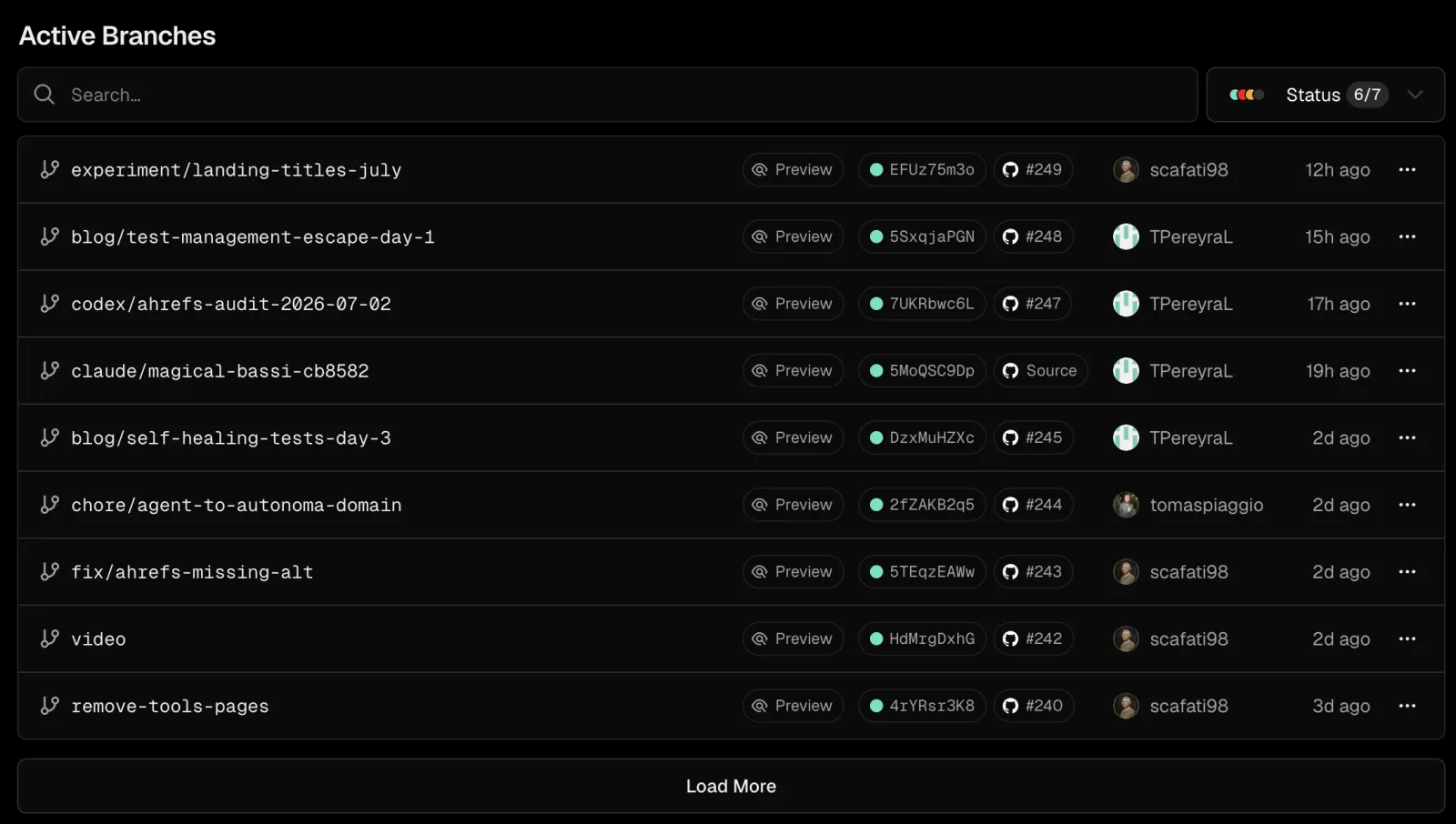
Render's Pull Request Previews spin up a full copy of your services when you open a PR. That means your frontend, your API, and optionally a copy of your database, all running in isolation. The URL goes into the PR as a GitHub status check. The setup is straightforward on Render's dashboard. For full-stack apps, this is genuinely impressive: the preview is a real environment, not just a static snapshot.
Vercel's preview deployments cover the frontend and serverless function layer. They're fast, reliable, and get a unique URL on every push. What Vercel adds on top is the Deployment Checks API: after a preview deploys, external tools can register a pass/fail result before the deployment is marked complete. This is the native hook that Render does not have.
The practical difference: on Vercel, a testing integration runs automatically on every preview without any CI configuration. On Render, testing on previews requires a GitHub Actions workflow, you extract the preview URL from the deploy event and run your test suite against it. More wiring, same outcome once configured.
We cover the full E2E testing on preview environments workflow in a dedicated post if you want the technical deep-dive.
The Simplicity vs Control trade-off
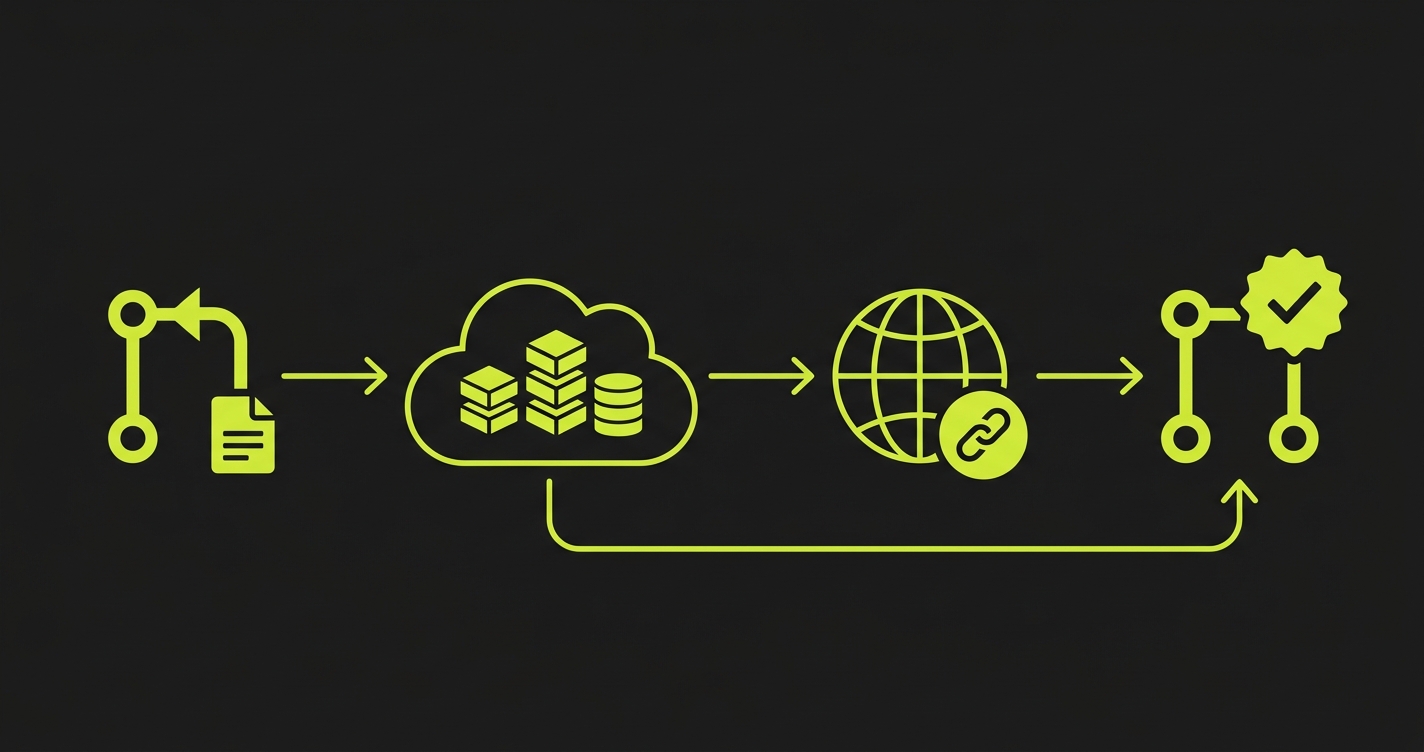
This is the frame that makes Render vs Vercel legible. Both platforms are excellent. They've made different bets about what developers actually want.

Render bet on simplicity. Transparent pricing with no surprise fees. Databases and compute in one dashboard. Support for any language your team already uses. The onboarding experience is deliberately low-friction, you can deploy a full-stack app in under ten minutes without reading documentation. Render's Pull Request Previews extend that philosophy: full-stack preview environments, no additional configuration required.
Vercel bet on control and performance. The Deployment Checks API gives teams a native hook to define exactly what "deployment complete" means, not just "build passed" but "build passed and tests passed and accessibility check passed." The edge network gives teams fine-grained control over where compute runs. The Next.js runtime gives teams access to every framework feature on day one.
The trade-off becomes visible at scale. Render is easier to start with. Vercel is harder to outgrow. Render's simplicity occasionally means fewer levers when you need them. Vercel's control occasionally means more configuration than you wanted.
Testing falls squarely on the control side of that spectrum. Vercel built native testing integration into the platform. Render left that layer to you, which means it's powerful and flexible, but it requires setup.
If you're weighing other points on this spectrum, the container-first middle tier is covered in Railway vs Vercel and Fly.io vs Vercel, and the full-control end is covered in Coolify vs Vercel.
Testing: the gap Render leaves open
Render's Pull Request Previews are one of the platform's most compelling features. You get a running full-stack environment for every PR. The problem is what happens next.
The preview URL is live. Your API is running. Your database is seeded. Nothing runs against it automatically. A reviewer clicks through a few flows manually, or the PR merges and you find out in production what wasn't working.
This is the gap. And it's not a knock on Render, it's a deliberate trade-off. Render optimized for deployment simplicity and left the testing layer to teams who want to own it. The gap exists because testing integration requires opinionated platform hooks that Render chose not to build natively.
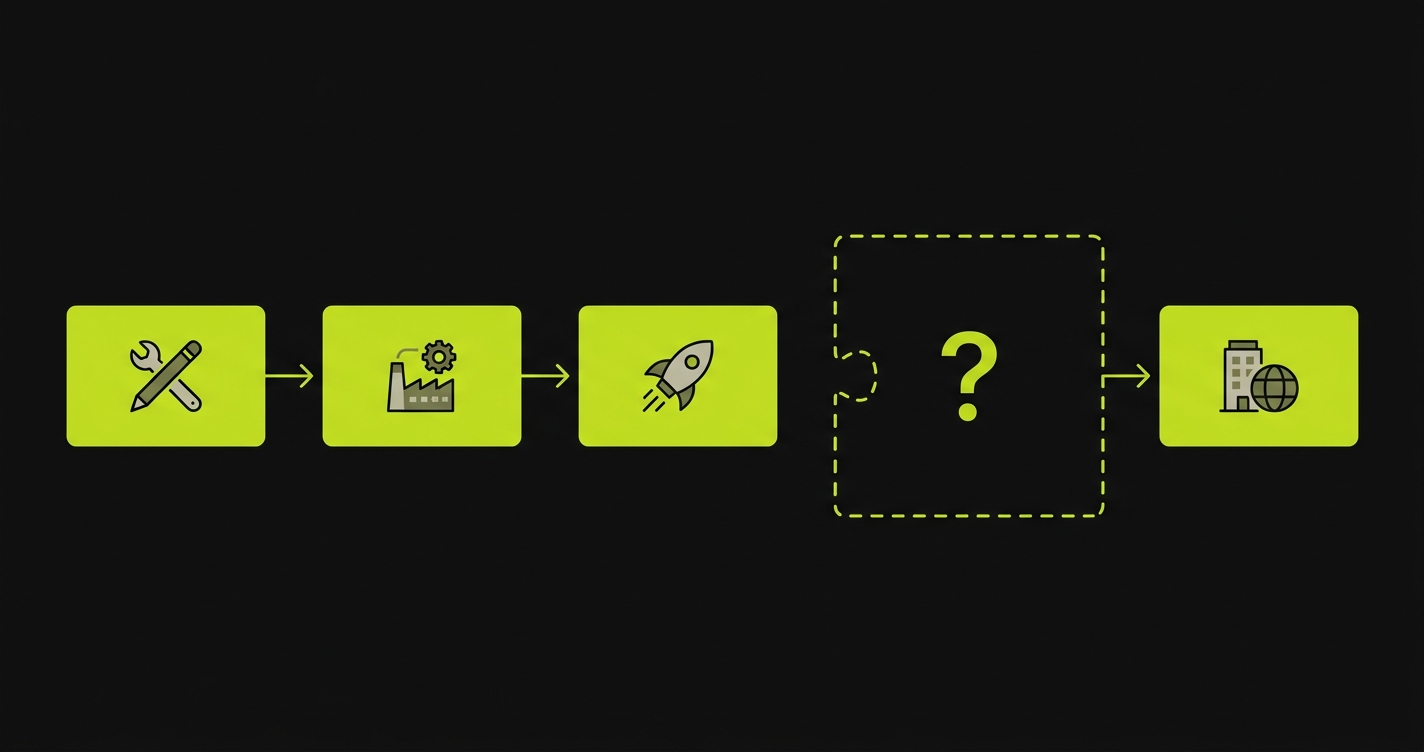
Closing the gap requires two things: a way to get the Render preview URL into your CI pipeline, and a testing tool that can run against that URL automatically.
Here is how that looks with GitHub Actions and Autonoma. When Render deploys a preview, it fires a deploy webhook. A GitHub Actions workflow listens for that event, extracts the preview URL from the payload, and calls the Autonoma API with that URL as the target. Autonoma's Planner agent reads your codebase, generates E2E test cases for your routes and components, the Executor agent executes them against the live preview, and results post back to the PR as a status check.
The workflow is a single YAML file:
Unlike Vercel, where Autonoma integrates through the Deployment Checks API with zero CI configuration, on Render you own this workflow. That's the honest trade-off. The wiring is yours; the testing coverage is the same.
Once it's in place, every Render Pull Request Preview gets E2E tests automatically. The PR doesn't move forward until the preview is both deployed and tested. The simplicity Render gave you for deployment, you've now extended to testing.
For teams already using GitHub Actions for other CI steps, adding this workflow is low effort. For teams that prefer zero configuration, Vercel's native integration is genuinely easier to start.
Performance and edge capabilities
Render and Vercel serve different performance use cases, so "which is faster" is the wrong question. Here are the hard specs that matter for platform selection:
| Spec | Render | Vercel |
|---|---|---|
| Compute regions | 4 primary (Oregon, Ohio, Frankfurt, Singapore) | ~20 compute regions globally |
| Edge PoPs (CDN) | Global CDN via Cloudflare for static assets | ~119+ edge PoPs, V8 Edge Runtime |
| Function timeout cap | No timeout on web services (persistent process) | 10s Hobby, 60s Pro (up to 300s configurable), 900s Enterprise |
| Cold starts | None on paid plans, services stay warm. Free tier sleeps after 15 min inactivity. | Serverless functions cold start on first invocation; edge functions are near-instant. |
| WebSocket support | Native, first-class | Not supported on Vercel Functions; use external service |
| Docker / container | First-class, any Dockerfile runs | Not supported for functions; limited to Node/Edge runtimes |
Render runs your services on dedicated VMs or containers in its global region network. It's not serverless by default, your web service is a running process with its own memory and CPU allocation. For workloads that need persistent connections, in-memory state, or frameworks that don't fit the serverless model (Django, Rails, Phoenix), Render's compute model is the right one. Cold starts are not a concern because there are no cold starts.
Vercel's model is serverless-first. Functions spin up on demand, scale automatically, and vanish when idle. For Next.js API routes and typical frontend workloads, this is efficient and low-maintenance. The edge network, running on V8 isolates globally, delivers low latency for read-heavy workloads and middleware that needs to run close to users.
Where Vercel pulls ahead is static asset delivery and CDN sophistication. The edge network is deeper and faster for global audiences. Render's CDN covers the basics well but is less differentiated at the edge.
Where Render pulls ahead is sustained compute workloads. If you're running a Python data processing service, a WebSocket server, or anything that benefits from a warm, persistent process, Render's VM-based compute is a better fit than shoehorning the workload into serverless functions.
For most Next.js apps deployed to a global audience: Vercel is faster. For most full-stack apps with meaningful backend compute: Render is more appropriate. These aren't equivalent categories.
Database and backend services
This is where Render has a clear and genuine advantage. Render is a full-stack platform.
Managed Postgres is built in, starting at $7/month. Managed Redis is built in at $10/month. Background workers, cron jobs, and private services all live in the same dashboard as your web services. The networking between services is private by default, your API talks to your Postgres instance on an internal network without exposing it to the public internet.
For startups that want their entire stack in one place, this is a significant operational advantage. One dashboard, one bill, one place to check logs, one platform to learn.
Vercel does not host databases. It integrates with external providers through its Marketplace: Neon for serverless Postgres, PlanetScale for MySQL, Upstash for Redis, Supabase for a full Postgres backend. These integrations are well-built, environment variables inject automatically into your deployments, but the database lives on a separate platform with a separate billing relationship.
Neither approach is wrong. Render's all-in-one model is simpler to operate. Vercel's integration model gives you more flexibility to choose the best database for your use case. The question is whether you want simplicity or optionality at the data layer.
When to choose Render vs Vercel
The Render or Vercel choice comes down to where your testing, database, and pricing priorities land. Here's how to decide.
Choose Render (as a Vercel alternative) if:
Your stack goes beyond the frontend. If you have a Node, Python, Go, or Ruby backend alongside your frontend, Render hosts everything in one place. Vercel hosts the frontend; the backend lives elsewhere.
Pricing predictability matters. Render's flat-rate team pricing and no-egress-fee model is easier to budget. Vercel's per-seat pricing escalates with headcount, and bandwidth overages can appear unexpectedly.
You want databases included. Postgres and Redis on Render are native, not bolted-on integrations. For teams that don't want to manage separate database subscriptions, this is a meaningful simplicity win.
Your team doesn't use Next.js. Render's polyglot support is broader. SvelteKit, Nuxt, Django, Rails, Phoenix, all run well without adapters or workarounds.
Choose Vercel if:
You're building with Next.js, especially App Router, Server Components, or Partial Prerendering. Vercel is the runtime these features were designed for. Compatibility issues on other platforms are rare, but lag on new features is real.
You want native testing integration on Vercel preview deployments. Vercel's Deployment Checks API is the only native platform hook that gates previews behind test results. If zero-configuration testing on every preview is a priority, Vercel's platform advantage is real. On Render, you'll get equivalent coverage through GitHub Actions, but you'll write the workflow yourself.
Your team values a clean, opinionated deployment experience without infrastructure decision fatigue. Vercel's serverless-first model removes most infrastructure decisions from the equation.
Edge performance matters for your specific workload. For global audiences accessing read-heavy Next.js apps, Vercel's edge network delivers meaningfully lower latency.
Consider Coolify (a self-hosted Render alternative) if:
Vendor lock-in is a hard constraint. Both Render and Vercel tie your deployment workflow to their platforms. Coolify is the self-hosted Render alternative that gives you Render-like simplicity, dashboard, databases, preview environments, without the SaaS dependency. It runs on your own VPS, costs as much as the server, and gives you full data portability. The trade-off is operational burden: you maintain the platform.
Still on the fence between Render and Vercel? Happy to compare notes on where each one bites at scale. Grab 20 min with a founder
FAQ
For most teams, yes, especially as you scale. Render's team plan is flat-rate ($19/month) with no per-seat pricing and no egress fees. Vercel charges $20/member/month at Pro, so a 5-person team pays $100/month before compute add-ons. If you add databases, Render includes managed Postgres and Redis natively; Vercel requires separate subscriptions through Marketplace providers. The gap widens with team size and backend compute needs.
Yes. Render calls them Pull Request Previews. They spin up a full copy of your services, frontend, backend, and optionally a database snapshot, when you open a PR. The preview URL posts to the PR as a GitHub status check. They work on all paid plans and are one of Render's strongest features for full-stack teams.
Yes, but it requires more setup than Vercel. Render does not have a native deployment testing hook equivalent to Vercel's Deployment Checks API. You extract the preview URL from Render's deploy webhook, pass it into a GitHub Actions workflow, and run your test suite against it. Autonoma works this way on Render: the workflow calls the Autonoma API with the preview URL, the Planner agent generates the test cases and the Executor agent runs them against the live environment, and results post back to the PR. More wiring than Vercel's zero-config integration, but equivalent coverage once in place.
Vercel is a frontend and serverless platform, not a full-stack platform. It does not natively host persistent backend services or databases. It integrates with external providers, Neon, PlanetScale, Supabase, Upstash, through its Marketplace. These integrations are solid, but the database lives on a separate platform. If you need everything in one place, Render is better suited.
Coolify is the most direct Render alternative for teams that want self-hosting. It provides a similar UI-driven experience for deploying web services, databases, and background workers, but runs on your own infrastructure. You get Render-like simplicity without the SaaS dependency, at the cost of managing your own server. It is open-source and actively maintained.
Vercel, without question. Next.js is a Vercel project. The runtime, the Build Output API, and every new feature in the last several Next.js releases are designed with Vercel's infrastructure in mind. Render supports Next.js and it works, but there is typically a lag on new features and some App Router capabilities require adapters. For teams on the bleeding edge of Next.js, Vercel is the right call.
Render does not have a native serverless function product equivalent to Vercel Functions. You run backend logic as a web service (a persistent process) or as a background worker, not as ephemeral serverless functions. For most full-stack apps this is fine, you get a real server with predictable behavior. For workloads that need true serverless scaling, Vercel's model is more appropriate.
No. Render does not have a V8-based edge runtime equivalent to Vercel's Edge Functions. For edge middleware or geographically distributed compute that runs close to users, Vercel is the stronger platform. Render's global CDN handles static asset delivery but not edge execution. If your workload needs edge logic, rewrites, A/B tests, geo-aware responses, that's a reason to pick Vercel.
Not for functions. Vercel is restricted to Node.js and Edge Runtime (V8 isolates) for its compute. If your backend is packaged as a Dockerfile, a Python ML service, a Rails monolith, a Go binary, Render, Railway, or Fly.io are better fits. Render treats Docker as a first-class deploy target: any Dockerfile runs as-is.
Yes. For frontend-heavy or Next.js apps without backend services or databases, Vercel is often the better choice, faster edge network, zero-config preview deployments, and native testing integration through the Deployment Checks API. The decision flips when you add a backend, polyglot runtimes, or persistent databases. At that point, Render's all-in-one model becomes the operationally simpler platform.


