Run Playwright Tests in GitHub Actions: A Setup Guide
Tom PiaggioCo-Founder at Autonoma
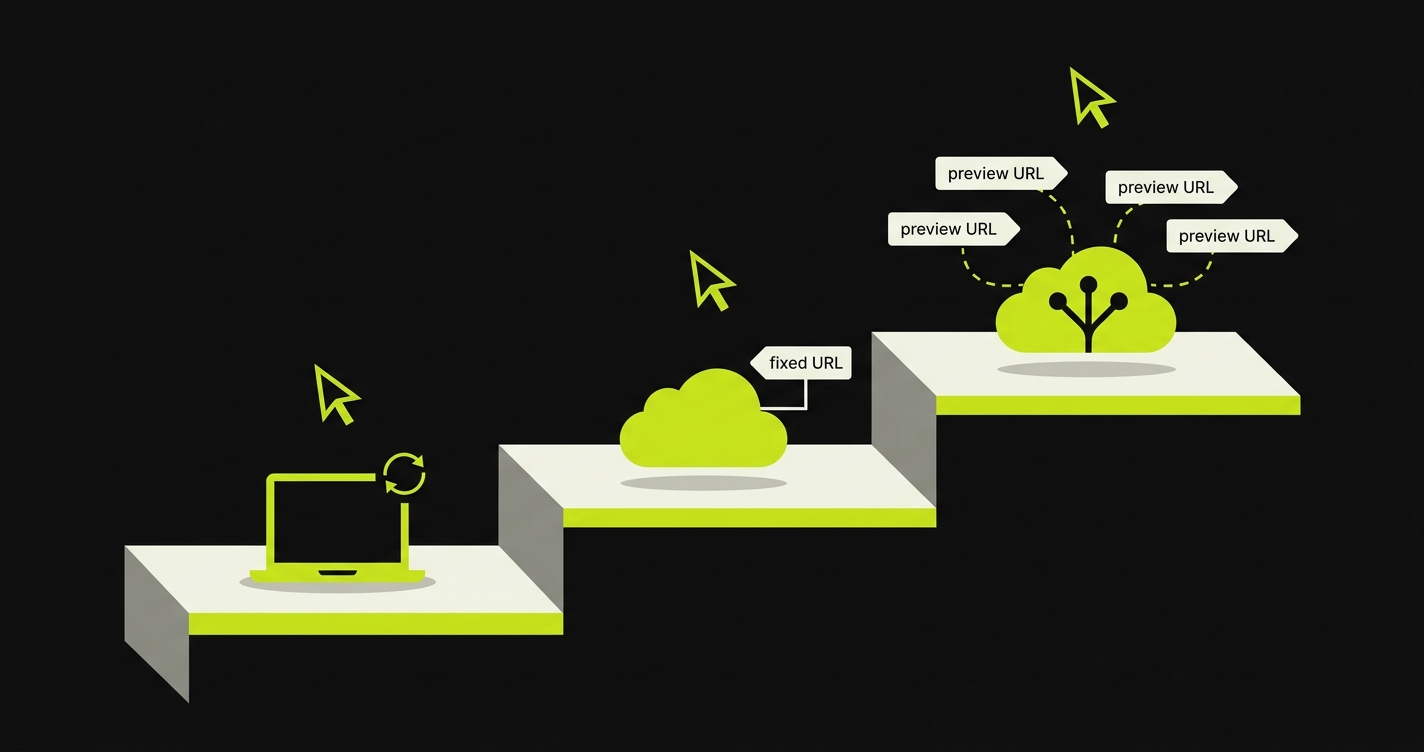
Running Playwright tests in GitHub Actions means adding a workflow that installs browsers and runs npx playwright test on every push or PR. Three levels exist: localhost, static staging URL, and dynamic preview deploy. Autonoma collapses the hardest level into one step.
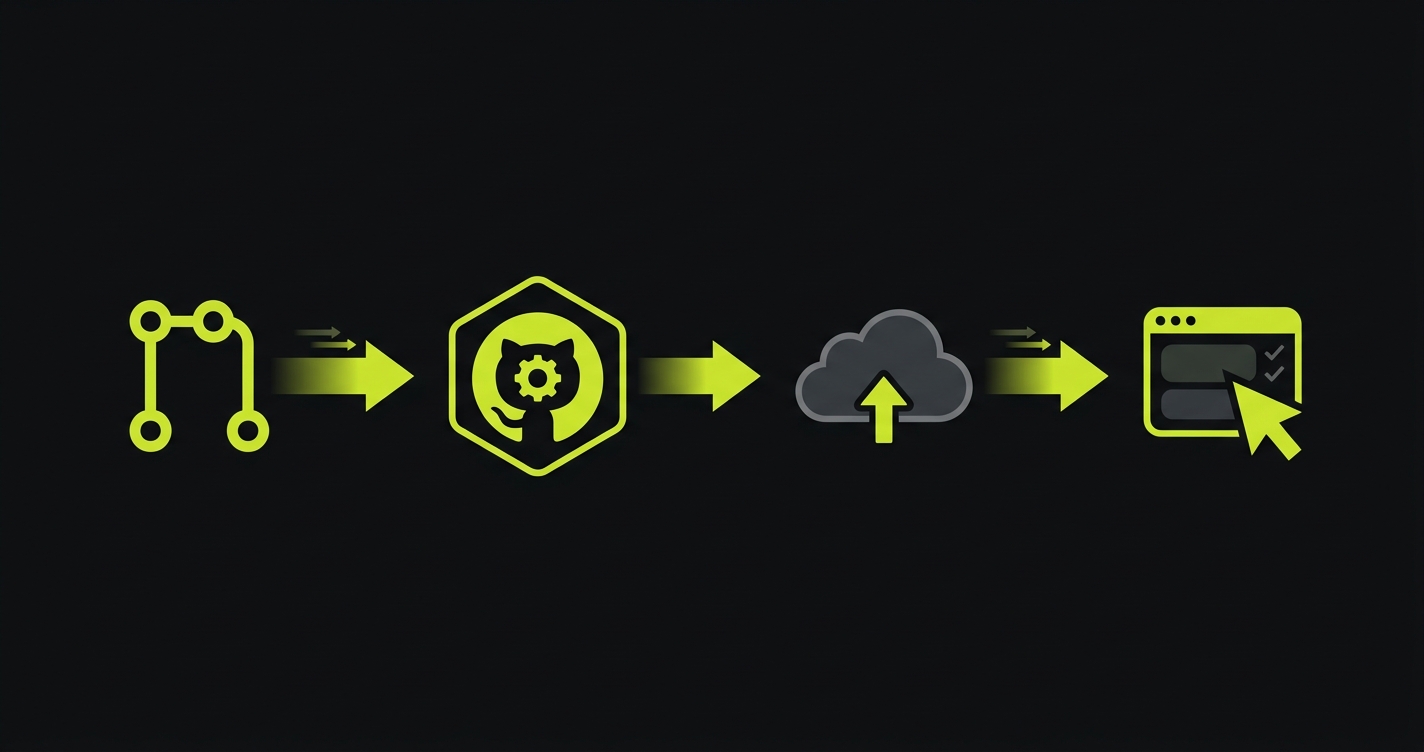
You open a PR. GitHub Actions runs. Your Playwright tests pass. You merge. The bug ships to production anyway, because your tests ran against your local build and the deployed preview had a different environment variable.
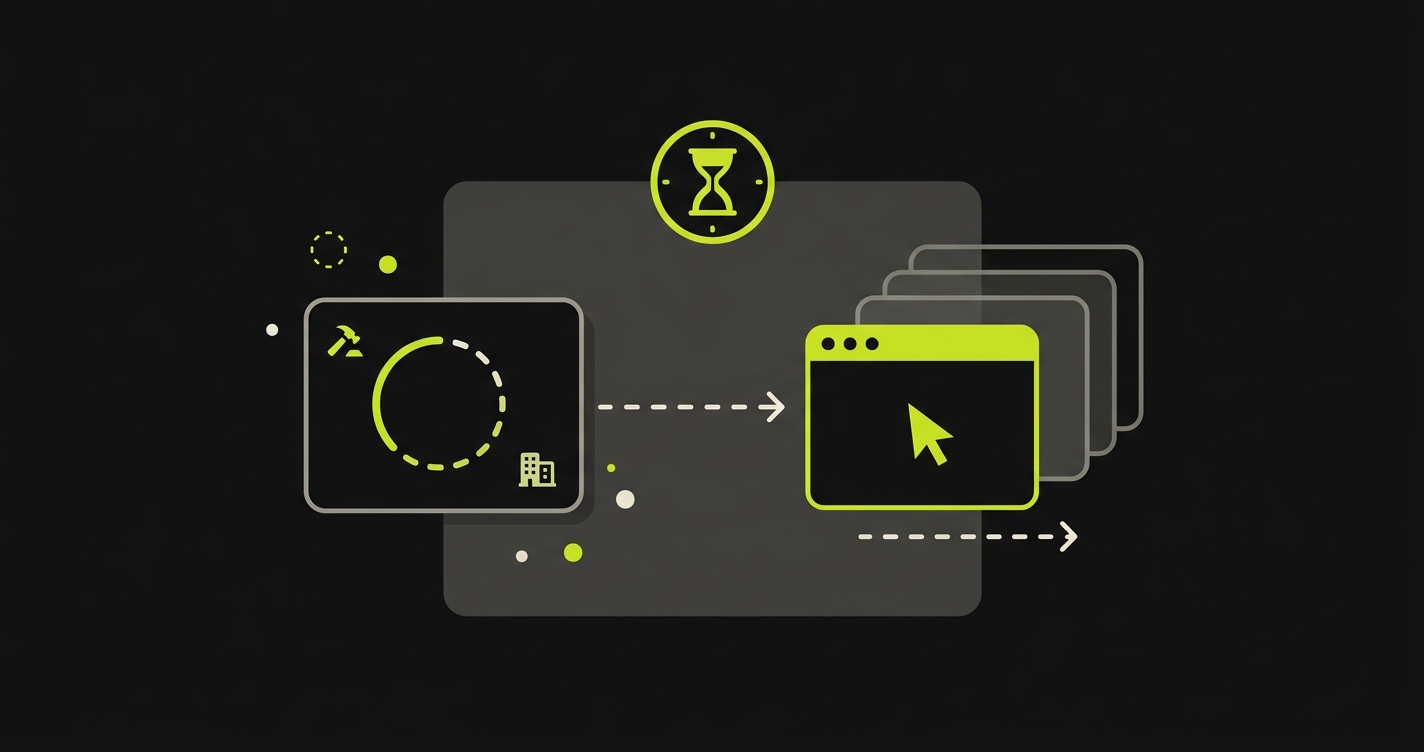
That gap is the whole problem. Running Playwright in GitHub Actions is straightforward when you're testing a static build you control. It gets significantly harder the moment the test target is a live URL that doesn't exist yet when the workflow starts, whose address you can't know in advance, and which might take three minutes to become ready.
This guide covers all three levels. Every section comes with a complete, copy-paste YAML workflow. By the end you'll understand exactly which level your team needs and what it costs to maintain.
Prerequisites
Before wiring up any of these workflows, you need three things in place. First, a Playwright project initialized in your repo (npm init playwright@latest or an existing test directory under tests/). Second, a playwright.config.js that reads BASE_URL from the environment so every workflow can point tests at the right target without touching test files. Third, basic familiarity with GitHub Actions YAML (triggers, jobs, steps) — we won't explain the fundamentals here.
The companion repo has a minimal but complete starting point: a playwright.config.js that handles all three URL modes in one file, and a smoke spec you can run against any URL to verify the setup works before writing real tests.
For a deeper dive on Playwright itself, our Playwright E2E testing guide covers page objects, fixtures, and test architecture in detail.
Level 1: Playwright Against Localhost in CI
The simplest GitHub Actions Playwright setup starts your application as a background process inside the CI runner, then runs Playwright against it on localhost. No external URLs, no secrets, no coordination with deployment platforms.
Here's the full workflow — it starts the dev server, waits until port 3000 is available, runs the full Playwright suite, and uploads the HTML report as a workflow artifact:
# Level 1: Run Playwright against a localhost dev server started inside the runner.## What this does:# 1. Installs Node + project dependencies (npm ci).# 2. Restores / caches Playwright browser binaries at ~/.cache/ms-playwright.# 3. Starts `npm run dev` as a background process.# 4. Waits for http://localhost:3000 to be reachable.# 5. Runs Playwright tests against that URL.# 6. Uploads the HTML report as an artifact so you can download it from the# run summary even when tests pass.## Required secrets: none.name: Playwright (localhost)on: push: branches: [main] pull_request:jobs: test: timeout-minutes: 20 runs-on: ubuntu-latest steps: - name: Checkout uses: actions/checkout@v4 - name: Setup Node uses: actions/setup-node@v4 with: node-version: 20 cache: npm - name: Install dependencies run: npm ci - name: Cache Playwright browsers id: playwright-cache uses: actions/cache@v4 with: path: ~/.cache/ms-playwright key: playwright-${{ runner.os }}-${{ hashFiles('package-lock.json') }} restore-keys: | playwright-${{ runner.os }}- - name: Install Playwright browsers if: steps.playwright-cache.outputs.cache-hit != 'true' run: npx playwright install --with-deps chromium - name: Install Playwright system deps (cache hit path) if: steps.playwright-cache.outputs.cache-hit == 'true' run: npx playwright install-deps chromium - name: Start dev server run: npm run dev & env: CI: 'true' - name: Wait for dev server run: npx wait-on http://localhost:3000 --timeout 120000 - name: Run Playwright tests run: npx playwright test env: CI: 'true' BASE_URL: http://localhost:3000 - name: Upload Playwright report if: always() uses: actions/upload-artifact@v4 with: name: playwright-report-localhost path: playwright-report/ retention-days: 14
A few things worth noting in this config. The npx wait-on tcp:3000 step is load-bearing. Without it, Playwright starts before the dev server is ready and you get connection-refused errors that look like flaky tests but are actually a race condition. The if: always() on the artifact upload ensures the HTML report is accessible even when the test run fails, which is when you need it most.
This level is appropriate for unit-style Playwright tests (component testing, isolated flows with mocked APIs) and for teams where all meaningful testing can happen against a local build. It's not appropriate if your flows depend on real backend services, real authentication, or environment-specific configuration that differs between local and production.
Level 2: Playwright Against a Static Staging URL
The jump from Level 1 to Level 2 is about where the application lives. Instead of starting it fresh in CI, you point Playwright at a persistent staging environment. The YAML gets slightly longer because you need to manage a secret for the URL (and usually credentials), but the workflow structure is simpler since there's no server to start.
The workflow here adds one environment variable, secrets-based URL injection, and a basic auth header if your staging environment has HTTP authentication:
# Level 2: Run Playwright against a stable staging URL.## What this does:# 1. Checks out the repo so tests/ and playwright.config.js are available.# 2. Installs Node + dependencies.# 3. Restores / caches Playwright browser binaries.# 4. Runs Playwright against the URL stored in the STAGING_URL secret.# 5. Optionally injects an Authorization header via PLAYWRIGHT_EXTRA_HTTP_HEADERS# (read by playwright.config.js) so you can hit a protected staging env.## Required secrets:# STAGING_URL Full base URL, e.g. https://staging.example.com# STAGING_AUTH_TOKEN (optional) bearer token if your staging requires auth.# Set in: Settings -> Secrets and variables -> Actions.name: Playwright (static staging URL)on: pull_request:jobs: test: timeout-minutes: 20 runs-on: ubuntu-latest steps: - name: Checkout uses: actions/checkout@v4 - name: Setup Node uses: actions/setup-node@v4 with: node-version: 20 cache: npm - name: Install dependencies run: npm ci - name: Cache Playwright browsers id: playwright-cache uses: actions/cache@v4 with: path: ~/.cache/ms-playwright key: playwright-${{ runner.os }}-${{ hashFiles('package-lock.json') }} restore-keys: | playwright-${{ runner.os }}- - name: Install Playwright browsers if: steps.playwright-cache.outputs.cache-hit != 'true' run: npx playwright install --with-deps chromium - name: Install Playwright system deps (cache hit path) if: steps.playwright-cache.outputs.cache-hit == 'true' run: npx playwright install-deps chromium - name: Build auth header (if token provided) id: auth run: | if [ -n "${{ secrets.STAGING_AUTH_TOKEN }}" ]; then echo 'headers={"Authorization":"Bearer ${{ secrets.STAGING_AUTH_TOKEN }}"}' >> "$GITHUB_OUTPUT" else echo 'headers=' >> "$GITHUB_OUTPUT" fi - name: Run Playwright tests run: npx playwright test env: CI: 'true' BASE_URL: ${{ secrets.STAGING_URL }} PLAYWRIGHT_EXTRA_HTTP_HEADERS: ${{ steps.auth.outputs.headers }} - name: Upload Playwright report if: always() uses: actions/upload-artifact@v4 with: name: playwright-report-static-url path: playwright-report/ retention-days: 14
The key pattern: BASE_URL comes from a GitHub Actions secret, and the playwright.config.js reads it at runtime. Tests never have hardcoded URLs. This also means the same test files work across all three levels — you swap the URL, not the tests.
Level 2 introduces a maintenance surface that Level 1 doesn't have. The staging environment needs to be kept alive, kept in sync with the main branch, and kept accessible to the CI runner. When it drifts from production (outdated schema, stale data, a different version of a third-party service), your tests pass but the real behavior in production diverges. That drift is silent and accumulates over time.
That said, Level 2 is the right choice for many teams. If you have a stable staging environment that tracks main, and your integration requirements are modest, the simplicity is worth it.
Level 3: Playwright Against a Dynamic Preview URL
This is where most of the real complexity lives. Every PR gets its own preview deployment at a unique URL. The URL doesn't exist when the workflow starts. It gets created by a deployment platform (Vercel, Railway, Render, Netlify, or a self-hosted platform like Coolify or Fly.io) sometime after the PR is opened, and your workflow needs to wait for it, extract it, and then run Playwright against it.
The approach differs by platform. For Vercel, you trigger on the deployment_status GitHub event, which Vercel fires after every deployment. The URL is in the event payload. No polling needed. For Railway, Render, and Netlify, the event model is different. You trigger on pull_request, then poll the platform's deployment API until the preview URL becomes available. This requires a polling script and a timeout strategy.
Here's the full Vercel-flavored workflow, which also covers the pattern for URL extraction:
#!/usr/bin/env node// Poll a PaaS deployment API until a preview is live, then emit the URL to// $GITHUB_OUTPUT so a follow-up Actions step can run Playwright against it.//// Required env:// PLATFORM one of: railway | render | netlify// API_TOKEN platform API token (stored as a GH Actions secret)// PROJECT_ID platform-specific project / service / site identifier// BRANCH branch name to match against deployments//// Optional env:// TIMEOUT_MS default 600000 (10 minutes)// INITIAL_POLL_MS default 10000// BACKOFF_POLL_MS default 30000// GITHUB_OUTPUT provided automatically by GitHub Actions//// Exit codes:// 0 on success (and `url=...` written to $GITHUB_OUTPUT)// 1 on deploy failure, timeout, or missing config//// Uses Node 18+ global fetch. No external dependencies.'use strict';const fs = require('node:fs');const TIMEOUT_MS = Number(process.env.TIMEOUT_MS || 10 * 60 * 1000);const INITIAL_POLL_MS = Number(process.env.INITIAL_POLL_MS || 10_000);const BACKOFF_POLL_MS = Number(process.env.BACKOFF_POLL_MS || 30_000);const FIRST_MINUTE_MS = 60_000;const NOT_FOUND_GRACE_MS = 60_000;const HEALTH_CHECK_TIMEOUT_MS = 5 * 60 * 1000;function fail(message) { console.error(`[wait-for-deployment] ERROR: ${message}`); process.exit(1);}function log(message) { console.log(`[wait-for-deployment] ${message}`);}function sleep(ms) { return new Promise((resolve) => setTimeout(resolve, ms));}function emitOutput(key, value) { const file = process.env.GITHUB_OUTPUT; if (!file) { log(`GITHUB_OUTPUT not set; printing ${key}=${value} to stdout instead.`); console.log(`${key}=${value}`); return; } fs.appendFileSync(file, `${key}=${value}\n`);}// Normalized deployment shape returned by every platform adapter:// { status: 'building' | 'ready' | 'failed' | 'not_found', url: string | null, raw?: unknown }async function fetchRailway({ apiToken, projectId, branch }) { // Railway exposes a GraphQL endpoint at https://backboard.railway.app/graphql/v2. // We query the most recent deployments on the given project + branch. const query = ` query Deployments($projectId: String!) { deployments(input: { projectId: $projectId }, first: 20) { edges { node { id status staticUrl meta createdAt } } } } `; const res = await fetch('https://backboard.railway.app/graphql/v2', { method: 'POST', headers: { 'Content-Type': 'application/json', Authorization: `Bearer ${apiToken}`, }, body: JSON.stringify({ query, variables: { projectId } }), }); if (res.status === 404) return { status: 'not_found', url: null }; if (!res.ok) throw new Error(`Railway API ${res.status}: ${await res.text()}`); const body = await res.json(); const edges = body?.data?.deployments?.edges ?? []; const match = edges .map((e) => e.node) .find((n) => { const metaBranch = n?.meta?.branch ?? n?.meta?.gitBranch; return metaBranch === branch; }); if (!match) return { status: 'not_found', url: null }; const status = String(match.status || '').toUpperCase(); if (status === 'SUCCESS' || status === 'DEPLOYED') { return { status: 'ready', url: match.staticUrl || null, raw: match }; } if (status === 'FAILED' || status === 'CRASHED' || status === 'REMOVED') { return { status: 'failed', url: null, raw: match }; } return { status: 'building', url: null, raw: match };}async function fetchRender({ apiToken, projectId, branch }) { // Render: list deploys for a service, filter by branch. const url = `https://api.render.com/v1/services/${encodeURIComponent(projectId)}/deploys?limit=20`; const res = await fetch(url, { headers: { Authorization: `Bearer ${apiToken}`, Accept: 'application/json' }, }); if (res.status === 404) return { status: 'not_found', url: null }; if (!res.ok) throw new Error(`Render API ${res.status}: ${await res.text()}`); const body = await res.json(); const deploys = Array.isArray(body) ? body.map((d) => d.deploy ?? d) : []; const match = deploys.find((d) => { const commitBranch = d?.commit?.branch ?? d?.branch; return commitBranch === branch; }); if (!match) return { status: 'not_found', url: null }; const status = String(match.status || '').toLowerCase(); if (status === 'live' || status === 'succeeded') { return { status: 'ready', url: match.url || match.serviceUrl || null, raw: match }; } if ( status === 'build_failed' || status === 'update_failed' || status === 'canceled' || status === 'deactivated' ) { return { status: 'failed', url: null, raw: match }; } return { status: 'building', url: null, raw: match };}async function fetchNetlify({ apiToken, projectId, branch }) { // Netlify: list deploys for a site, filter by branch. const url = `https://api.netlify.com/api/v1/sites/${encodeURIComponent(projectId)}/deploys?branch=${encodeURIComponent(branch)}&per_page=20`; const res = await fetch(url, { headers: { Authorization: `Bearer ${apiToken}`, Accept: 'application/json' }, }); if (res.status === 404) return { status: 'not_found', url: null }; if (!res.ok) throw new Error(`Netlify API ${res.status}: ${await res.text()}`); const deploys = await res.json(); const match = Array.isArray(deploys) ? deploys[0] : null; if (!match) return { status: 'not_found', url: null }; const state = String(match.state || '').toLowerCase(); if (state === 'ready') { const deployUrl = match.deploy_ssl_url || match.deploy_url || match.ssl_url || match.url; return { status: 'ready', url: deployUrl || null, raw: match }; } if (state === 'error' || state === 'rejected') { return { status: 'failed', url: null, raw: match }; } return { status: 'building', url: null, raw: match };}function getAdapter(platform) { switch (platform) { case 'railway': return fetchRailway; case 'render': return fetchRender; case 'netlify': return fetchNetlify; default: return null; }}async function waitForHealthy(url) { // Once the platform says the deploy is ready, the edge may still be warming // up and return 503 for a few seconds. Poll the URL until it returns a // non-5xx status or we give up. const deadline = Date.now() + HEALTH_CHECK_TIMEOUT_MS; let lastStatus = 0; while (Date.now() < deadline) { try { const res = await fetch(url, { method: 'GET', redirect: 'follow' }); lastStatus = res.status; if (res.status < 500) { log(`URL healthy (HTTP ${res.status}): ${url}`); return; } log(`URL warming up (HTTP ${res.status}); retrying in 5s...`); } catch (err) { log(`URL not reachable yet (${err.message}); retrying in 5s...`); } await sleep(5000); } throw new Error(`URL ${url} never returned a non-5xx response (last status: ${lastStatus}).`);}async function main() { const { PLATFORM, API_TOKEN, PROJECT_ID, BRANCH } = process.env; if (!PLATFORM || !API_TOKEN || !PROJECT_ID || !BRANCH) { fail('Missing required env. Need PLATFORM, API_TOKEN, PROJECT_ID, BRANCH.'); } const adapter = getAdapter(PLATFORM); if (!adapter) { fail(`Unsupported PLATFORM '${PLATFORM}'. Supported: railway, render, netlify.`); } log(`Platform: ${PLATFORM}`); log(`Project: ${PROJECT_ID}`); log(`Branch: ${BRANCH}`); log(`Timeout: ${TIMEOUT_MS} ms`); const startedAt = Date.now(); let notFoundSince = null; while (Date.now() - startedAt < TIMEOUT_MS) { const elapsed = Date.now() - startedAt; const pollInterval = elapsed < FIRST_MINUTE_MS ? INITIAL_POLL_MS : BACKOFF_POLL_MS; let result; try { result = await adapter({ apiToken: API_TOKEN, projectId: PROJECT_ID, branch: BRANCH }); } catch (err) { log(`Poll error (will retry): ${err.message}`); await sleep(pollInterval); continue; } if (result.status === 'ready') { if (!result.url) fail('Platform reported ready but returned no URL.'); log(`Deploy ready: ${result.url}`); await waitForHealthy(result.url); emitOutput('url', result.url); log('Done.'); process.exit(0); } if (result.status === 'failed') { fail(`Deploy failed on ${PLATFORM}. Raw: ${JSON.stringify(result.raw ?? {})}`); } if (result.status === 'not_found') { if (notFoundSince === null) notFoundSince = Date.now(); const notFoundFor = Date.now() - notFoundSince; if (notFoundFor > NOT_FOUND_GRACE_MS) { fail(`No deployment found for branch '${BRANCH}' after ${Math.round(notFoundFor / 1000)}s.`); } log(`No deployment yet for branch '${BRANCH}'; retrying in ${pollInterval / 1000}s...`); } else { notFoundSince = null; log(`Deploy building; retrying in ${pollInterval / 1000}s...`); } await sleep(pollInterval); } fail(`Timed out after ${TIMEOUT_MS}ms waiting for a ready deployment on ${PLATFORM}.`);}main().catch((err) => { fail(err.stack || err.message || String(err));});
The polling script is where teams underestimate the complexity. You need to handle several cases: the deployment is still building, the deployment failed (don't wait forever), the API returns a 404 because the deployment doesn't exist yet, and the URL is available but the server returns 503 while it warms up. Each of these requires a different response from the script.
Beyond the polling logic, Level 3 adds four more failure modes that Level 1 and 2 don't have. Secrets rotation: the deployment API token for Railway or Render needs to be rotated and updated in GitHub Secrets. Platform API drift: deployment APIs evolve, and preview URL response shapes change between versions; hardcoded parsers break silently when the platform ships an update. Deploy timeout drift: some deployments take two minutes, some take eight, depending on cold-start behavior and cache state. A fixed five-minute timeout fails the expensive test runs. Concurrency: two PRs pushed simultaneously create two parallel workflows, both polling the same API, potentially stepping on each other's URL extraction.
This is not a reason to avoid Level 3. For teams deploying to preview environments and wanting real coverage before merge, Level 3 is the right approach. It's a reason to understand what you're owning when you build it.
For a deep dive on the Vercel-specific variant of this workflow, our Vercel preview deployments testing guide covers the full event model and the Deployment Checks alternative.
Playwright GitHub Actions: The Three CI Levels Compared
The three GitHub Actions workflows for Playwright differ on YAML complexity, URL management, deploy-wait handling, results reporting, and maintenance burden. Here's how to pick:
Does your app work meaningfully without a real backend? Level 1 (localhost).
Do you have a stable staging environment that tracks main? Level 2 (static URL).
Do you need per-PR isolation and real environment parity? Level 3 (dynamic preview URL) — or Autonoma, which handles the Level 3 complexity as a single action step.
Level
YAML complexity
URL management
Deploy wait handling
Results reporting
Maintenance burden
Autonoma
~5 lines (1 action step)
Handled by action
Handled by action
Inline PR comments with diagnostics
Minimal — no YAML to maintain
Level 1: localhost
~30 lines
Hardcoded localhost
Server start polling
Playwright HTML report artifact
Low — app is self-contained
Level 2: static URL
~40 lines
Single secret
None (URL is always up)
Playwright HTML report + Slack
Low-medium — staging drift risk
Level 3: dynamic preview URL
80+ lines
Event payload parsing + polling
Polling + timeout logic
Status checks + PR comments
High — brittle, many moving parts
Handling Common Issues
The problems below come up on every team that runs Playwright in GitHub Actions. None of them are blockers — they all have solutions — but they're worth knowing about before you hit them.
Flaky Tests in CI
Tests that pass locally and fail in CI almost always have one of three causes. The first is timing: CI runners are slower than local machines, so explicit waits that work locally hit timeouts in CI. Increase Playwright's default timeout to 30 seconds for CI runs and use waitForLoadState('networkidle') before assertions that depend on network requests completing. The second cause is shared state: if your tests modify database records and run in parallel, one test's writes interfere with another's reads. Use Playwright's worker isolation and reset test data in beforeEach. The third is environment-specific behavior: an A/B test flag, a feature flag scoped to production, or an environment variable that exists in staging but not in the CI runner. Audit what differs between environments and make it explicit.
Browser Installation Failures
npx playwright install downloads browser binaries on every run by default. This adds 30-60 seconds to every CI job and occasionally fails on network errors. Cache the Playwright browser binaries using GitHub Actions' cache action, keyed to the Playwright version in your package-lock.json. The Level 1 workflow in the companion repo includes this caching pattern.
Parallel Test Sharding
Playwright supports sharding across multiple CI workers natively. For large suites, split the run across four workers with --shard=1/4 through --shard=4/4 and use a matrix strategy in GitHub Actions to run them in parallel. Each shard produces a partial report; merge them after all shards complete using npx playwright merge-reports.
Deploy Timeout Strategy
For Level 3 workflows, the right timeout isn't a single number. Set a short initial polling interval (10 seconds) that backs off to 30 seconds after the first minute. Cap the total wait at 10 minutes and fail the workflow with a descriptive message if the deploy never becomes ready. "Deploy did not become ready within 10 minutes" is actionable. "Process exited with code 1" is not.
The Simpler Path: Autonoma in GitHub Actions
After seeing what Level 3 takes, a lot of teams ask whether there's a way to get the same coverage without owning the polling logic, the URL extraction, and the platform-specific API handling. For teams on Autonoma, there is.
The autonoma-ai/actions/test-runner@v1 action replaces the entire Level 3 workflow. It reads your codebase, waits for the preview deployment to be ready, extracts the URL, runs E2E tests generated from your code, and posts results directly to the PR as inline comments with pass/fail diagnostics. Here's what the workflow looks like:
# Autonoma test runner — managed E2E test execution against Vercel previews.## This is the Autonoma equivalent of the Level 3 workflow. Instead of wiring# Playwright, caching, retries, and PR comments yourself, the# autonoma-ai/actions/test-runner action handles everything and streams# results back to the PR.## Required secrets:# AUTONOMA_API_KEY Your Autonoma project API key.# Get it from: https://getautonoma.com/dashboard# Add it in: Settings -> Secrets and variables -> Actionsname: Autonoma E2E (preview)on: deployment_status:jobs: test: if: github.event.deployment_status.state == 'success' && github.event.deployment_status.environment == 'Preview' runs-on: ubuntu-latest steps: - name: Checkout uses: actions/checkout@v4 - name: Run Autonoma test suite uses: autonoma-ai/actions/test-runner@v1 with: api-key: ${{ secrets.AUTONOMA_API_KEY }} preview-url: ${{ github.event.deployment_status.target_url }} platform: vercel
The action takes three inputs: the deployment platform so it knows which event model to use, the preview URL (passed in from the trigger event's payload or extracted from the platform API by the action itself), and the Autonoma API key from your GitHub Secrets. The rest is handled.
What Autonoma doesn't do: it doesn't replace your unit tests, your linting, or your build validation. It is a web E2E layer. Level 1 and Level 2 tests for logic that doesn't require a deployed environment still make sense. Autonoma is specifically for the class of testing that Level 3 is trying to solve: real browser, real URL, real backend, before merge.
The Simplest Path: Autonoma on Vercel
If your stack runs on Vercel, there's a path that requires zero GitHub Actions YAML for the E2E layer. Autonoma is available as a native Vercel Deployment Check, which means Vercel calls Autonoma directly when each preview deployment completes. No workflow file needed, no event handling, no secrets management in GitHub.
Setup is three steps: install Autonoma from the Vercel Marketplace, connect your repository, and set which branch triggers production-promotion checks. Every preview deployment gets tested automatically. Results appear in the Vercel dashboard and as a GitHub status check on the PR. If tests fail, the PR shows a failing check and the deployment is blocked from production promotion.
This is fundamentally different from the GitHub Actions path. GitHub Actions is pull-based: your workflow listens for events and reacts. Deployment Checks are push-based: Vercel calls your registered check and waits for a result. The distinction matters for reliability. An event-based workflow can be delayed or dropped if the runner is busy. A registered Deployment Check is synchronous with the deployment pipeline.
Our Vercel preview deployments testing guide covers the full Deployment Checks integration, including how to configure production-promotion gating and how protection bypass headers work for authenticated preview environments.
Playwright on Actions gets flaky fast once deploy-wait and preview URLs enter the picture — we've ironed out the usual culprits.Grab 20 min with a founder →
FAQ
Create a workflow YAML that triggers on push or pull_request, installs Node and Playwright browsers with npx playwright install --with-deps, then runs npx playwright test. For localhost testing, start your dev server as a background process before running tests. Use the BASE_URL environment variable in your playwright.config.js to point tests at the right URL.
Trigger your workflow on the deployment_status event and filter for state == 'success'. Extract the preview URL from github.event.deployment_status.target_url and pass it as BASE_URL to your Playwright test run. For platforms like Railway or Render that don't fire deployment_status events, you need a polling script that queries the platform's deployment API until the deploy is live.
For Vercel, trigger on the deployment_status event — Vercel fires it only when the deployment is ready, so no polling needed. For other platforms, write a polling script that checks the deployment status via the platform's API, sleeping between attempts. Set a hard timeout (e.g. 10 minutes) and fail the workflow if the deploy never becomes ready.
The most common causes: (1) the app isn't fully started before tests run — use wait-on or a startup health check; (2) tests share state across parallel workers — use Playwright's isolation features and reset state in beforeEach; (3) network timeouts are lower in CI — increase the default timeout; (4) browser caching causes stale state — use storageState: {} in your fixtures to start clean.
Add an upload-artifact step after your test run that points at the Playwright report output directory (usually playwright-report/). Use if: always() so the step runs even when tests fail. The HTML report is then downloadable from the workflow run summary in GitHub Actions.
Connect Autonoma as a Vercel Deployment Check. Autonoma reads your codebase, generates E2E tests, and runs them automatically against every preview deployment without any GitHub Actions workflow. On non-Vercel platforms, use the autonoma-ai/actions/test-runner@v1 GitHub Action — it's one step in your workflow and handles deploy waiting, URL extraction, and result reporting automatically.